
Dashboards & Pulse Reports
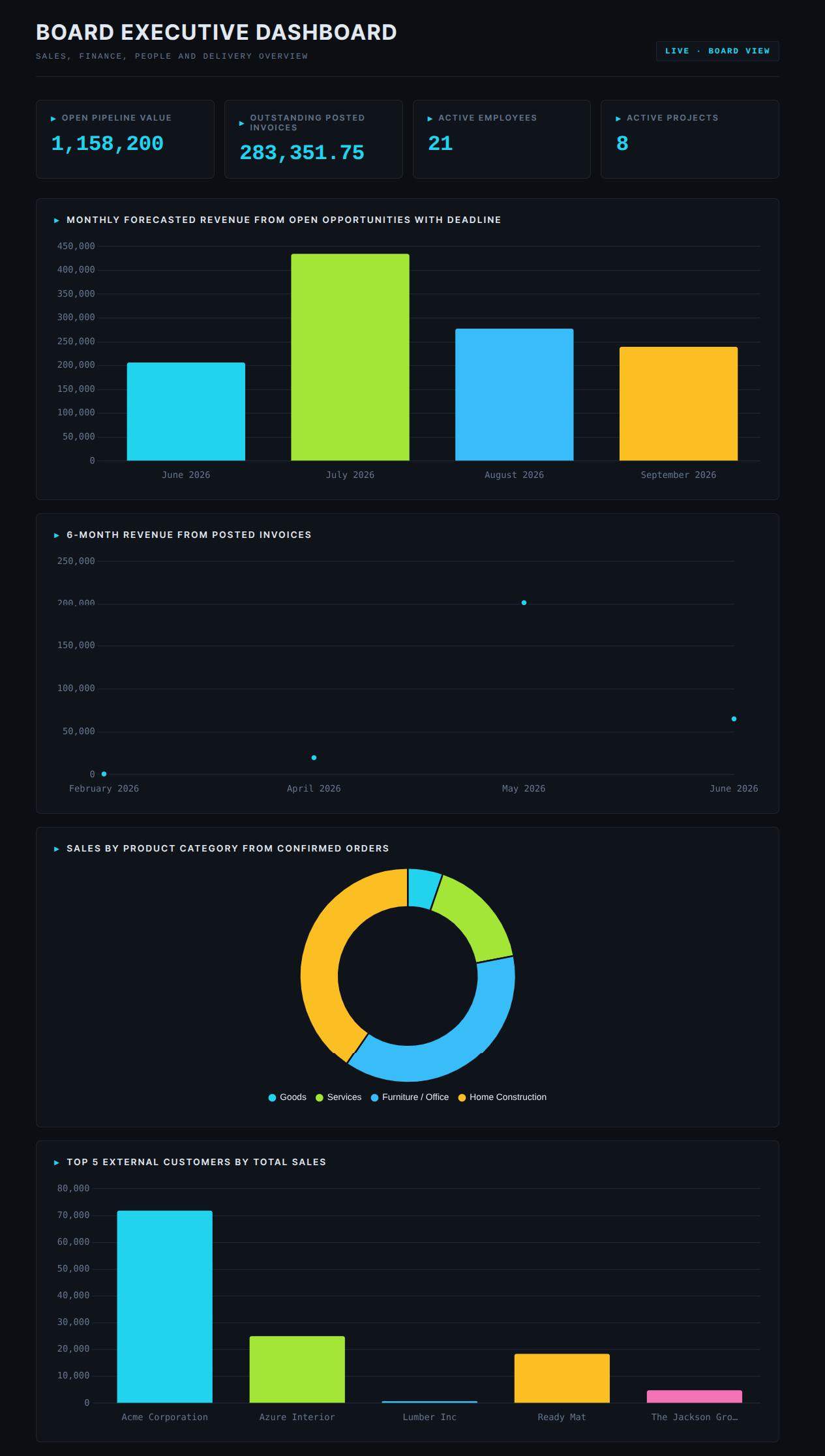
Beyond single charts, the MCP Server can compose full dashboards and run Pulse Reports — pre-built operational diagnostics. Both are produced by the AI on demand, both can be saved as Shared Pages, and both ship with a polished default theme.
Dashboards — compose_dashboard
When a user asks “build me a dashboard of last month’s sales”
or “give me a CRM overview”, the AI calls
compose_dashboard. The tool returns a self-contained
HTML artefact plus a recipe describing the dashboard’s
contents.
The default theme is Command — dark slate background, cyan accent, mono numbers, and Linear / Vercel-style polish. You can override the brand colours per recipe.
Sections
A dashboard recipe is a list of sections of one of four types:
kpi — a big number tile with optional sparkline and percent-change pill (when the AI passes a historical series).
kpi_row — a row of KPIs that automatically adapts its layout when there are more than four KPIs.
chart — a bar, line, or donut chart. The server applies smart defaults — date groupbys auto-become line charts, >8 categories auto-become horizontal bars.
table — a paged data table with a “Showing X of N” badge when the result exceeds the limit.
Two-step “save as page” flow
After compose_dashboard, the AI:
Renders the dashboard inline (artifact-capable clients like Claude.ai) or summarises it (clients without HTML artefacts like ChatGPT or Gemini CLI).
Asks the user explicitly: “Would you like to save this as a shareable Odoo URL?”
If yes, the AI calls save_dashboard_as_page with the
same recipe, and a Shared Page is created (see
Shared Pages).
The AI never saves silently. The user always confirms first.
Pulse Reports — pulse_report
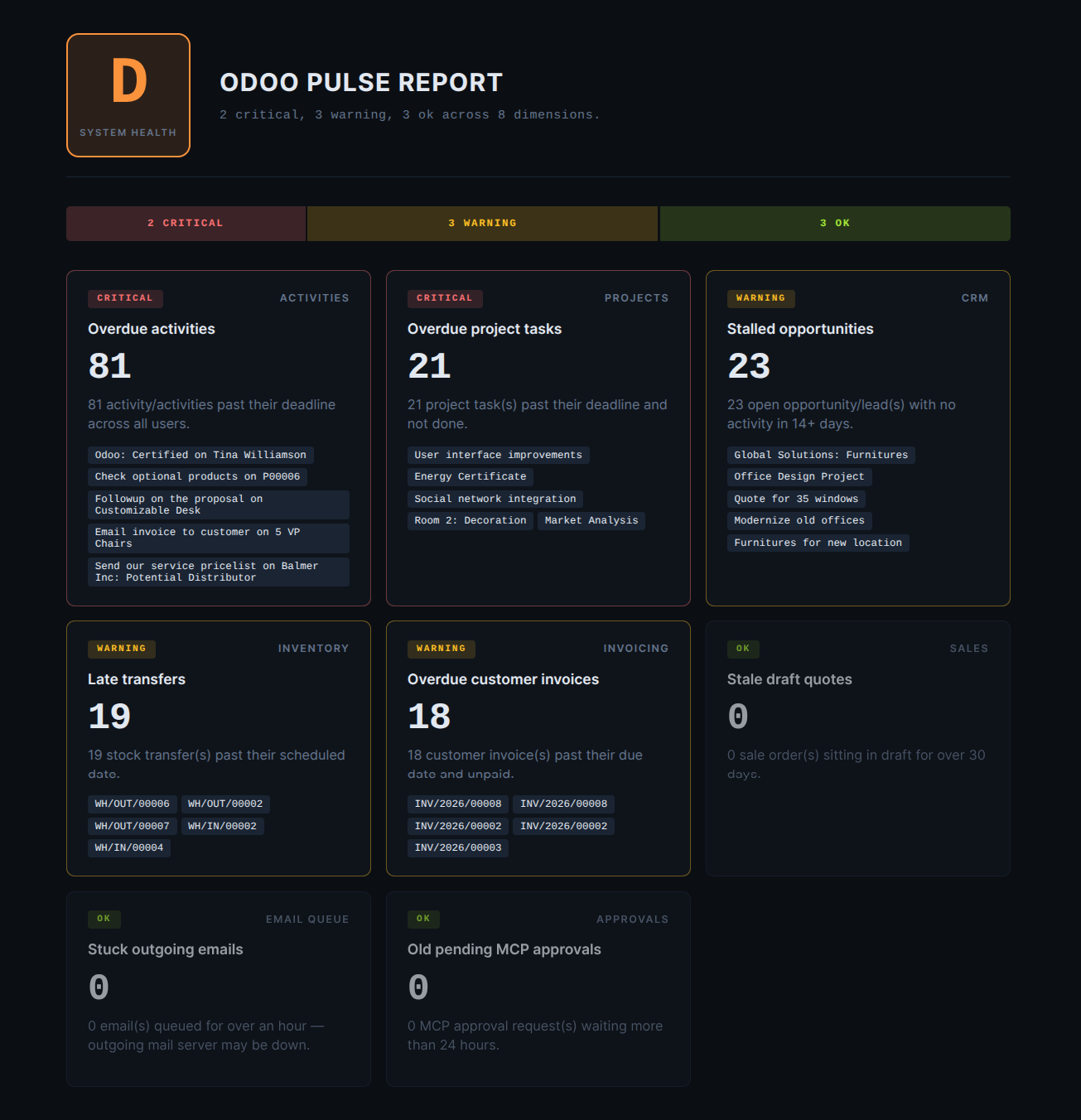
The Pulse Report is an operational health diagnostic the AI can run at any time. It scores up to eight dimensions A–F and renders a polished dashboard with red / amber / green finding cards.
The eight dimensions
Sales — stale draft quotes older than 30 days.
Invoicing — overdue unpaid invoices.
CRM — stalled opportunities with no activity for 14+ days.
Activities — overdue
mail.activityrecords.Email queue — stuck outgoing emails.
Approvals — MCP approval requests waiting more than 24h.
Inventory — late stock transfers.
Projects — overdue tasks.
Typical user prompts
“Run a system pulse report.”
“How are we doing on invoicing and CRM?” — the AI passes
dimensions: ["Invoicing", "CRM"]so the report scopes to just those.“Anything stuck in the email queue?” — narrowed to one dimension.
Dimensions whose underlying Odoo module isn’t installed are silently skipped — no error, no empty card.