
IP Restrictions
IP restrictions tie a connection to where it can be used from. This is useful when you want to make sure that even if an API key leaks, it cannot be used outside your office or your data centre.
Where to configure them
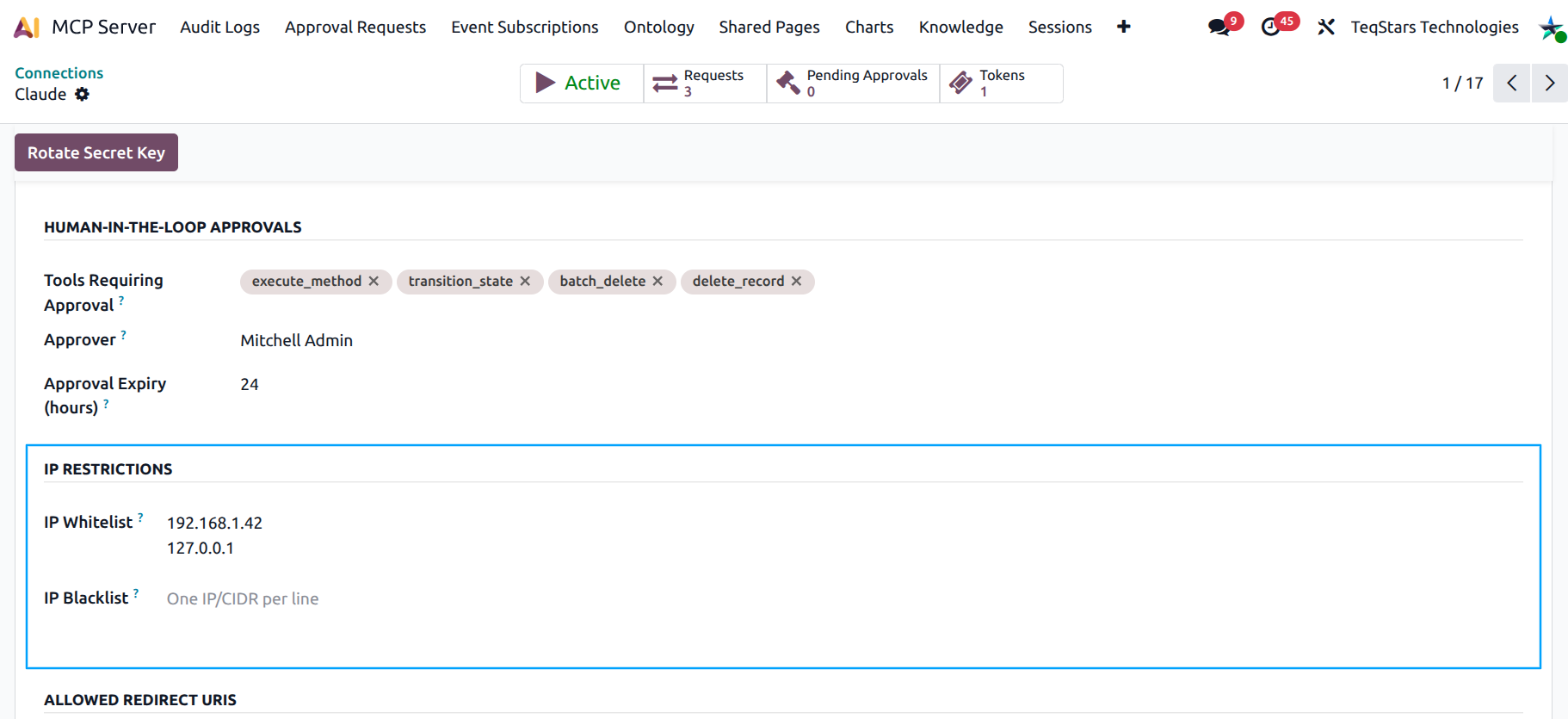
On any connection form (Bearer or OAuth), the IP Restrictions group is right under the Human-in-the-loop Approvals group:
Allowed IPs — one entry per line. Each entry is either a single IPv4 / IPv6 address or a CIDR block. When this list is non-empty, only matching IPs are allowed.
Blocked IPs — one entry per line. Each entry is either a single address or a CIDR block. Any matching IP is rejected, even if it is on the allowlist.
Supported formats
Format |
Example |
|---|---|
Single IPv4 |
|
IPv4 CIDR |
|
Single IPv6 |
|
IPv6 CIDR |
|
Comments after a # and blank lines are ignored — useful
for documenting why a range is there.
How the rules combine
For an incoming request:
If Blocked IPs contains a match → reject.
Else if Allowed IPs is empty → allow.
Else if Allowed IPs contains a match → allow.
Else → reject.
That is: blocklist always wins; allowlist (when present) is the only set permitted.
Trusting your reverse proxy
If your Odoo runs behind a reverse proxy (Nginx, HAProxy,
Cloudflare, Odoo.SH’s load balancer), make sure the proxy
forwards the real client IP in X-Forwarded-For and that
Odoo is configured to trust it. Otherwise every request will
appear to come from the proxy.
The standard Odoo --proxy-mode flag handles this for
self-hosted instances; Odoo.SH does it automatically.
Typical use cases
Office-only — allowlist your office’s public IP block, so a developer’s laptop on holiday cannot connect.
VPN-only — allowlist the VPN concentrator subnet.
Geo block — block known-bad geographies via CIDR.
Emergency block — paste an attacker’s IP into the blocklist while you investigate.
Tip
Combine IP Restrictions with Approvals for the tightest setup: only your VPN can talk to the connection, and even then risky tools need a human OK.
What the user sees
When the AI tool calls Odoo from a rejected IP, the request
fails with HTTP 403. The Audit Log records the call with
status error and the rejected IP in the IP Address
column, so you can trace what happened.
See also