
Export Inventory To Walmart
Exporting inventory from Odoo to Walmart ensures that your Walmart listings always reflect the correct stock levels from your Odoo warehouse. It works for every Walmart marketplace.
Note
This applies to stock you hold. A WFS instance does not export inventory because Walmart holds and manages that stock. The connector imports WFS inventory instead. See Import WFS Inventory From Walmart.
On an instance set to Both, the export covers your own warehouse. Keep your WFS stock in the separate WFS Warehouse so it is not counted twice.
Which Quantity Is Sent
The quantity comes from the Stock Based On setting on the instance:
Free To Use Quantity: Quantity on Hand - Reserved Quantity
Quantity On Hand
Forecasted Quantity: Quantity on Hand - Outgoing + Incoming
Tip
Free To Use Quantity is the safest choice for marketplace selling, because it excludes stock already promised to other orders and so reduces the risk of overselling.
Note
You can also cap what is sent for an individual item, either as a fixed number or as a percentage of the available stock, on the listing item itself. Use this to hold some stock back from Walmart.
Method - 1: Manual Inventory Export
For Multiple Listings
Go to the menu in Odoo.
Click on the
Operationsbutton from the instance record.Select Export Operation and then select Export Inventory option.
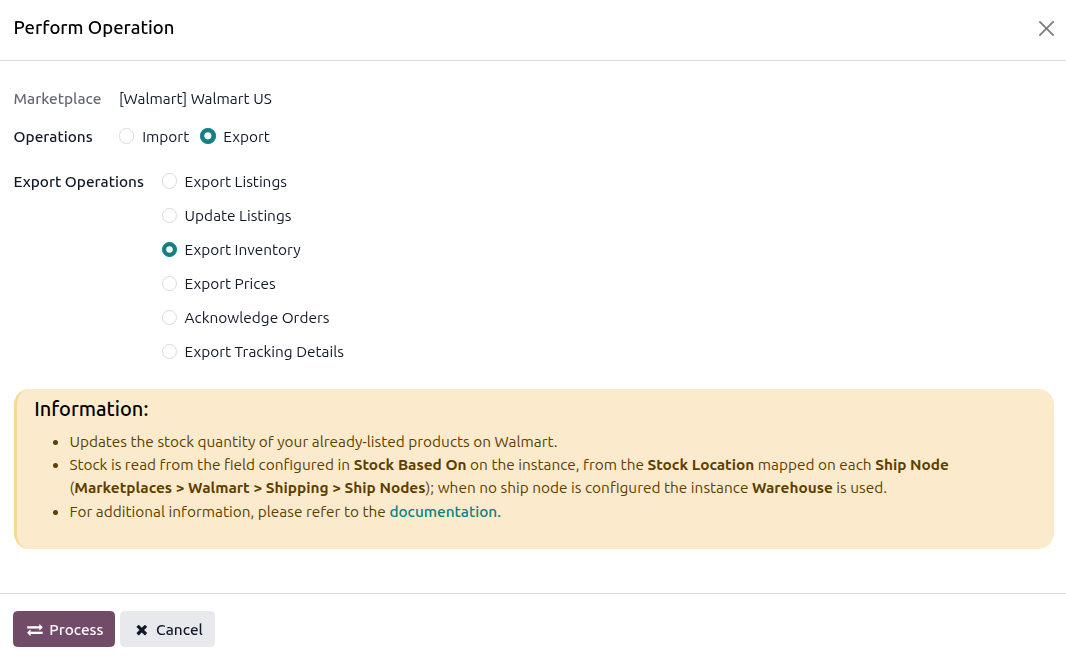
Press
PROCESSbutton.
For Single Listings
Go to and select the listing from the list, without opening it.
Click Export/Update to Marketplace, enable Update Inventory, and click Update Listing. See Update Walmart Listings From Odoo.
Method - 2: Automatic Inventory Export
Go to your Walmart instance setting by navigating to .
On the Automatic Jobs tab, configure the Export Product’s Inventory job by setting Interval Number, Interval Unit, and then Active.
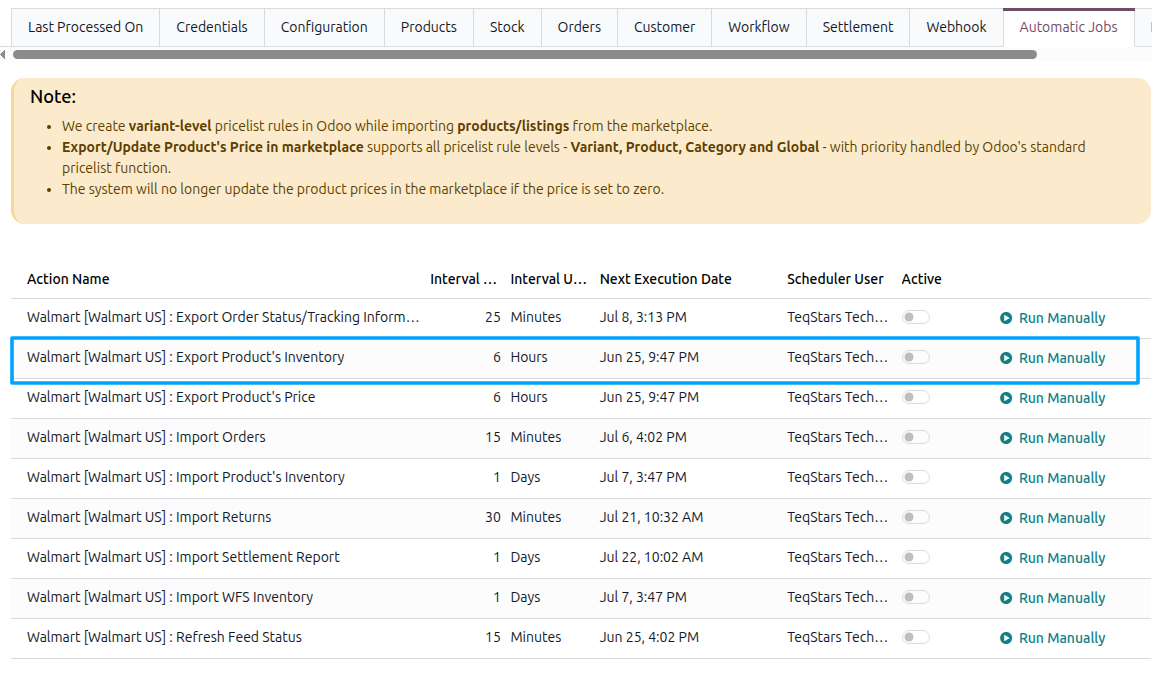
Stock moves far more often than price, so this scheduled action runs every 30 minutes by default. See Automatic Jobs.
Important
Keep this scheduled action active. Stale stock on Walmart leads to overselling, cancellations, and damage to your seller metrics.