
Export Price From Odoo
Exporting price from Odoo to TikTok Shop ensures that your TikTok Shop products always reflect the correct prices from your Odoo catalog. Prices travel on their own, so sending a price does not send the product for review again.
Note
The Export Odoo Product’s Sale Price? setting in Product Configurations is used when exporting prices.
The standard behavior is to export the prices based on the pricelist configured in the Instance. However, if you want to send the Odoo product’s Sales Price instead of the pricelist rule, you can enable this option. The matching pricelist item is updated with it as well.
There are two ways to export price from Odoo to TikTok Shop:
Method - 1: Manual Export Price
Go to the menu in Odoo.
Click on the
Operationsbutton from the instance record.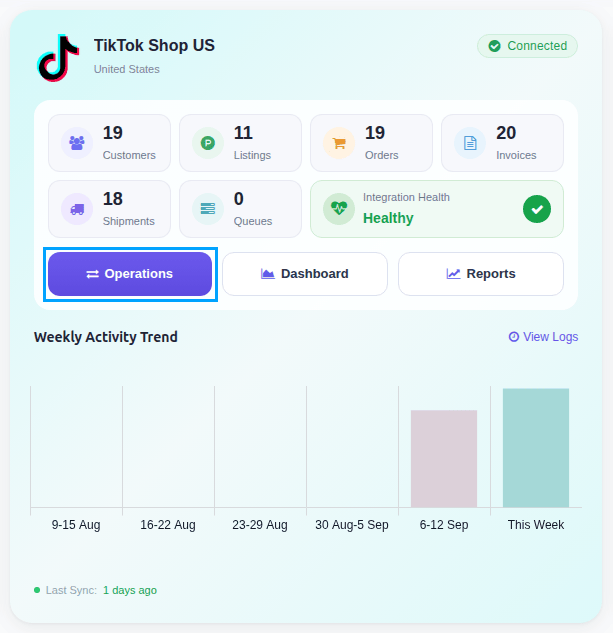
Select Export Operation and then select Export Prices option.
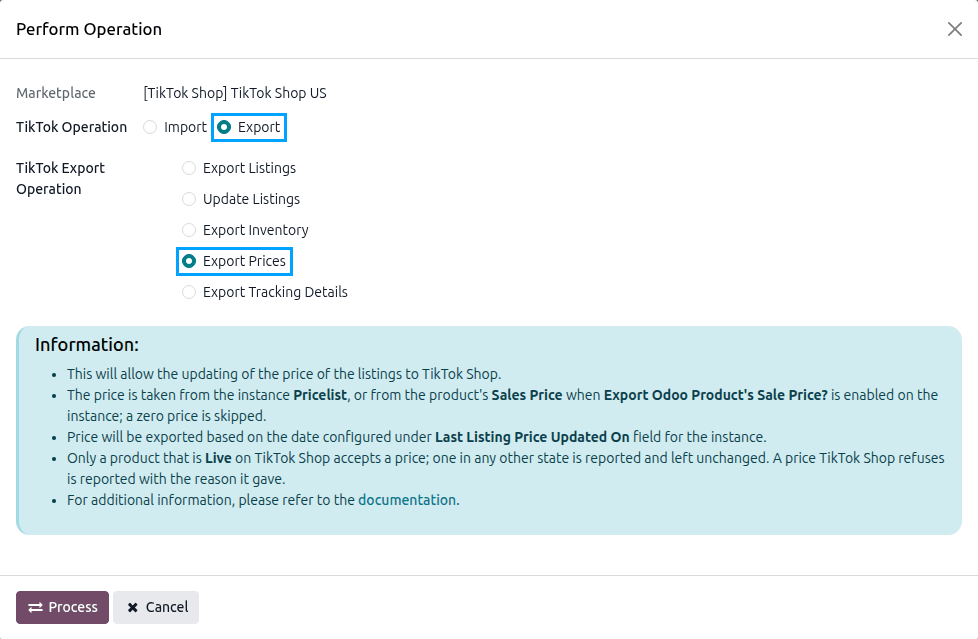
Press
PROCESSbutton to export product prices from Odoo to TikTok Shop.
The price export sends the latest prices from Odoo to TikTok Shop for the products priced differently since the last export.
Note
Prices are exported based on the date set in the Last Listing’s Price Updated On field in the instance.
Method - 2: Automatic Export Price
You can automatically export prices to TikTok Shop at regular intervals using the automatic job feature. This removes the need to export prices manually.
Go to your TikTok Shop instance setting by navigating to .
On the Automatic Jobs tab, configure the Export Product’s Price job by setting Interval Number, Interval Unit, and then Active.
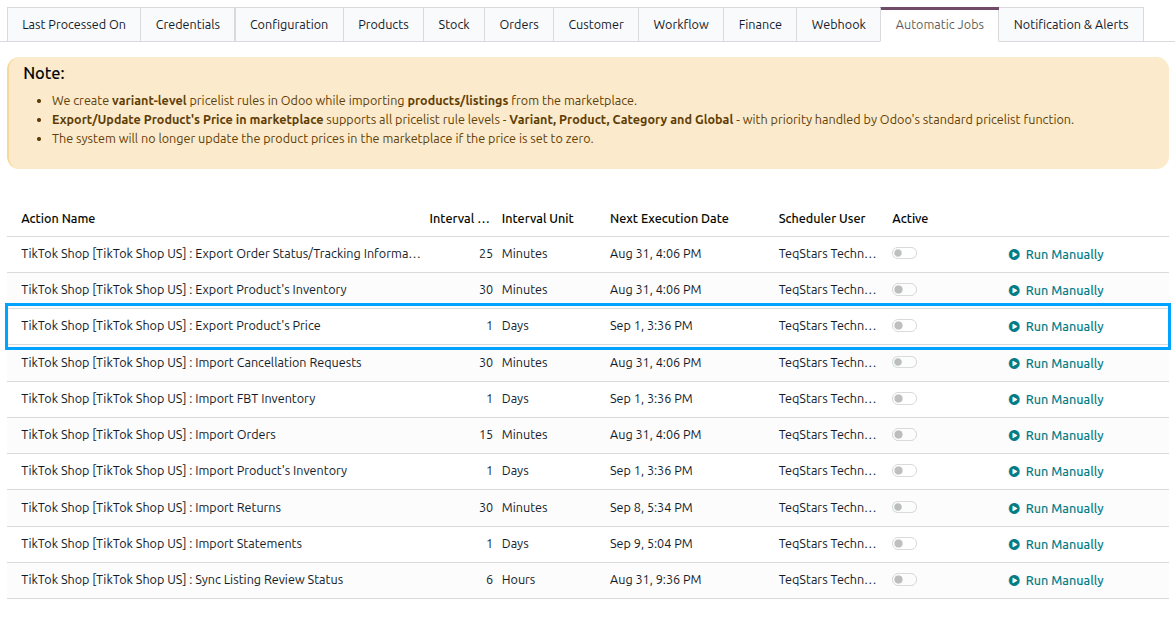
Once enabled, Odoo will automatically update prices on TikTok Shop at the selected time intervals. After each run that reports no error, the Last Listing’s Price Updated On field is set to when the run started; a run that reports an error keeps it, so the next run sends those prices again.
This scheduled action is created inactive and runs once a day by default. See Automatic Jobs.
How The Price Is Decided
We create variant-level pricelist rules in Odoo while importing products/listings from the marketplace.
Export/Update Product’s Price in marketplace supports all pricelist rule levels (Variant, Product, Category and Global), with priority handled by Odoo’s standard pricelist function.
A price of zero is never sent to the marketplace.
Only a Live product takes a price. A product still waiting on its first review (Pending) is reported as an error, so its price is sent again on a later run once it is live; one in any other state is skipped and noted in the log.