
Import Products In Odoo
The connector imports Octopia offers and their catalogue products into Odoo as Listings and Listing Items. A listing is the join of an offer (price, stock, condition) and a catalogue product (title, description, images, category), so both are read on every import. Each offer becomes one listing with a single item.
Method - 1: Manual Import
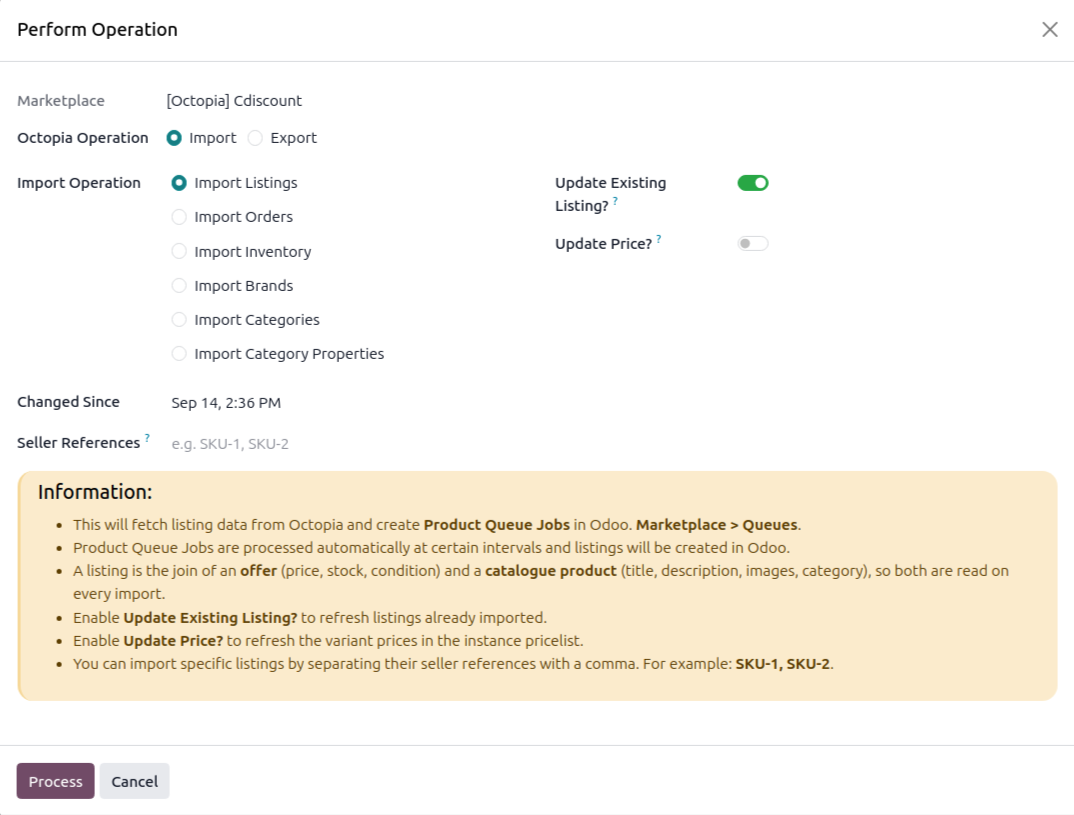
Click the Operations button on the instance card in .
Choose Import and select Import Listings.
Set the options below and click Process.
Changed Since: Offers changed after this date are fetched. It defaults to the last listing import, otherwise 30 days back.
Seller References: Import specific offers by their seller reference (SKU), comma-separated, for example
SKU-1, SKU-2. These are imported straight away, without a queue.Update Existing Listing?: Overwrite matching listings, otherwise existing ones are skipped.
Update Price?: Also write the imported price into the instance pricelist. Visible when Update Existing Listing? is on.
What Happens Next
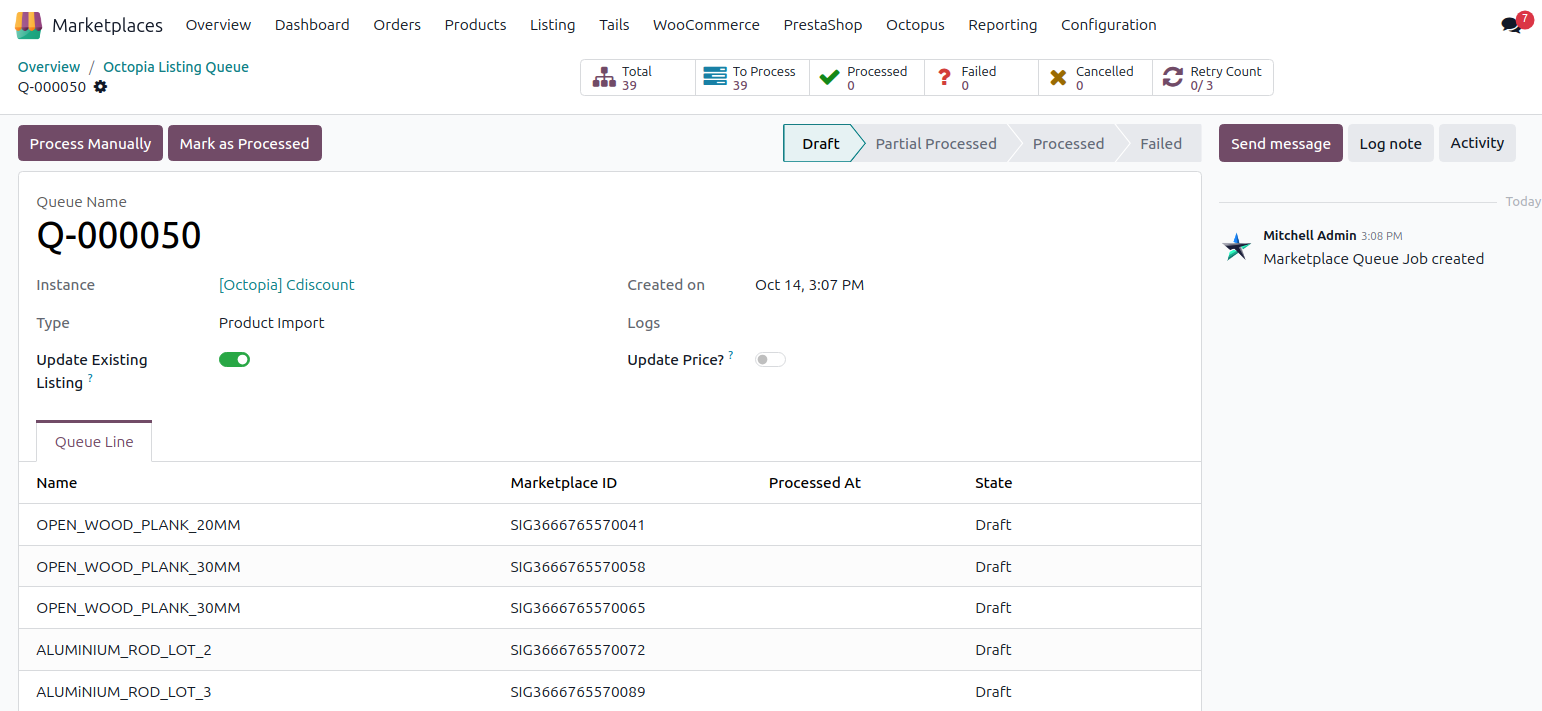
A Product Queue Job is created at and processed in the background. For each offer the connector:
Reads the catalogue product by the offer’s GTIN, ten at a time. If the GTIN matches nothing, it tries the digits of the product reference, and adopts that product only when its reference equals the offer’s.
Finds the Odoo product: first by the offer id of an existing listing item, then by barcode or SKU as the instance’s Sync Product With says.
Creates the Odoo product when none is found and Create Odoo Products? is enabled. The SKU becomes the internal reference and the GTIN the barcode.
Creates or updates the listing and its item, the attributes, the delivery modes and, when Update Price? is on, the pricelist price.
Downloads the catalogue pictures when Sync Listing Images? is enabled. The first picture also fills the product image when it is empty.
What Is Imported
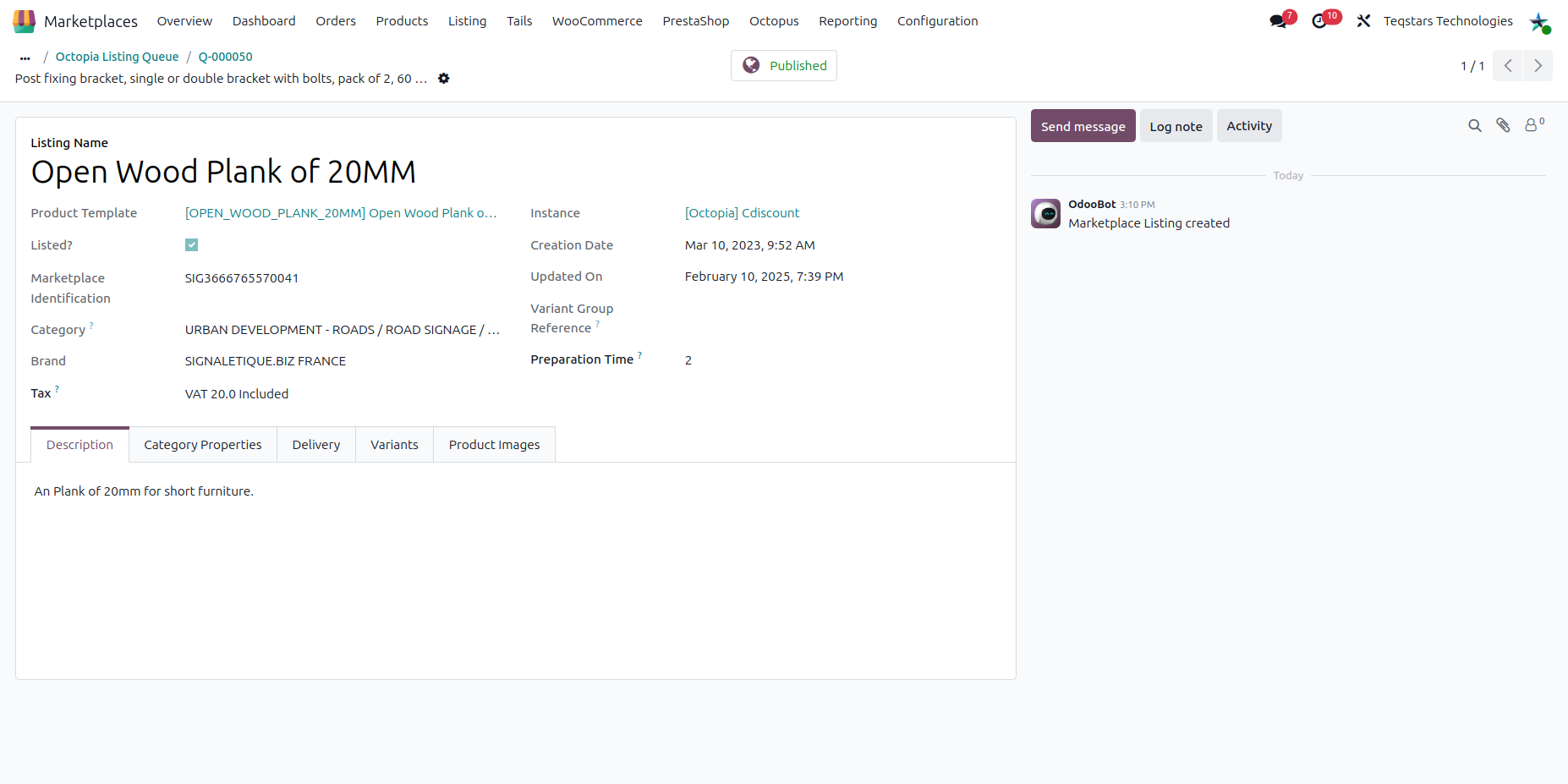
Listing: name (the catalogue title), description, rich marketing description, category, brand, variant group reference, preparation time, VAT tax and Octopia status.
Listing Item: SKU, barcode (GTIN), offer id, condition, supply mode and quantity.
Condition: shown as
Used - Like New,Refurbished - Correct Stateand so on. A condition other than New is added to the listing name in brackets, for exampleProduct [Refurbished - Like New].Published: a listing is Published when at least one of its offers has a quantity above zero in octopia.
Important
If no catalogue product answers to either the GTIN or the product reference, the offer is logged as an error and not imported, because the listing would have no title, description or images.
If several Odoo products match one offer, the offer is logged and skipped.
An offer whose Supply Mode is
Fulfillmentis imported, but its Manage Stock flag is switched off.A condition Octopia reports that has no exact equivalent in the list it accepts back is flagged Condition Not Reproducible, and has to be set explicitly before the offer is exported again.