
Refund Orders From Odoo To Shopify
The Odoo Shopify Connector lets you create refunds in Shopify from Odoo. Refunds are sent to Shopify via the GraphQL Admin API so that payment and fulfillment status stay in sync between both systems.
You can refund from a posted Credit Note (invoice refund) with optional payment registration.
Refund From A Credit Note
Use this when you have already created a credit note in Odoo (e.g. from the invoice) and want to send that refund to Shopify.
Create and post a Credit Note (refund) in Odoo linked to the Shopify order (e.g. from or from the sale order).
Open the posted credit note. If the order is a Shopify order and the refund has not yet been sent to Shopify, the
Refund in Shopifybutton is visible.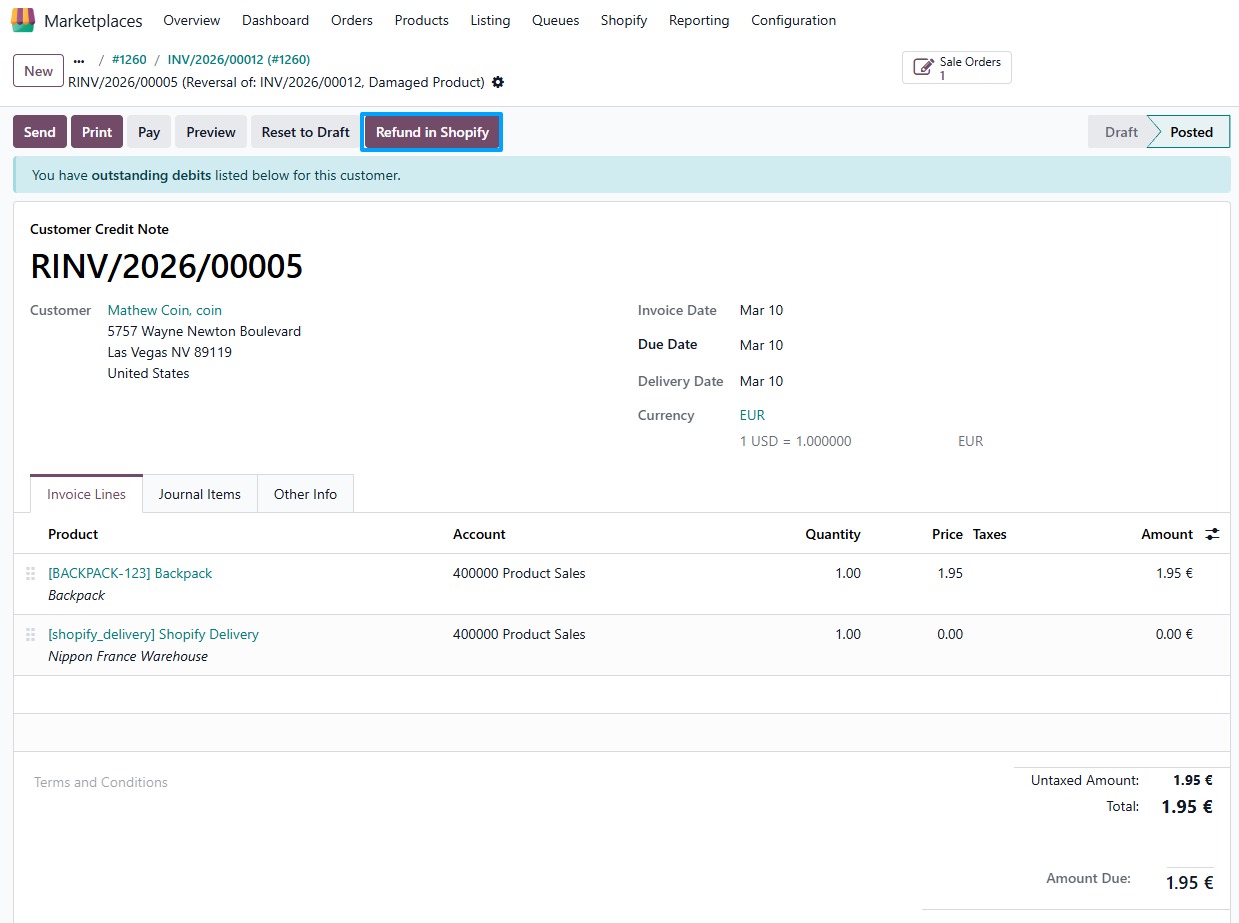
Click Refund in Shopify. The connector will:
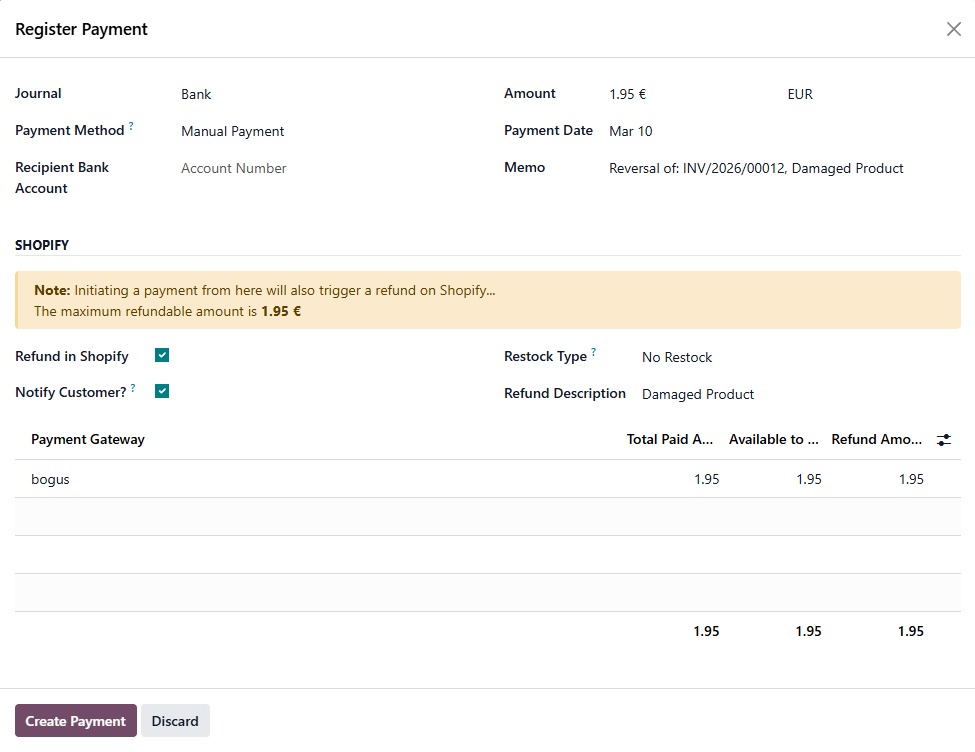
If there is still an outstanding amount to pay on the credit note: open the Register Payment form. There you can register the payment in Odoo and, in the Shopify section, enable Refund in Shopify, set Notify Customer? and Refund Description, and allocate the Amount to Refund per Shopify payment. The refund amount you register in Odoo must match the total you allocate for Shopify. When you confirm, the payment is registered in Odoo and the refund is created in Shopify.
If there is nothing left to pay (full refund already recorded): open the Shopify Refund form directly. Enter the refund amount per payment (or the total), choose Restock Type and Notify Customer?, add an optional Refund Description, then click Refund to create the refund in Shopify.
After a successful refund, the order’s financial status in Odoo is updated (e.g. to REFUNDED when fully refunded), and the credit note can be marked as refunded in the marketplace.
Important
The total amount you send to Shopify (sum of refund amounts per payment) must match the amount you are registering or have registered in Odoo for the credit note. The connector will warn you if they do not match.