
Import Inventory From Walmart
Importing inventory from Walmart to Odoo reads the stock levels Walmart currently holds for your items and records them in Odoo as an inventory adjustment. It works for every Walmart marketplace.
Use it to reconcile: compare the quantities Walmart holds against the quantities recorded in Odoo.
Note
This reads the stock of items you fulfill yourself. For stock held by Walmart under WFS, see Import WFS Inventory From Walmart.
Method - 1: Manual Inventory Import
Go to the menu in Odoo.
Click on the
Operationsbutton from the instance record.Select Import Operation and then select Import Inventory option.
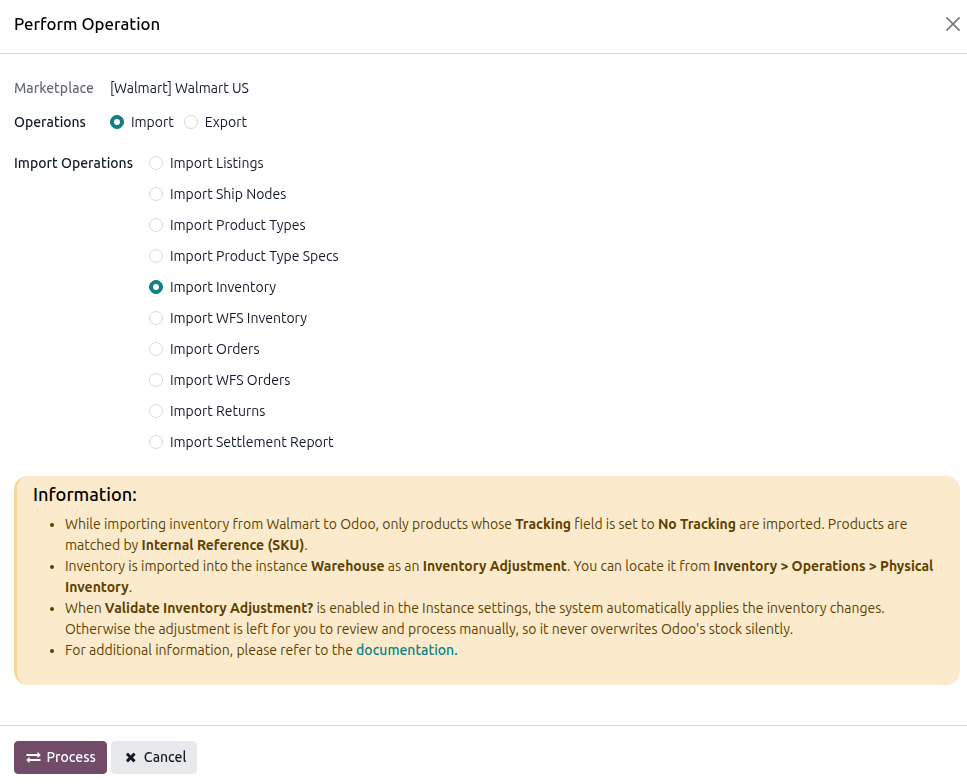
Press
PROCESSbutton.
Note
Only products whose Tracking is No Tracking are imported. Products tracked by lot or serial number are skipped.
Method - 2: Automatic Inventory Import
Go to your Walmart instance setting by navigating to .
On the Automatic Jobs tab, configure the Import Product’s Inventory job by setting Interval Number, Interval Unit, and then Active.
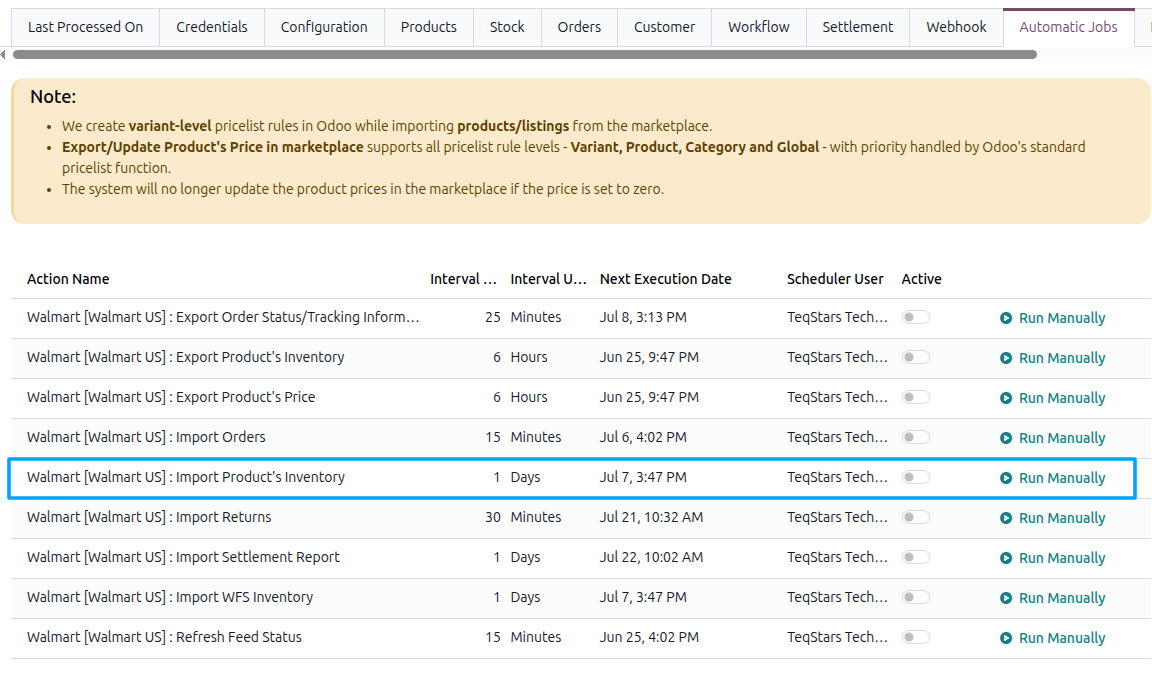
See Automatic Jobs.