
Import TikTok Shop Statements In Odoo
A statement is what TikTok Shop settles for your shop each day: what the orders sold for, what TikTok Shop took for commission, fees, shipping and tax, and what is left for you.
Importing statements reads the statements closed in the chosen window, the amounts behind each one, and the payouts that settle them.
You can import statements manually or automatically using the scheduler.
Before You Start
Set the Statement Journal on the instance’s Finance tab. The import is refused without it. Map every transaction type to the account it posts to in Statement Account Configuration on the same tab. Both are read-only on a confirmed instance, so click Reset first and Confirm again afterwards. See Finance Configurations.
Method - 1: Manual Statement Import
Go to the menu in Odoo.
Click on the
Operationsbutton from the instance record.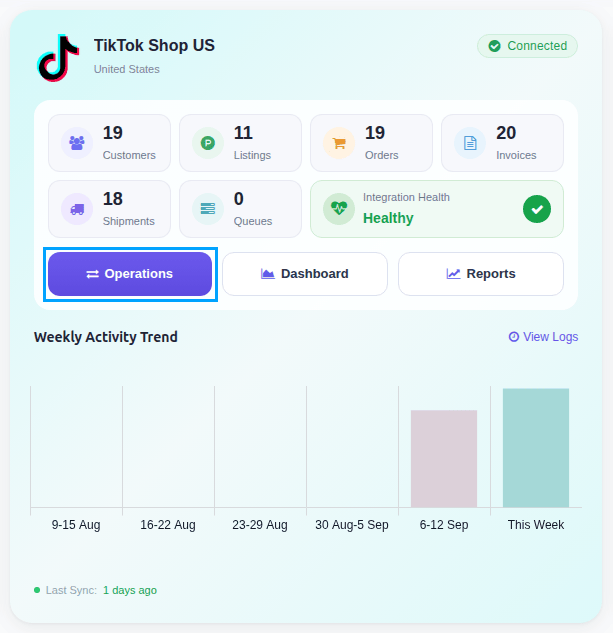
Select Import Operation and then select Import Statements option.
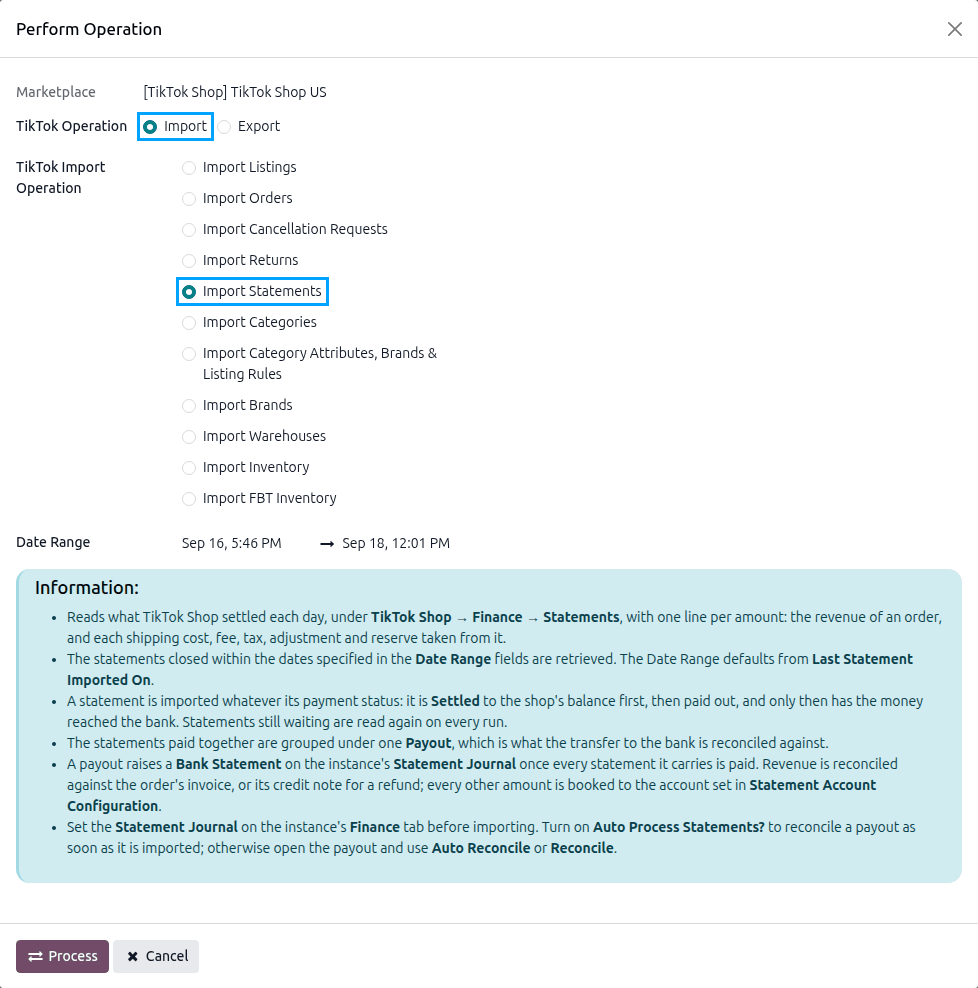
Adjust the Date Range if you want a specific period. Statements closed between the two dates are read. It defaults from the last statement import to now, and from the last thirty days when there has been none.
Press
PROCESSbutton.
Note
A manual run reads the Date Range you choose and leaves Last Statement Imported On where it is, so the next scheduled run does not skip what came in meanwhile.
Method - 2: Automatic Statement Import
Go to your TikTok Shop instance setting by navigating to .
On the Automatic Jobs tab, configure the Import Statements job by setting Interval Number, Interval Unit, and then Active.
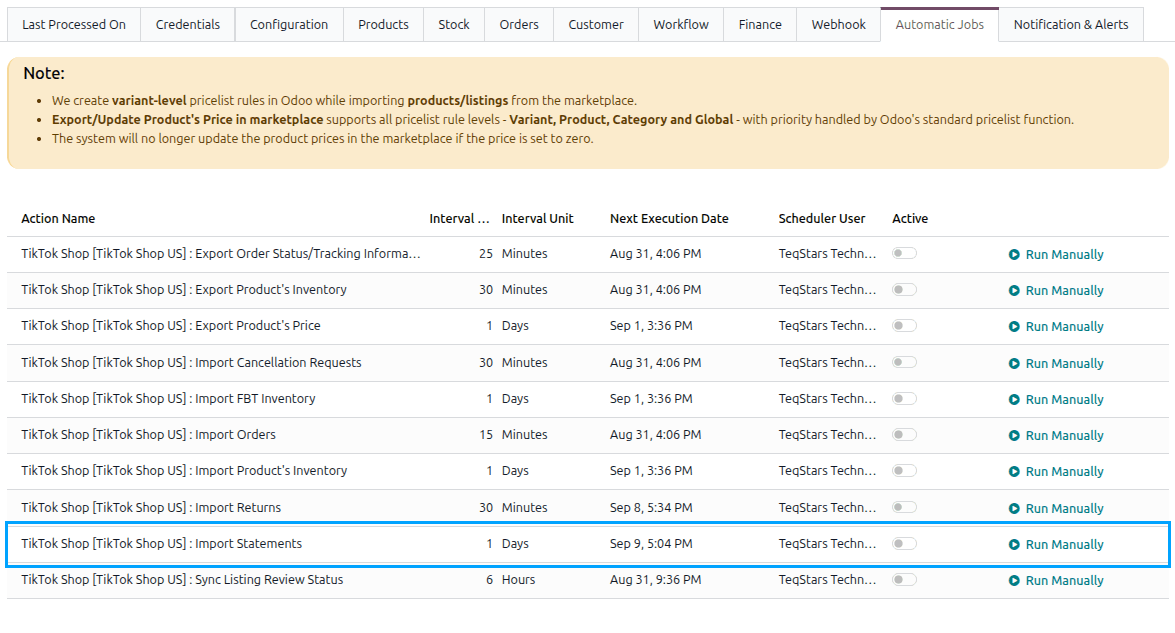
This scheduled action is created inactive and runs once a day by default. See Automatic Jobs.
What Gets Imported
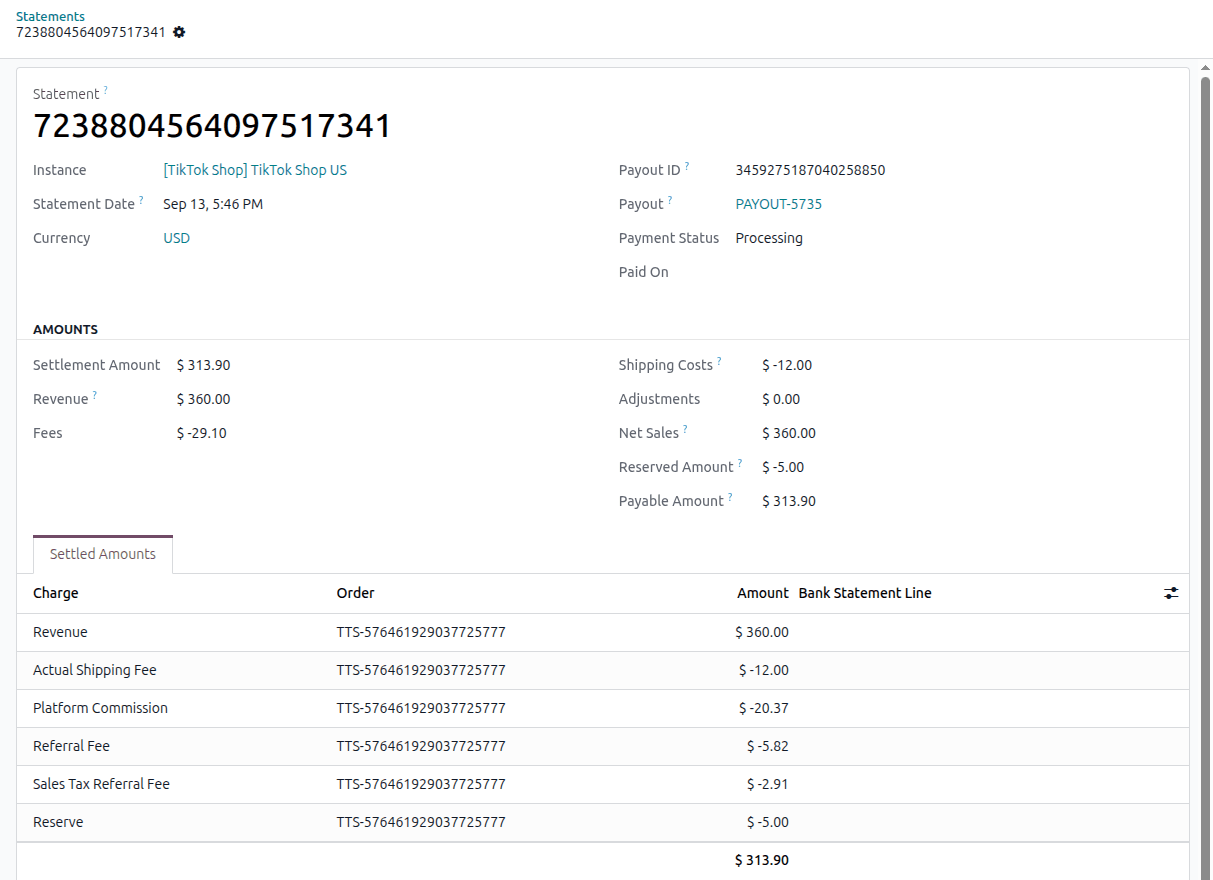
The statements are listed under .

Each statement carries the money behind it (Settlement Amount, Revenue, Fees, Shipping Costs, Adjustments, Net Sales, Reserved Amount and Payable Amount), with its Payment Status and the Payout it belongs to. Its Settled Amounts tab breaks the figure down amount by amount, each tied to its order.
Note
Statements are imported whatever their payment status. A statement is not final when it is first seen: it is settled to the shop’s balance, then paid out, and only then does the money reach the bank. The payout waits for every statement it carries to be paid before any accounting entry is made. See Reconcile TikTok Shop Payouts.