
Step 1: Create Connection Account in Odoo
To link Google Sheets with Odoo, you must first create a Connection Account in Odoo. This account generates a unique URL and secure Security Token used by Google Apps Script.
Create Connection Account
Navigate to .
The list view displays all existing connection accounts, their User, URL, and creation dates.
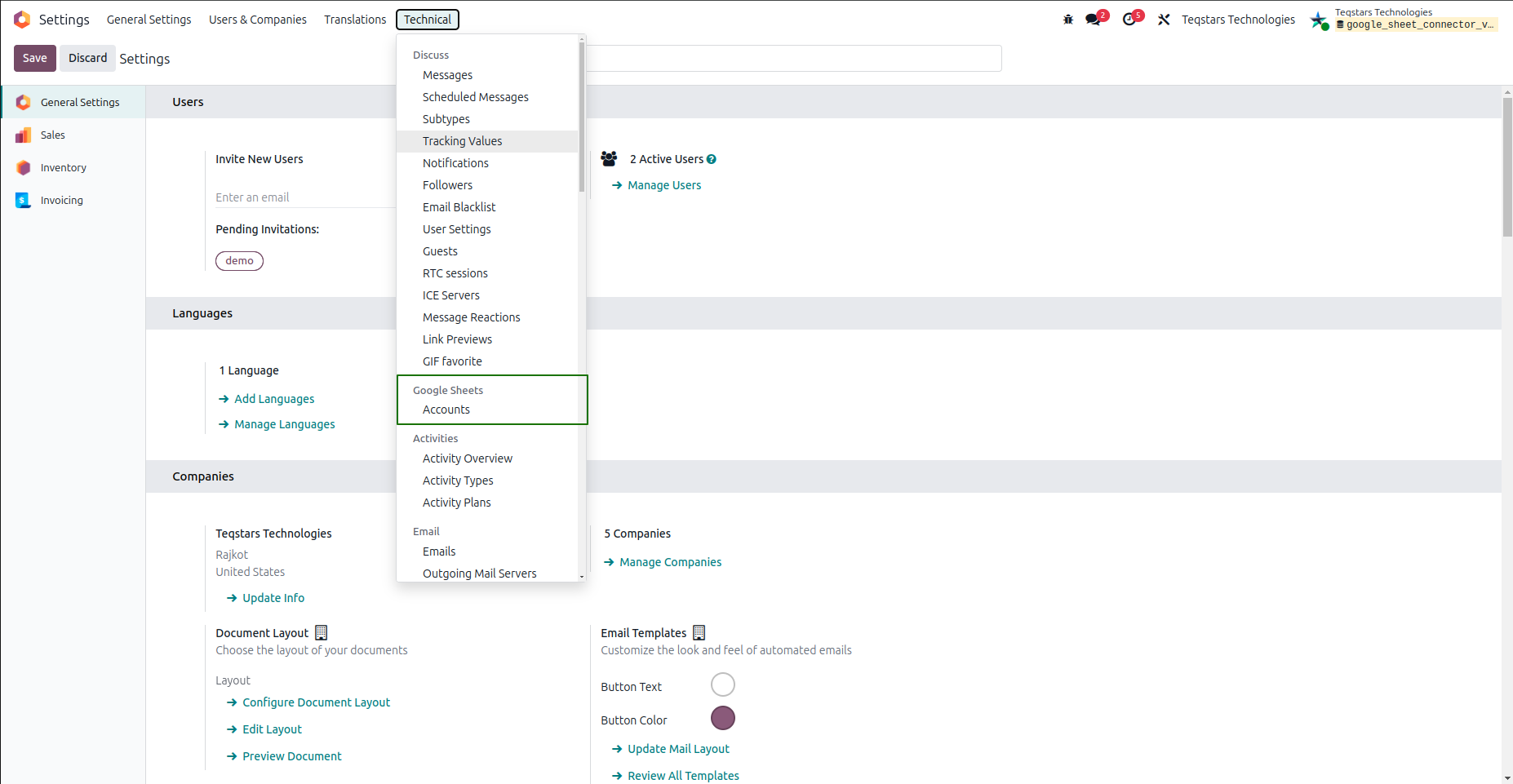
Click New to create a new connection record.
Enter a descriptive Name for your connection account (e.g.,
Sales Team Reporting Sheet).Select the User whose access rights the connector uses. This field is required. The connector can only access data this user is allowed to access in Odoo.
Click Generate Script. The system fills in the URL and creates a unique Security Token for this account.
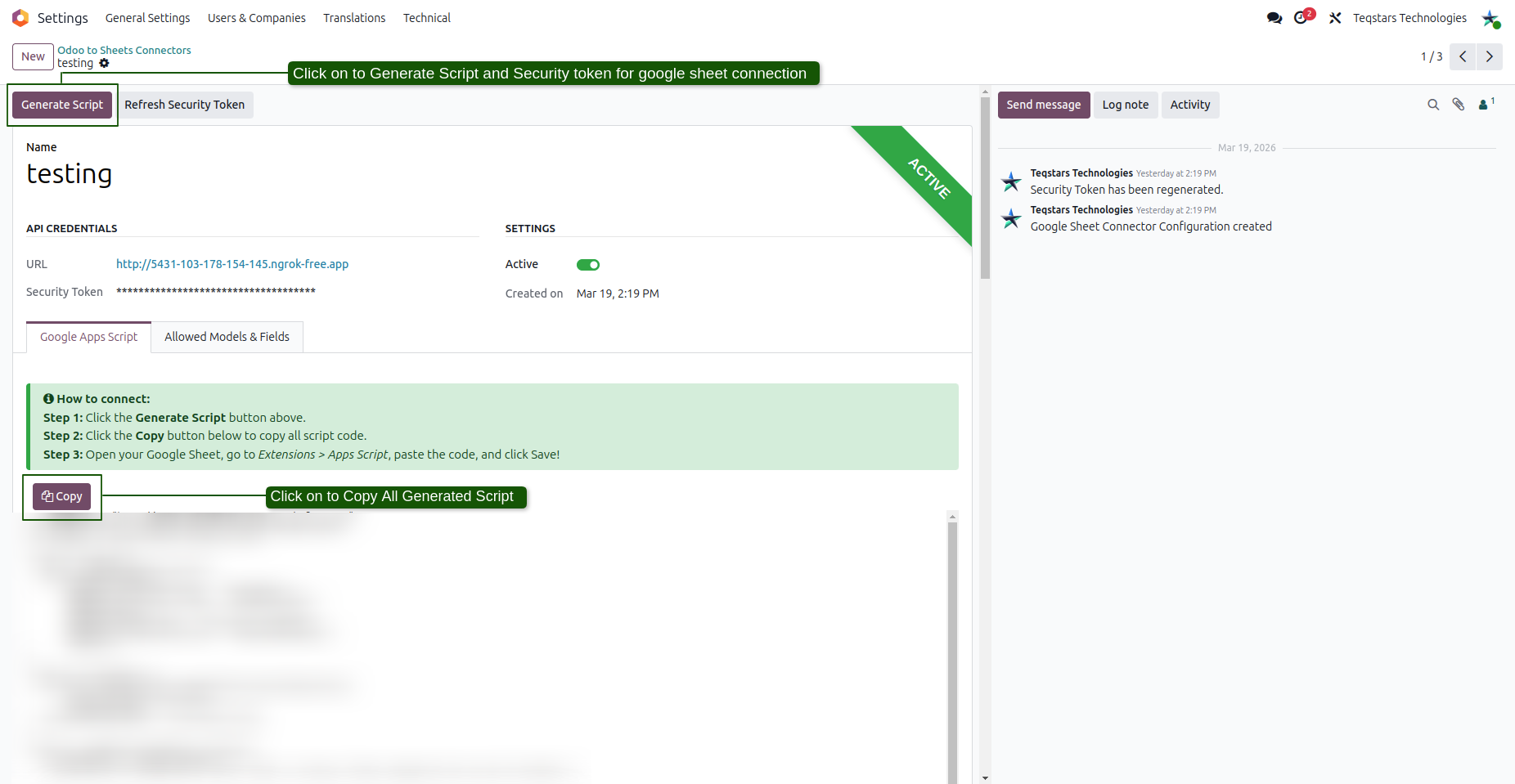
Click Save.
API Credentials Summary
Field |
Description |
|---|---|
Connector URL |
The base web address of your Odoo server used to process API requests. |
Access Token |
A secure security token required for authenticating requests from Google Apps Script. |
User |
The Odoo user whose access rights limit what data the connector can see and change. |
Active |
Toggle switch to enable or temporarily suspend access for this account at any time. |
Generate Apps Script Code
Click the Generate Script button located in the top header.
Open the Google Apps Script notebook tab on the form view.
Review the instructions panel and click the Copy button to copy the pre-configured script code to your clipboard.
Note
The generated script already embeds your exact Connector URL and Access Token. You do not need to edit any code variables manually.
Refreshing Security Tokens
If a Security Token needs to be revoked or rotated:
Click the Refresh Security Token button in the header.
Confirm the warning prompt dialog.
Warning
Regenerating the token invalidates the previous key immediately. Any Google Sheet using the old token will fail to sync until you click Generate Script again and update the script code inside Google Sheets.