
Where to enter a TaxJar API token?
Let’s begin with the configurations.
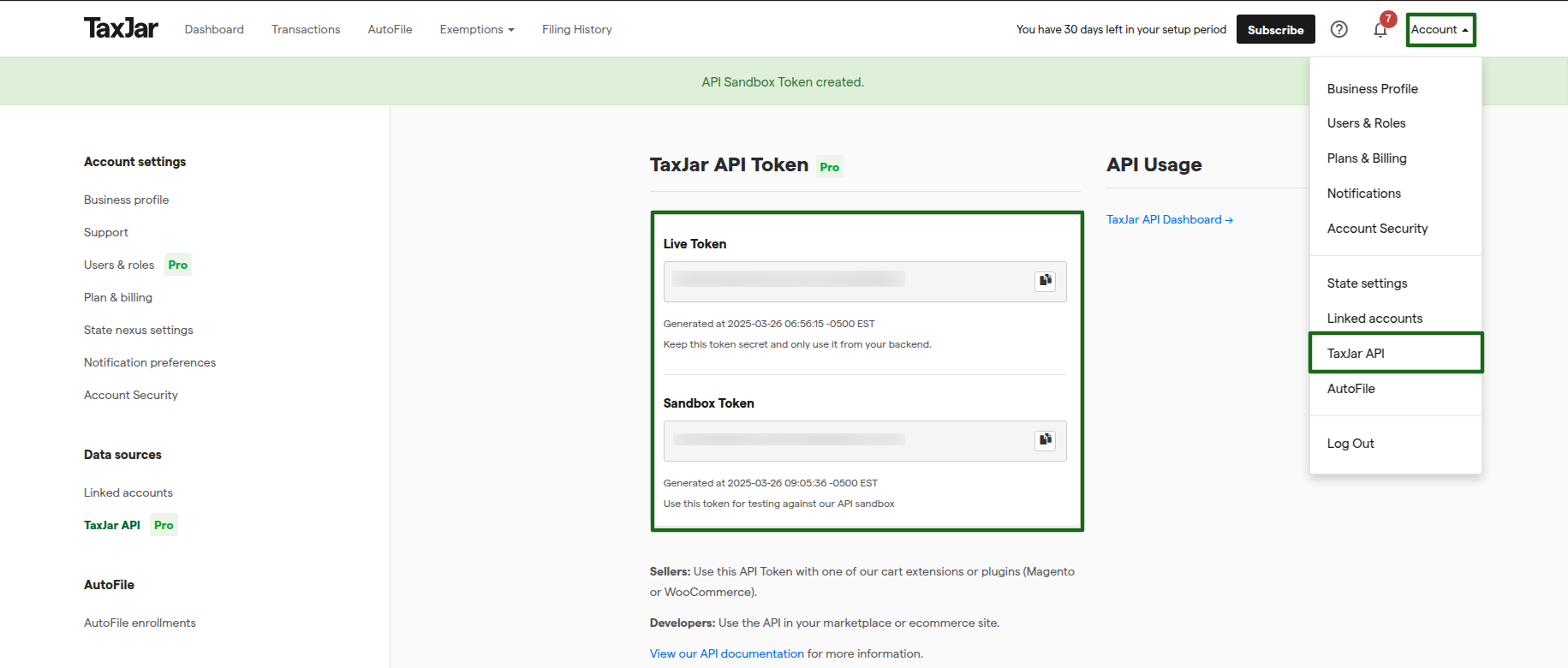
How to get an API token from TaxJar.
To get an API token from TaxJar, go to .
If you’re new to TaxJar, Contact us to get started with TaxJar. Otherwise, log in and go to .
Enter the API token in the TaxJar Account on Odoo.
You can find the TaxJar account menu from .
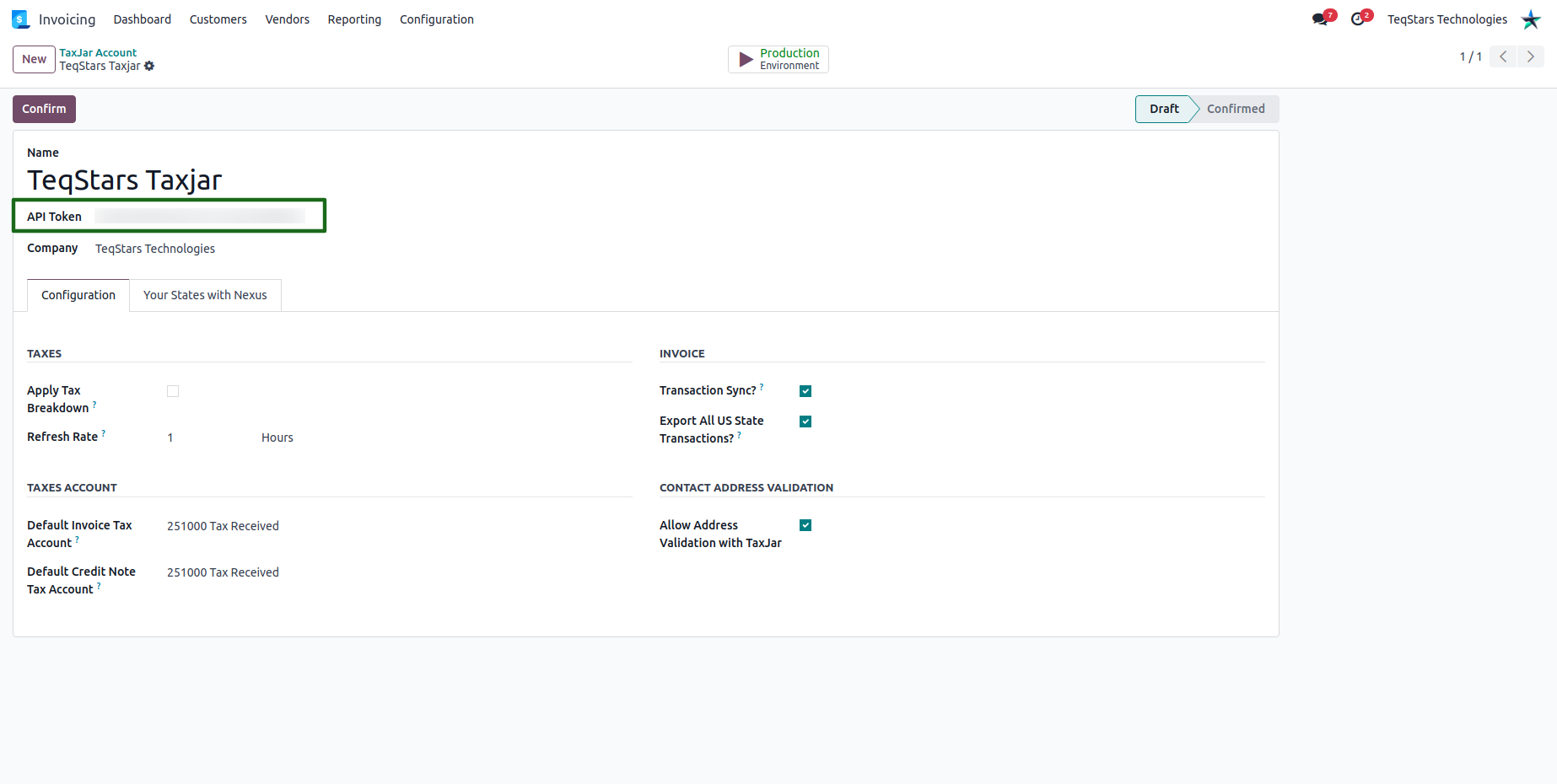
Apply Tax Breakdown: If checked, a sales tax breakdown will apply separate taxes on the order or invoice. e.g. Special District, City, State, and County taxes.
Refresh Rate: This configuration is added in order to avoid unnecessary API calls. For example, only calling for calculations every 5 hours after refreshing rates if you have used the same location.
Default Invoice Tax Account: Receive every invoice tax amount on this account.
Default Credit Note Tax Account: Deduct every refund invoice tax amount on this account.