
Update Products From Odoo
With Update Products, you can update your existing products on eBay from Odoo, including all information such as product details, pricing, inventory, images, and item specifics. You can proceed to update products from Odoo to eBay in two different ways:
Method - 1: From The Operation Popup
Go to the menu in Odoo.
Click on the
Operationsbutton from the instance record.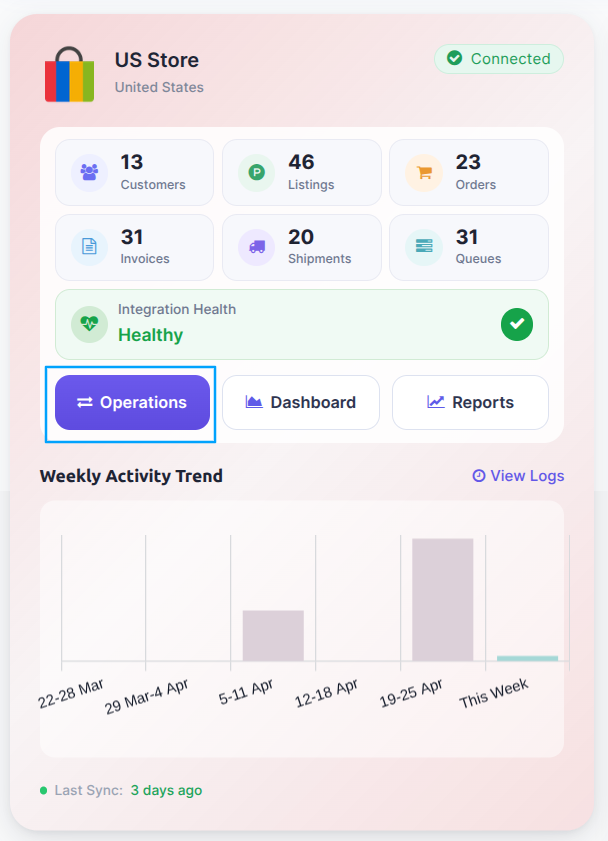
Select Export Operation and then select Update Listings option.
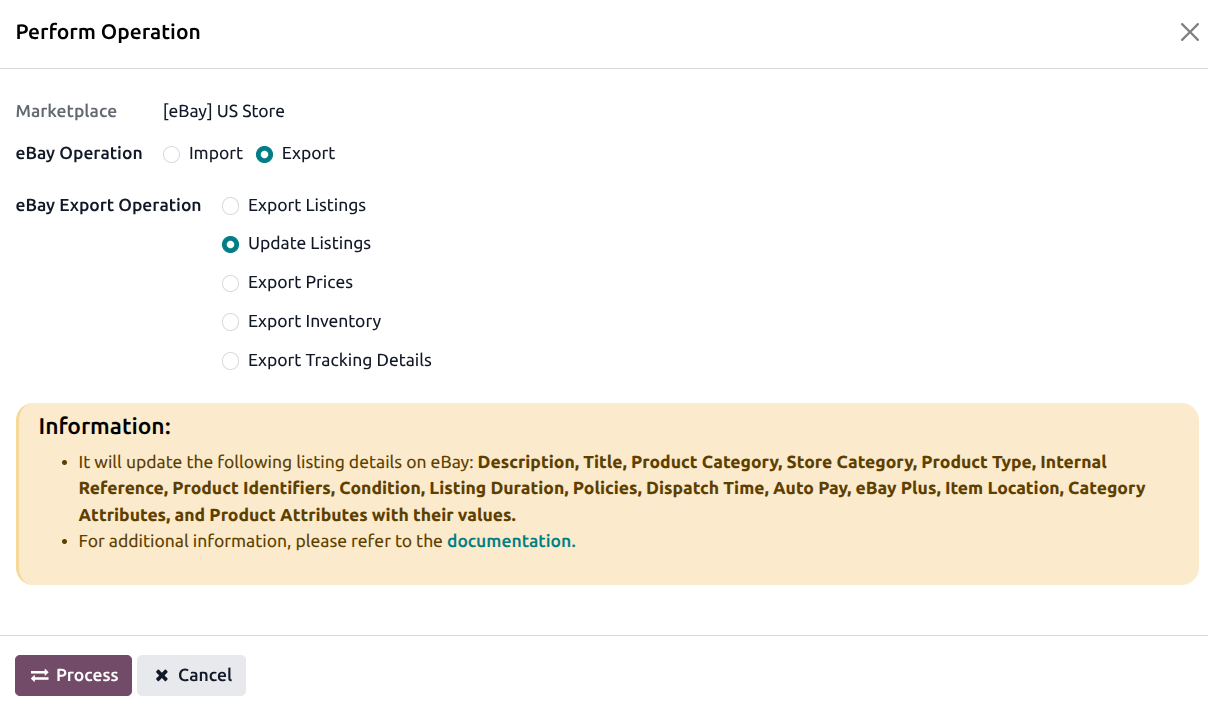
Press
PROCESSbutton to update products on eBay.
Method - 2: From The Product View
Go to the menu in Odoo.
Click on the
Listingbutton from the instance record to navigate where all your product listings are managed.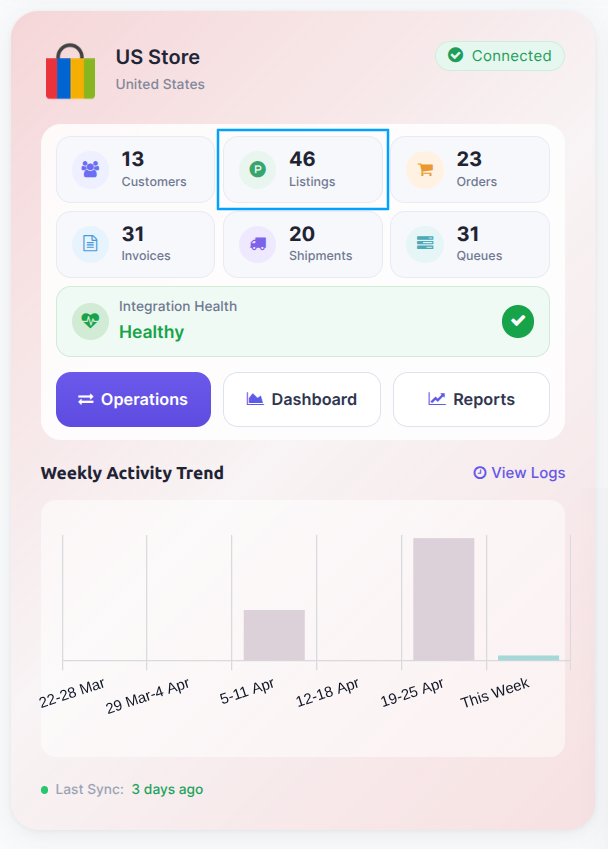
In the Listing menu, select the products you want to update and click on the
Export/Update to Marketplacebutton.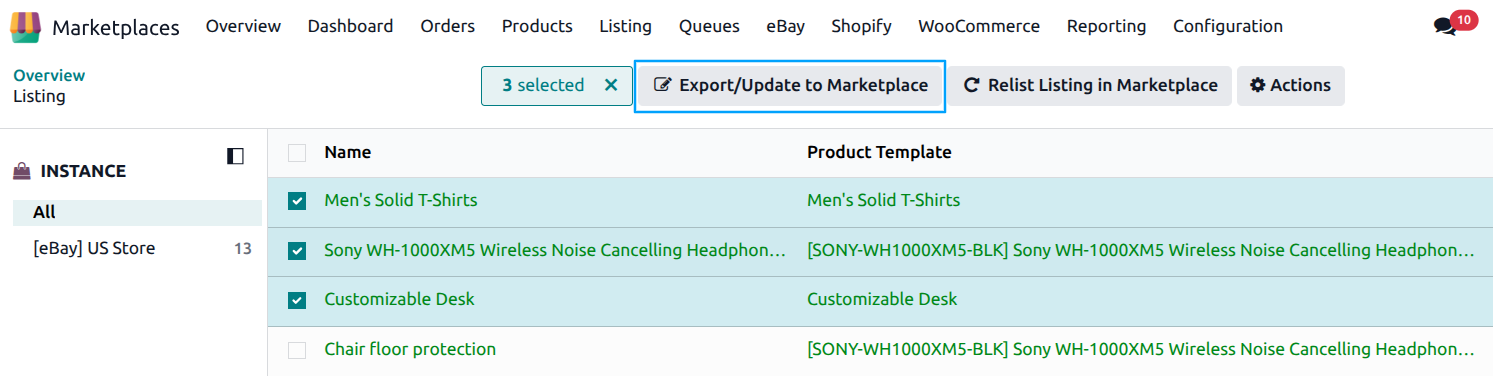
A pop-up window will appear, presenting you with various product update options. Optionally set a Publish At date and time to schedule when the update goes live on eBay (leave empty to apply immediately). Select the data you want to update to eBay and press
Update Listingbutton.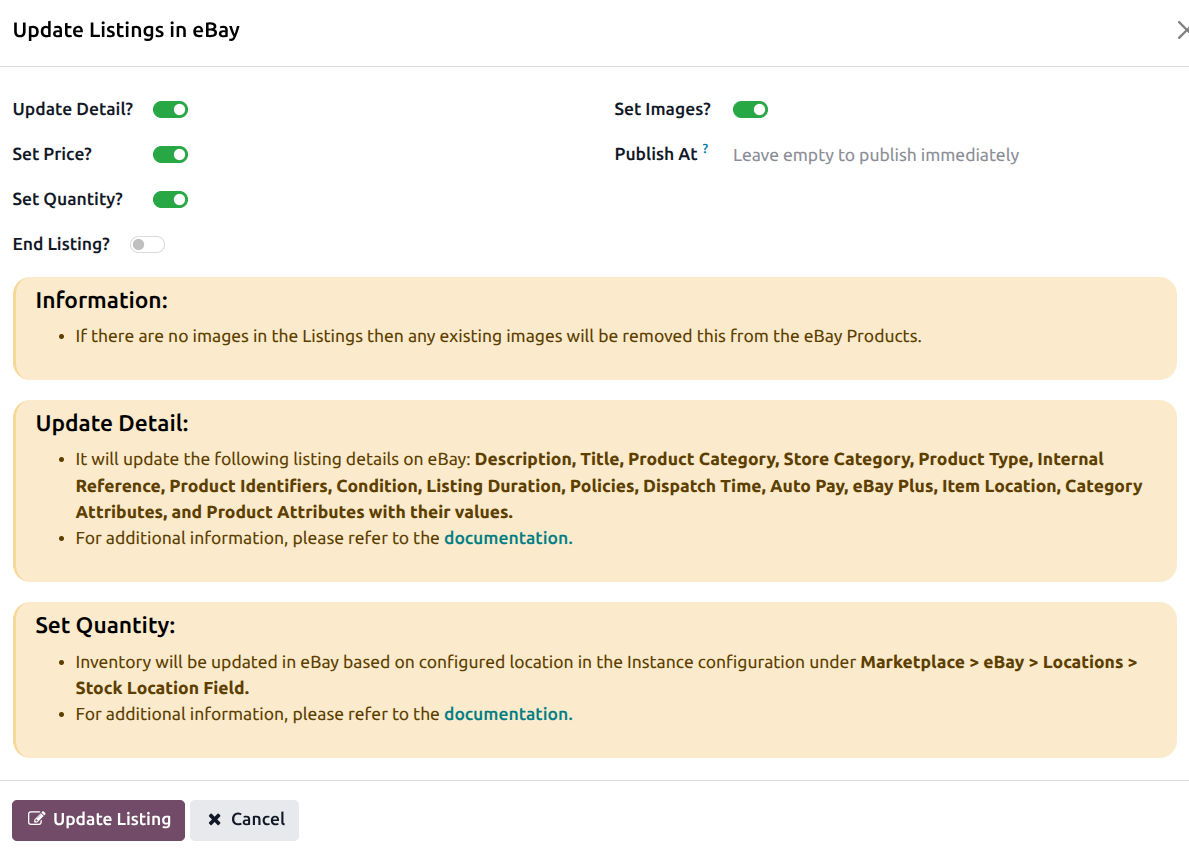
Tip
The update popup shows an info message listing the fields that will be updated based on your selections. Review this before processing.
After Update
Once the product is successfully updated on eBay, the connector will record any fees returned by eBay in the product’s fee history.
If the update fails, check the error logs at .
See also