
Focus and Break Down Bars
A click on a chart does more than open records. You can focus the whole dashboard on what you clicked, or split one bar another way, for this visit only. Nothing of the shared dashboard changes.
The Click Menu
Click a bar, slice, point, funnel or treemap shape, a country on a map or a row of a data table. A small menu opens at the spot (a sheet from the bottom on a phone).
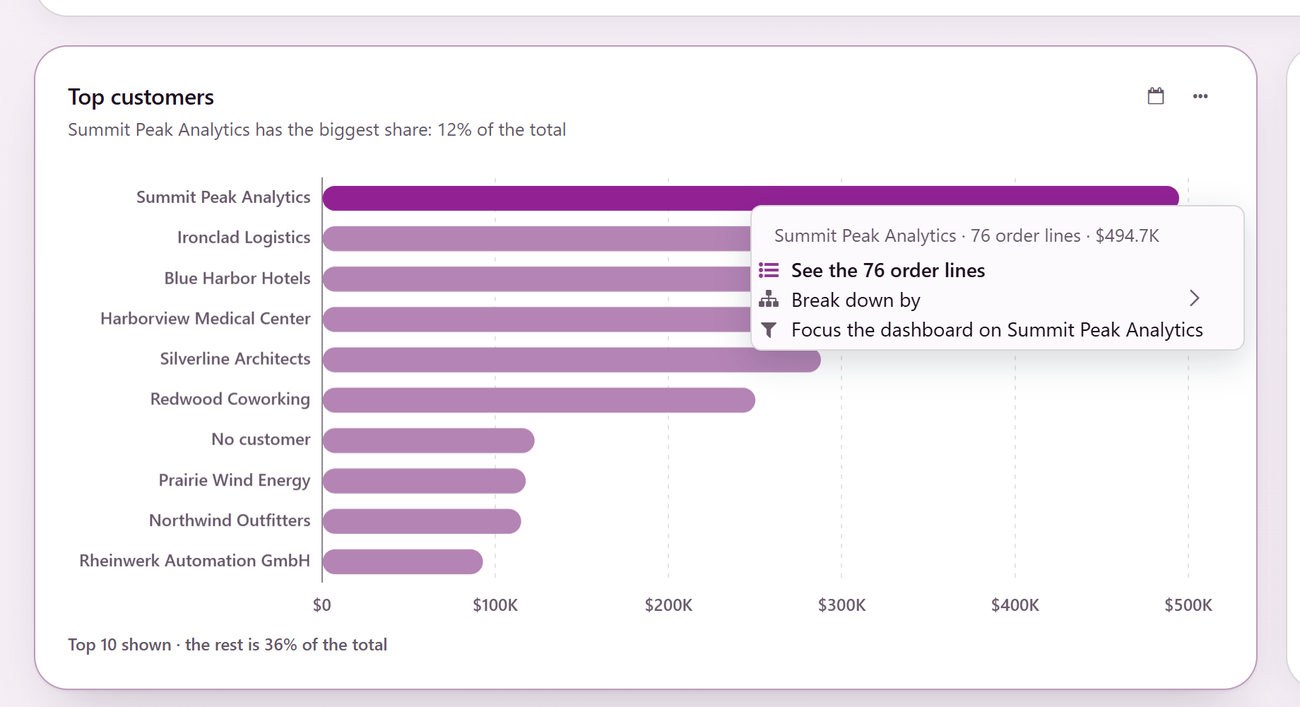
The first line says what you clicked, how many records it holds and its amount, such as New · 3 opportunities · $104K.
See the records (for example See the 3 opportunities): Opens them in Odoo’s own list. See Records Behind the Numbers.
Focus the dashboard on the value: Filters every card that can follow it. Offered when the chart’s split is one of the dashboard’s filters, such as stage, salesperson, customer or team.
Break down by ›: Splits this bar another way.
On a chart whose split is not a dashboard filter and that offers no breakdown, a click opens the records at once.
Focus the Dashboard
Click a bar or slice and choose Focus the dashboard on the value.
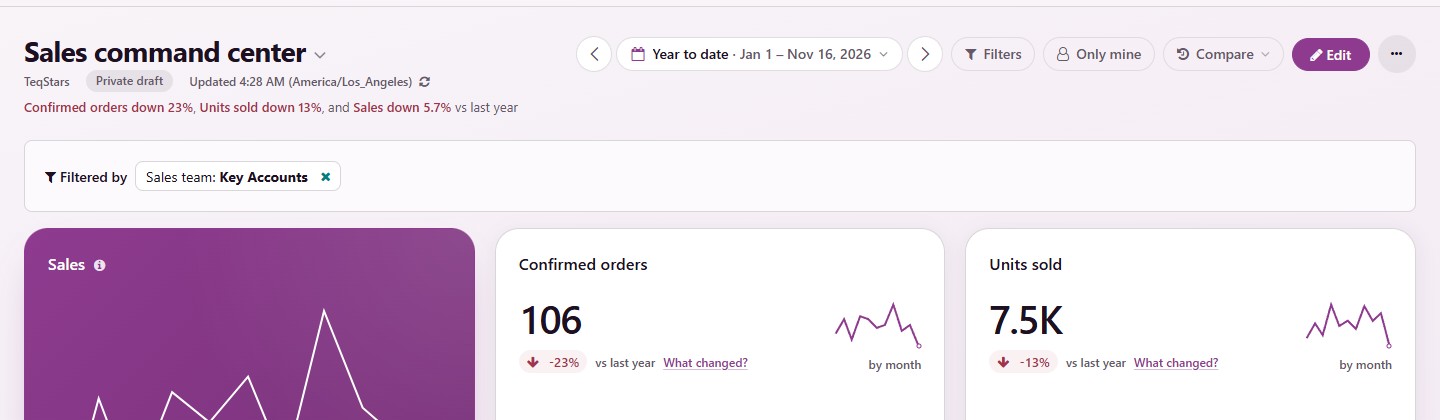
Every card that can follow the focus updates. The bar under the period says, for example, Filtered by Stage: New.
Remove the chip with ×. With two chips or more, go Back a step or Clear them all.
A card that cannot follow the focus keeps its own number and says so at its foot, such as Not filtered by customer, so no number is silently wrong. The period, Compare, the card headlines and What changed? all follow the focus.
Break a Bar Down
Click a bar, slice or point and choose Break down by ›.
Pick a field. Up to six likely fields come first (salesperson, team, customer, stage, product, country, the card’s date by month or quarter), then More fields… with a search.
The card redraws with only that bar’s records, split by your choice, under a chip back to the card, such as ‹ Top customers.
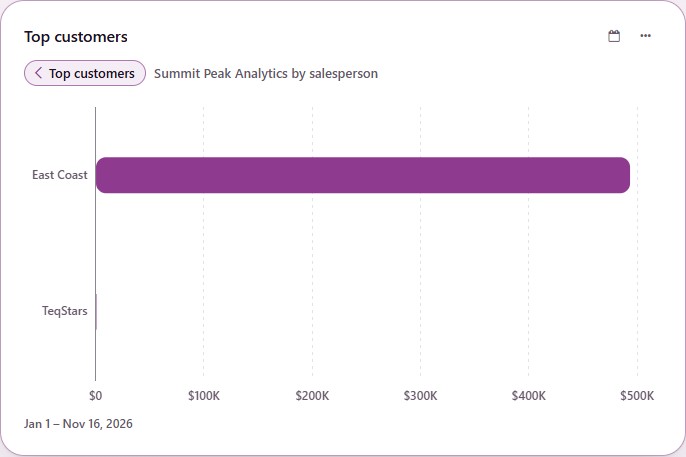
Each new bar opens its own records in Odoo’s own list.
The chip, or Esc inside the card, returns to the card. A new period, filter or refresh shows the card as it is.
Nothing is saved. The dashboard’s filters, a focus and Compare still apply.
You only see records and fields you can already see in Odoo. Who created or last updated a record is never offered.