
Where to find them
.
Admins see every page in the tenant; MCP Users see only the pages they own.
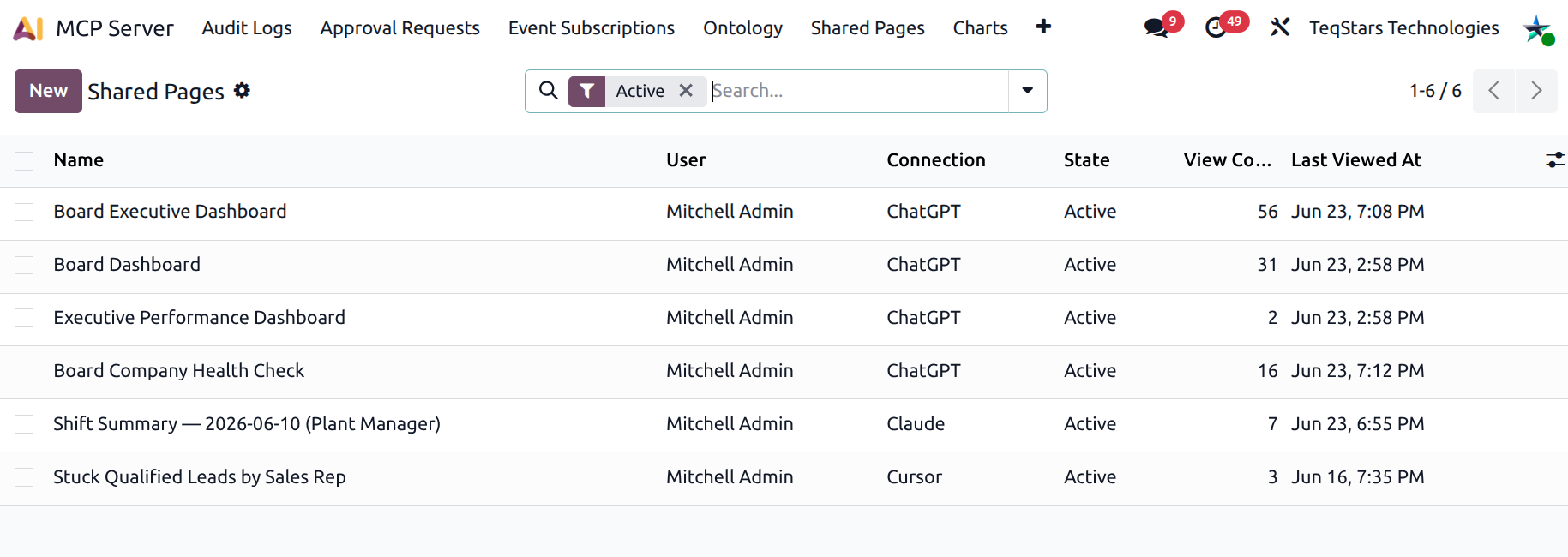
How a page is created
The AI never creates a page without explicit user consent:
The user asks for a chart, dashboard, or pulse.
The AI builds the artefact (
generate_chart,compose_dashboard,pulse_report).After presenting it, the AI asks: “Would you like to save this as a shareable Odoo URL?”
If yes, the AI calls one of:
save_chart_as_pagesave_dashboard_as_pagesave_pulse_as_page
The page is created and the public URL is returned to the user.
Each saved page is live — visiting the URL re-runs the recipe / re-renders the chart from current data. The page always shows the latest state.
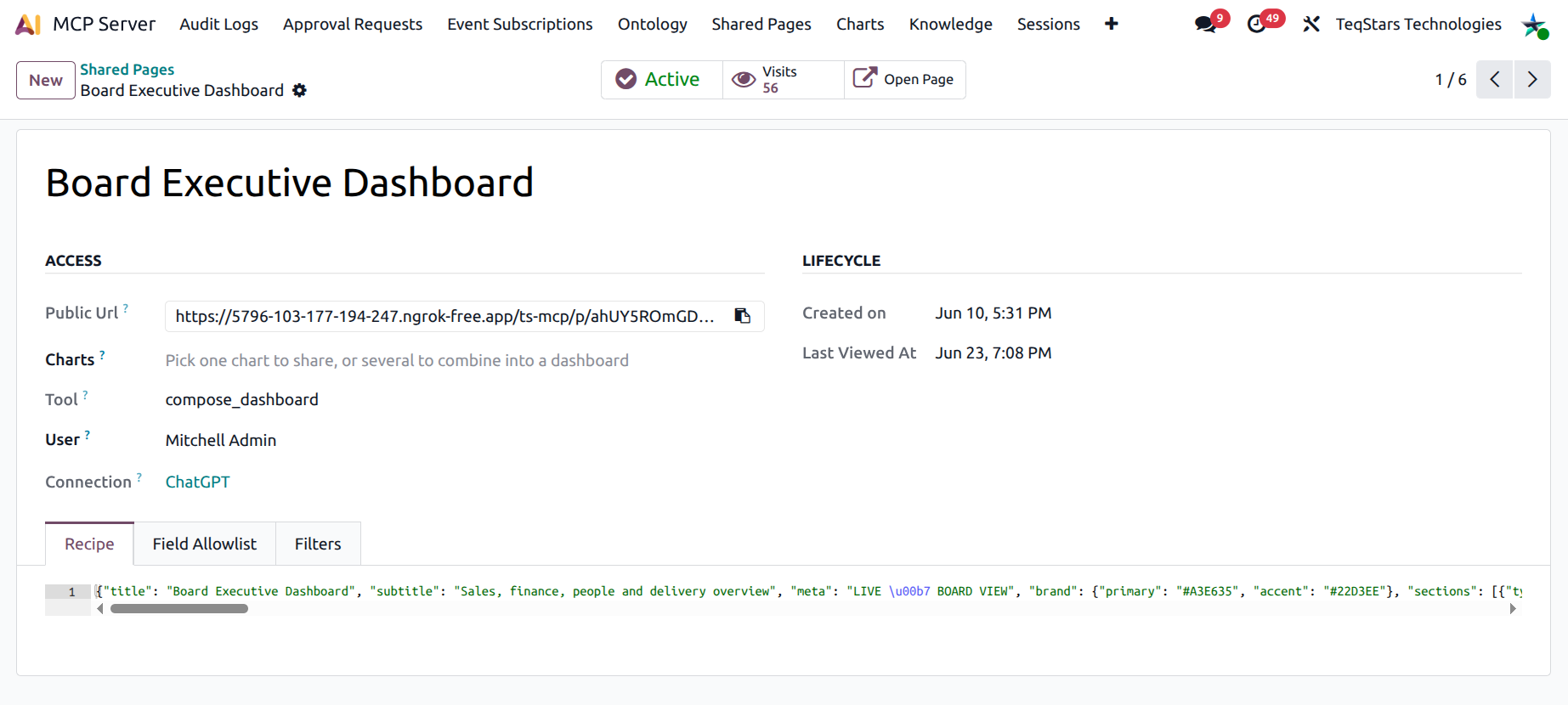
Access group
Public URL — the token-gated URL. Copy with the built-in clipboard button.
Chart shortcut (charts pages) — multi-tag picker; selecting multiple charts auto-composes them into a dashboard grid.
Tool Name — the underlying MCP tool the page renders (read-only, set at creation).
Owner — the user who initiated the save.
Connection — the AI client that created the page (read-only).
Lifecycle group
Created on / Last viewed at — for hygiene.
Notebook
Recipe — the JSON describing what to render. Read-only by design (it was authored by the AI).
Field Allowlist — optional per-share governance. Each row exposes one model (and selected fields, or all fields) to public viewers, independently of the page owner’s ACL. Models with no row are blocked. Leave empty for no restriction.
Filters — public-facing filter bar rendered above the dashboard. Each row declares one filter (label + model + field).
Field allowlist — why it exists
The Shared Page URL is public (token-gated, but anyone with the link can use it). The AI tool that built the page ran under the owner’s Odoo permissions, which may include a lot more than what should leak to a public visitor.
The Field Allowlist lets the owner tighten the page:
Pick one or more models the public viewer is allowed to see.
For each model, either expose all fields or pick a specific subset.
Anything outside the allowlist is blocked at render time, regardless of what the page recipe asks for.
It is the equivalent of a “guest pass” — much narrower than the owner’s full access.
Filters
If you want public viewers to slice the data themselves (e.g. by country, by salesperson, by date range), declare filters in the Filters tab. Each row is one filter control:
Label — what the viewer sees on the filter bar.
Model — which model the filter applies to.
Field — the field on that model.
Sequence — drag-handle for ordering.
The renderer turns each row into the right control automatically (dropdown for selections, date-pickers for dates, etc.).
Revoking a page
When the page is no longer needed, click the Active smart button on the form. It flips to Revoked and visitors immediately get a 404.
The audit row (visits, last viewed at) stays — only the URL is killed.
Tip
Periodically review Shared Pages with Visits = 0 or Last viewed > 30 days ago. They are usually safe to revoke and reduce the surface of any leaked URL.