
Location Management
eBay merchant locations are used for inventory and fulfillment operations. The connector allows you to import and map eBay locations to Odoo warehouses.
Properly configured locations are essential for inventory export and order fulfillment.
Importing Locations
Go to the menu in Odoo.
Click on the
Operationsbutton from the instance record.Select Import Operation and then select Import Locations option.
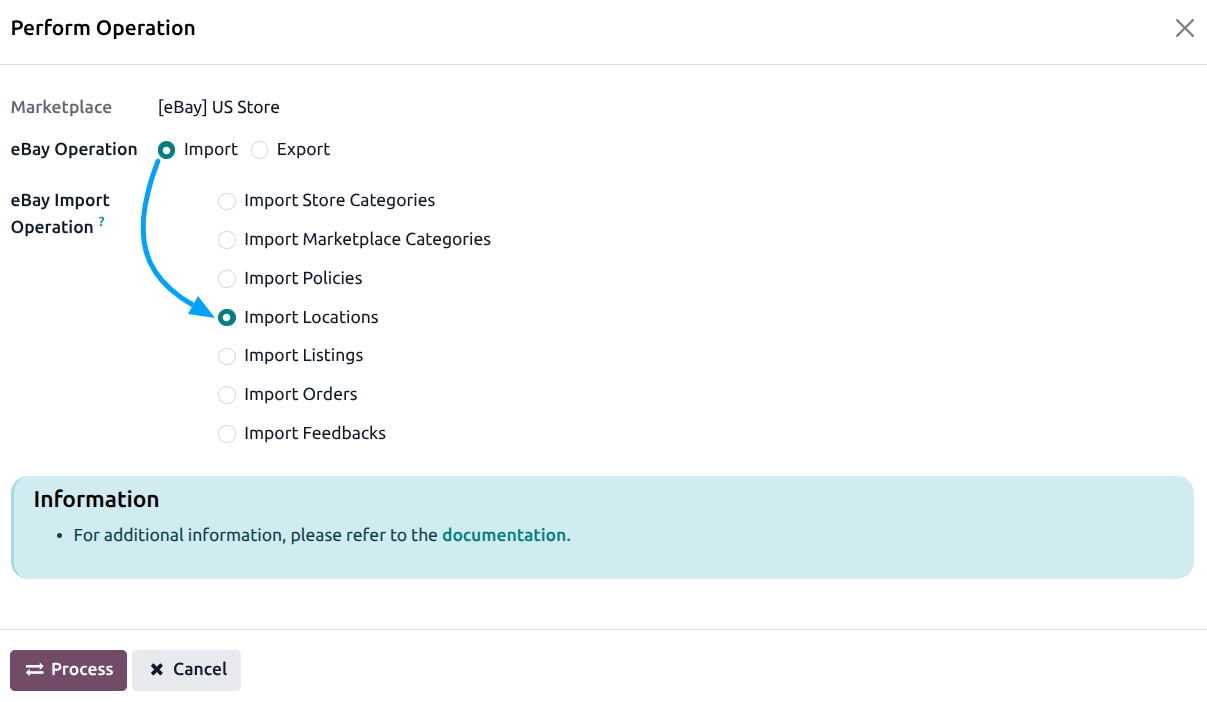
Press
PROCESSbutton.
This will import all your eBay merchant locations into Odoo.
Managing Locations
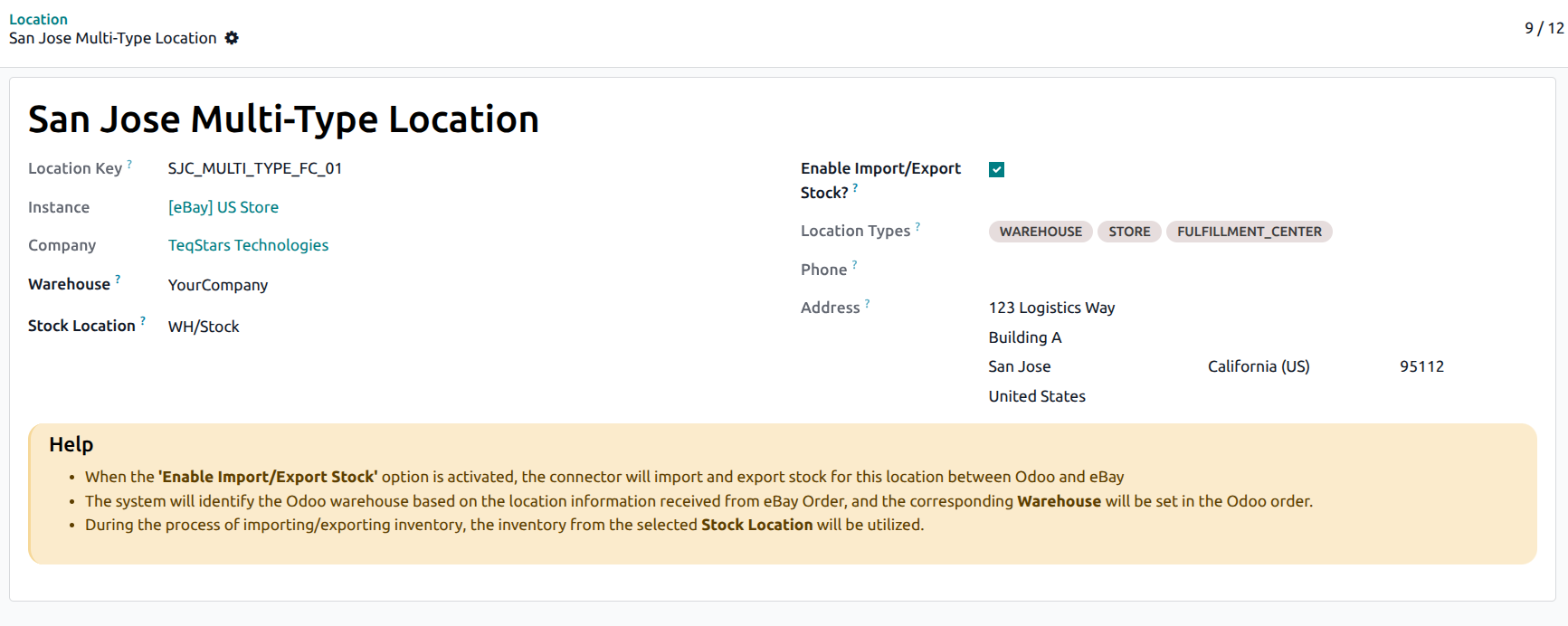
Navigate to to manage your imported eBay locations.
Important
At least one location must be enabled for Import/Export Stock for inventory operations to work.
If you add new locations on eBay, re-import them to update the records in Odoo.
See also