
Etsy Update Order Status from Odoo
This feature allows you to export order fulfillment status with shipment information from Odoo to Etsy. This can be done manually or automatically using the scheduled action.
On Etsy, the connector pushes the carrier name and tracking number to the receipt’s shipment (
createReceiptShipment), which marks the order as shipped on Etsy and notifies the buyer.The carrier name sent is the Etsy Carrier Code set on the delivery method (), or the delivery method name when no code is set.
Before sending, the connector re-reads the receipt from Etsy: canceled receipts are not exported, and receipts that are already shipped on Etsy are only marked as updated in Odoo.
Method - 1: Manual Update Order Status
For Multiple Orders
Go to the menu in Odoo.
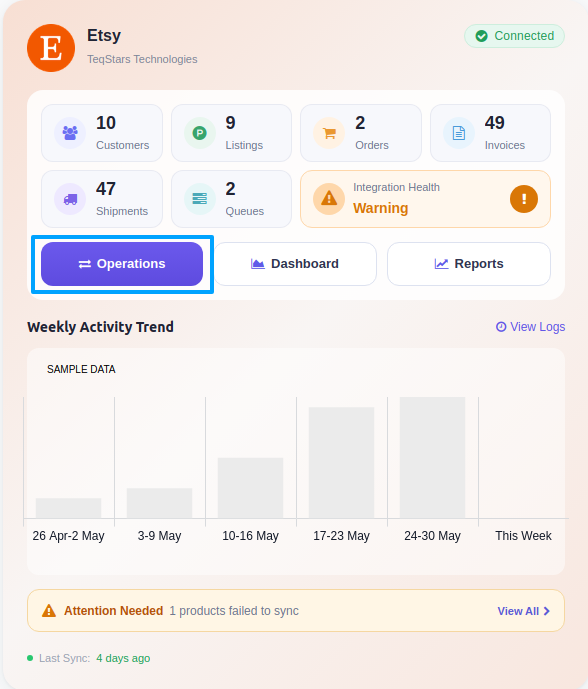
Click on the Operations button from the instance record.
Select Export as the operation type and then choose Export Tracking Details.
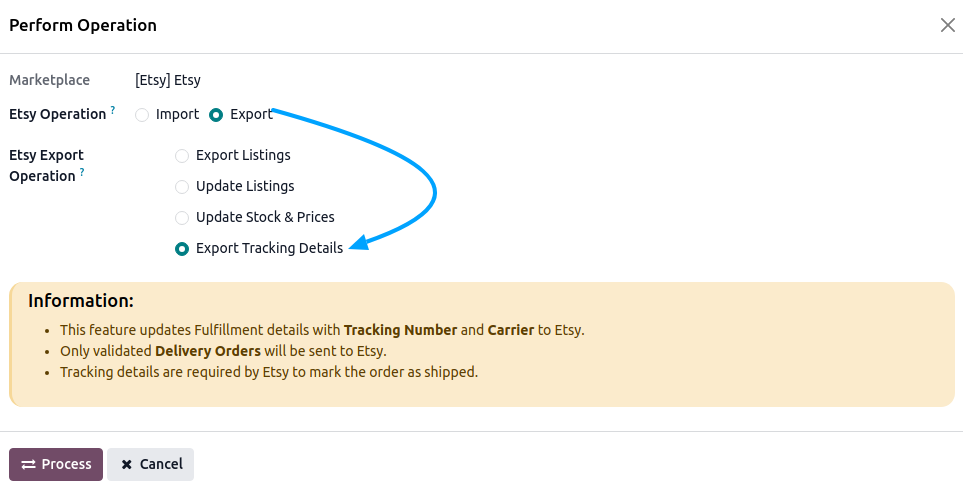
Press the Process button to push the tracking details from Odoo to Etsy.
For Single Orders
Open the Etsy Sale Order you want to update.
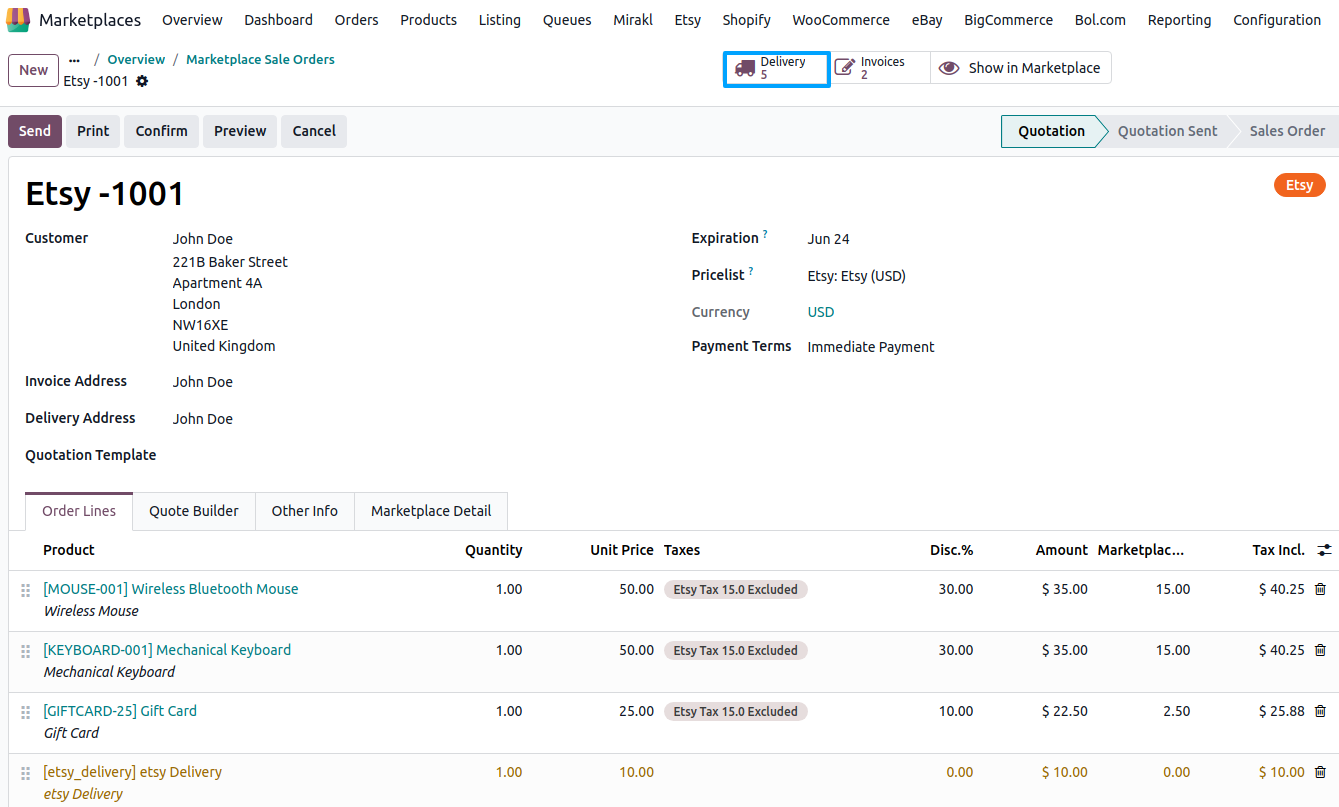
Open the Delivery Order by clicking on the Delivery smart button.
Make sure the carrier and tracking number are filled on the delivery, then validate the delivery.
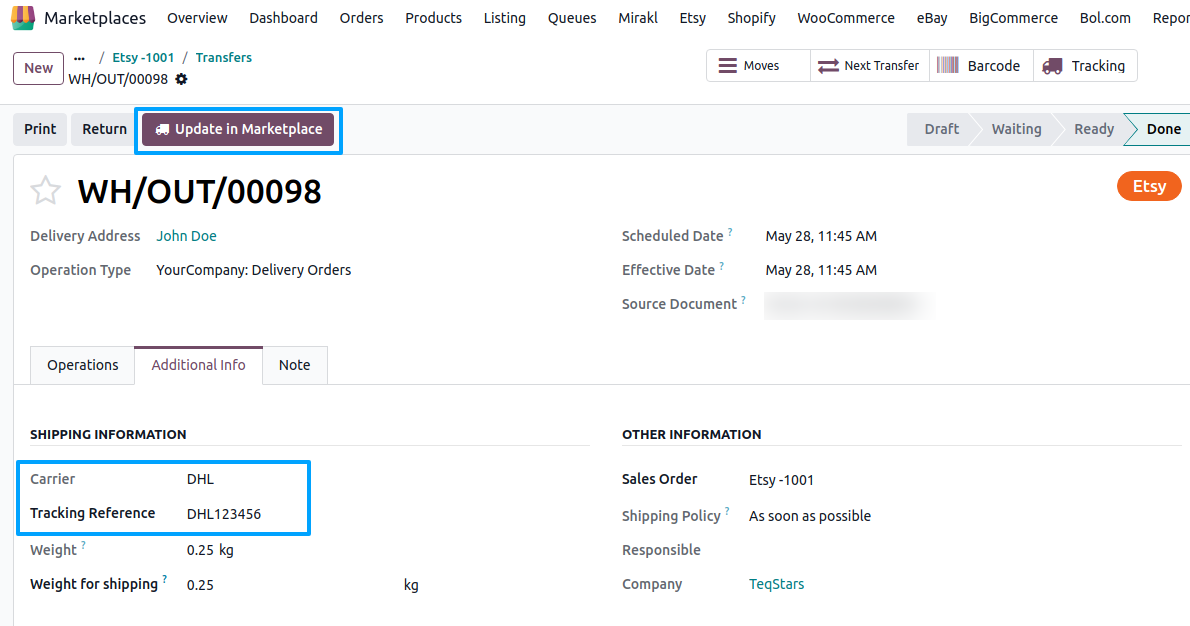
Press the Update in Marketplace button on the validated delivery to push the tracking details to Etsy. If the export fails, the reason is shown on the delivery with Retry and Marked as Updated in Odoo buttons.
Method - 2: Automatic Update Order Status
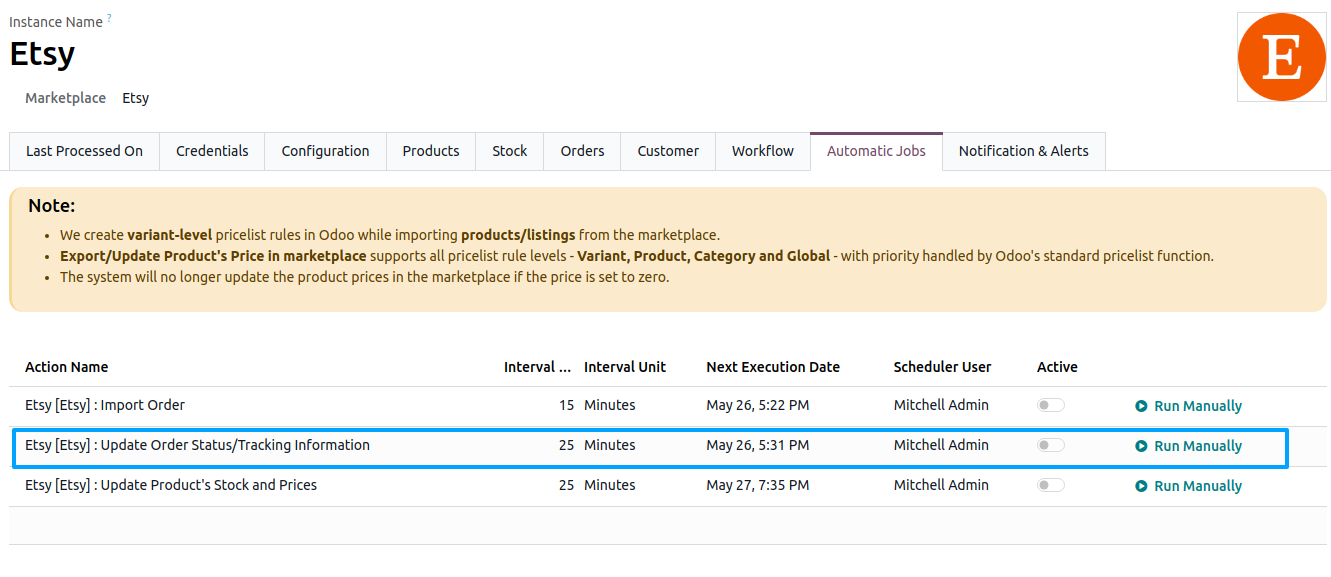
You can automate the tracking export using the Scheduled Action, which runs at a predefined interval and pushes tracking details from validated deliveries to Etsy without manual work.
Go to your Etsy instance by navigating to .
Open the Automatic Jobs tab. Configure the Update Order Status/Tracking Information scheduled action by setting Interval Number, Interval Unit, and Active.
Important
A tracking number is required on the delivery; deliveries without one are flagged with an error and skipped.
Only validated outgoing deliveries that were not exported yet are sent. When every validated delivery of an order has been exported, the order’s Etsy receipt status becomes Completed.
When Notify Customer? is enabled on the Etsy instance, the seller receives a blind copy of the Etsy shipment notification email. The buyer is notified by Etsy in any case.
See also