
Quick Setup Wizard
The Quick Setup wizard is the easiest way to connect a Brevo account. It guides you through five simple steps such as connect your account, choose what to sync, match your fields, link your lists, and finish. By the end, your account is ready for its first sync, with no need to set up each tab by hand.
Open it from the Quick Setup button on the Brevo account dashboard ().
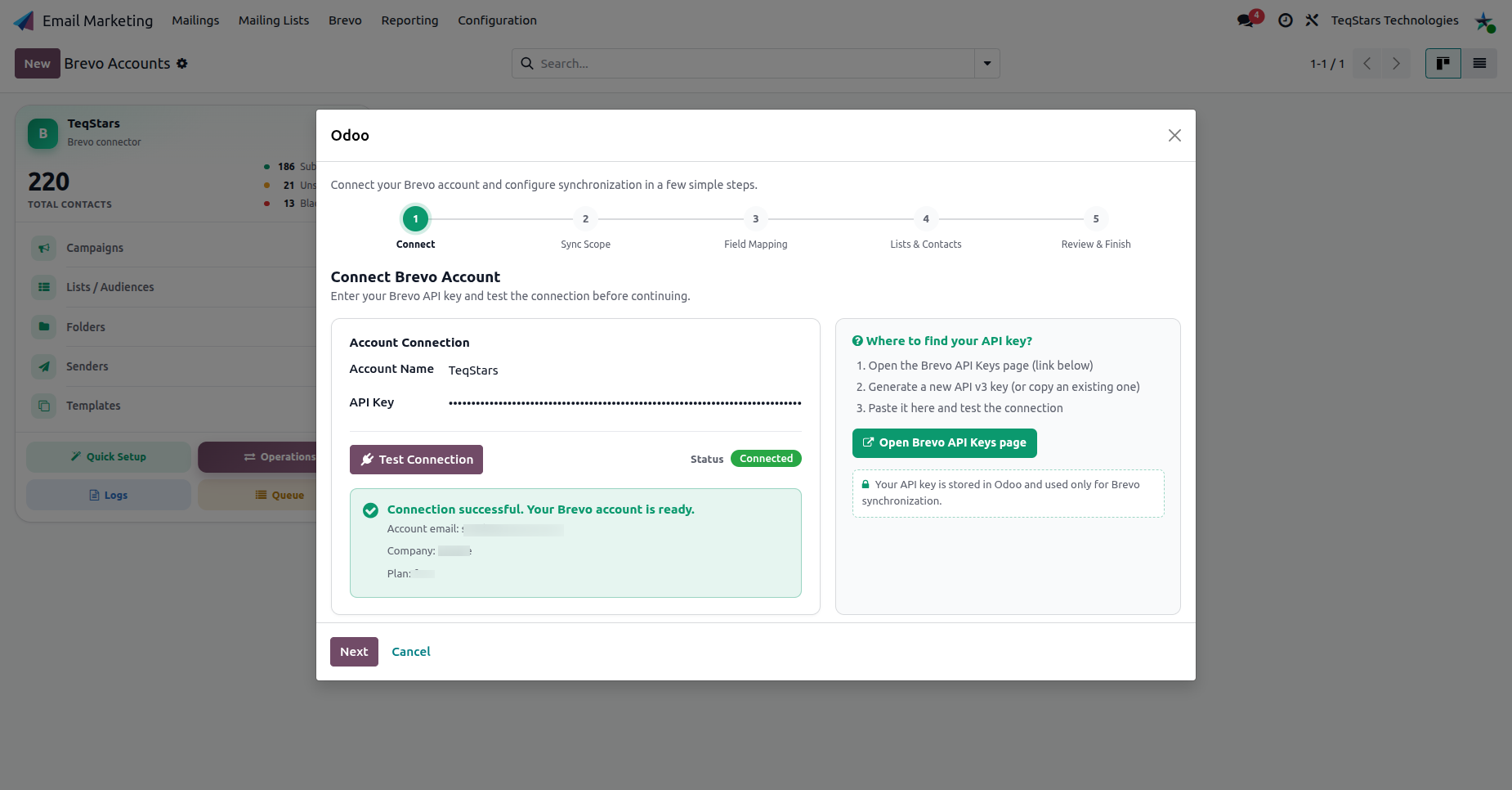
Step 1: Connect
Enter your Brevo API key and click Test Connection. The wizard verifies the key and shows the connected account email, company and plan.
Tip
The Open Brevo API Keys page link takes you directly to the page in Brevo where you create the key. See Connect Your Brevo Account.
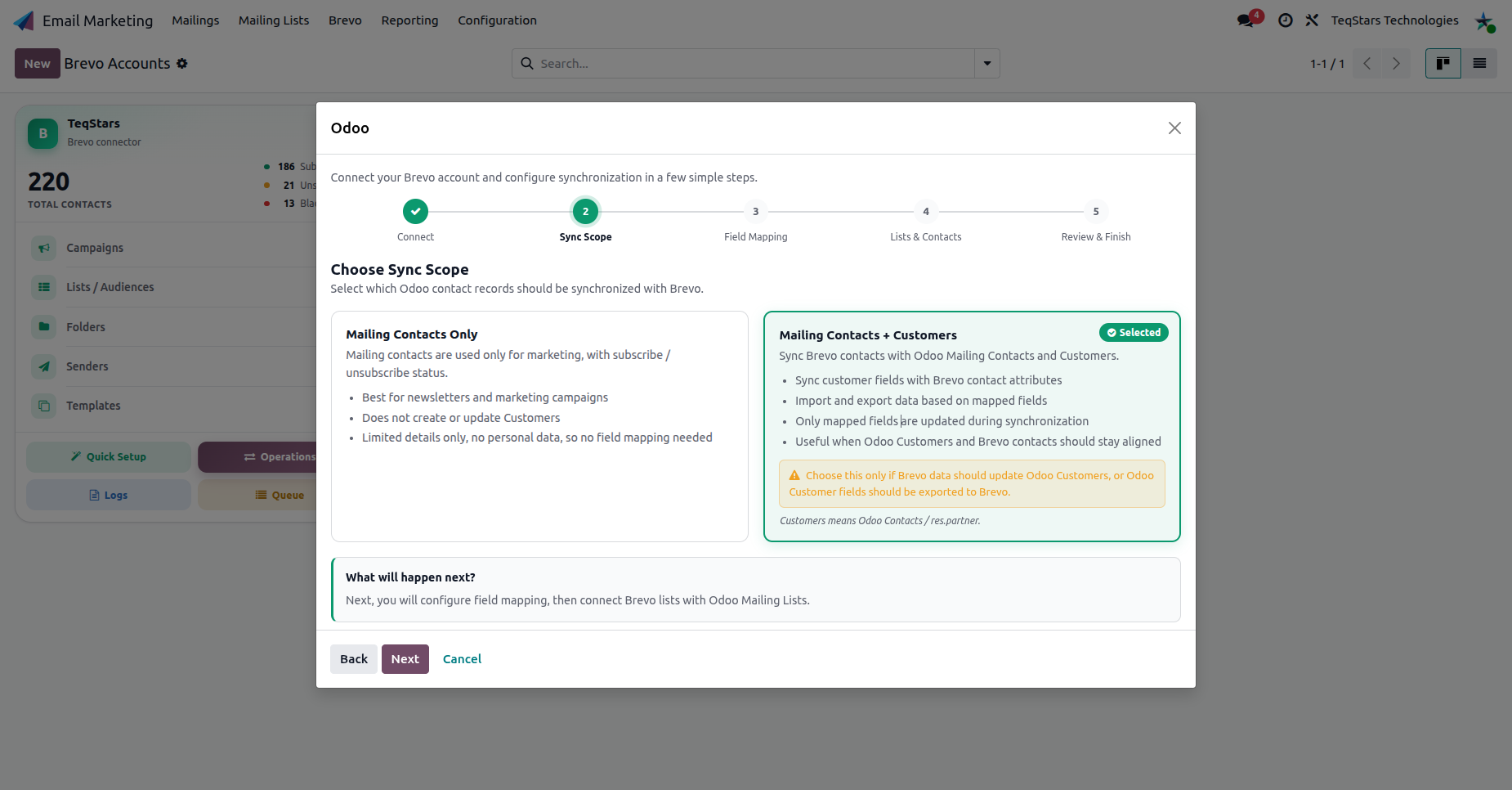
Step 2: Sync Scope
Choose how much of Brevo you want to mirror in Odoo:
Mailing Contacts Only: best for newsletters and marketing. Brevo contacts become Odoo mailing contacts only.
Mailing Contacts + Customers: also creates or links Odoo customers, so contacts are available for CRM, sales and ecommerce.
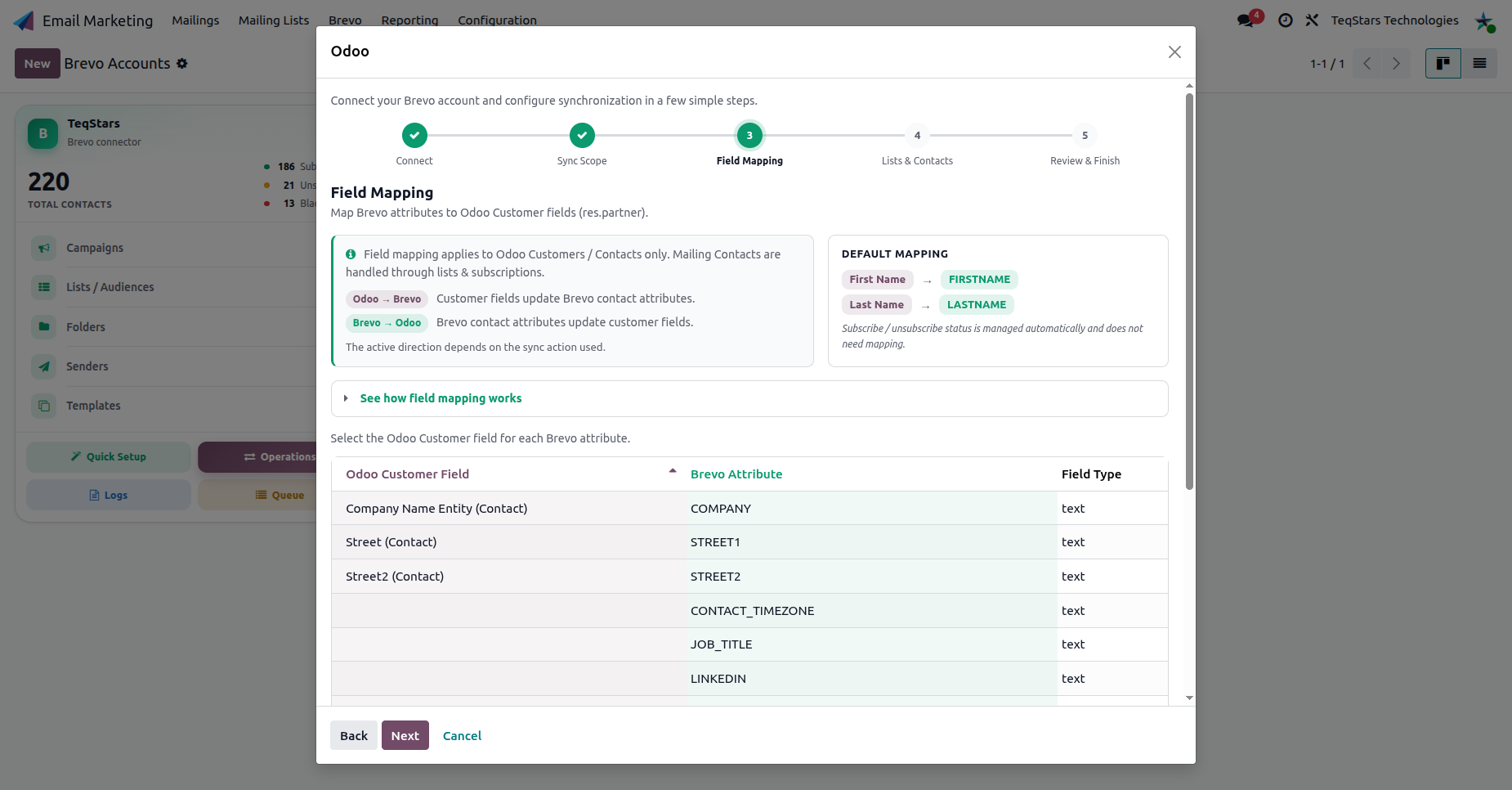
Step 3: Field Mapping
Map Brevo contact attributes to Odoo fields so values are filled automatically during export and update. First Name and Last Name attributes are pre-mapped.
Note
You can refine this mapping any time later on the account’s Merge Fields tab. See Brevo Account Configuration.
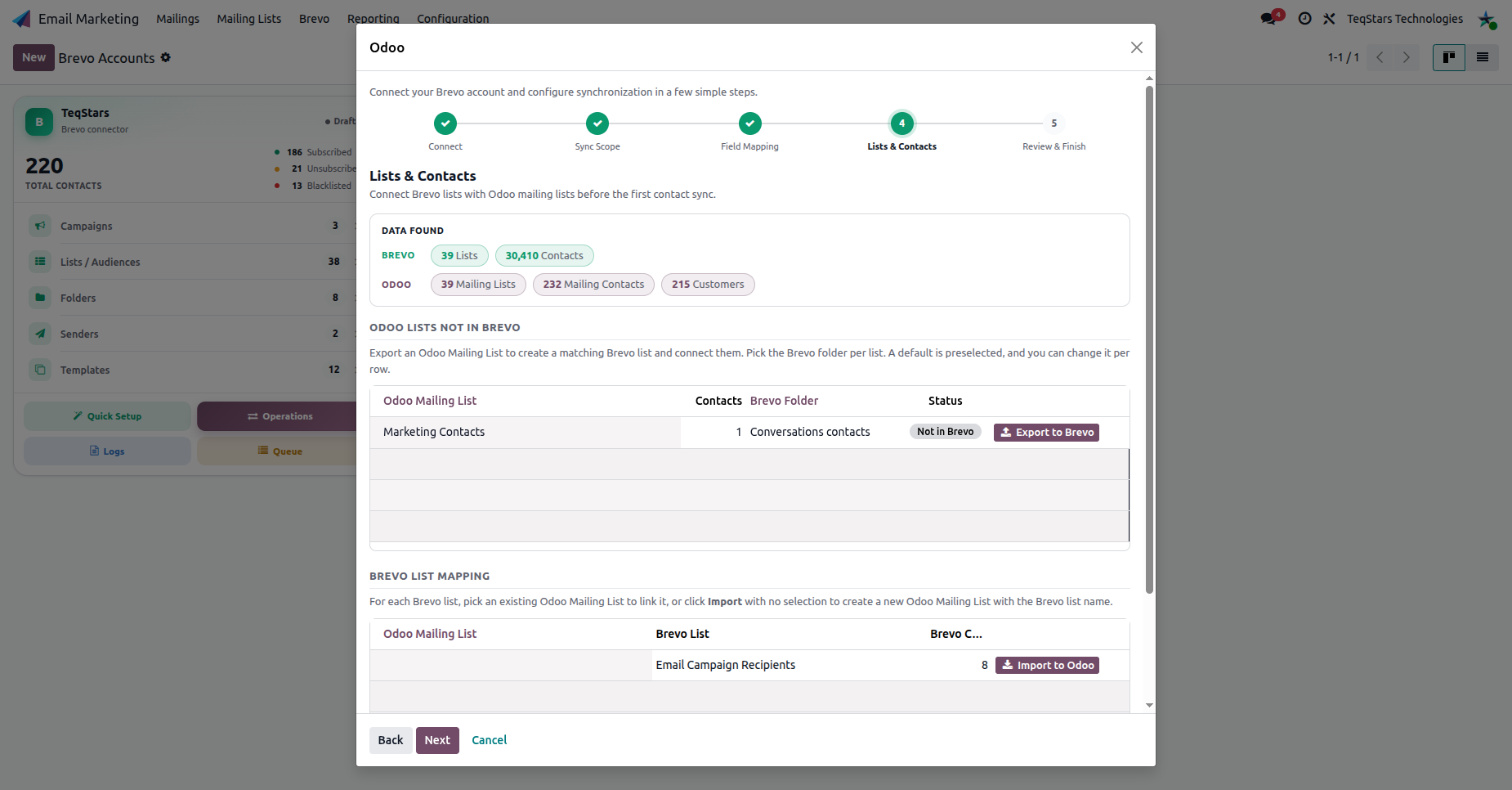
Step 4: Lists & Contacts
The wizard compares your Brevo lists with your Odoo mailing lists and lets you link them before the first contact sync:
Odoo lists not in Brevo: click Export to Brevo to create the matching Brevo list (select the target Brevo folder).
Brevo list mapping: for each Brevo list, select an existing Odoo list to link, or click Import to Odoo to create a new one.
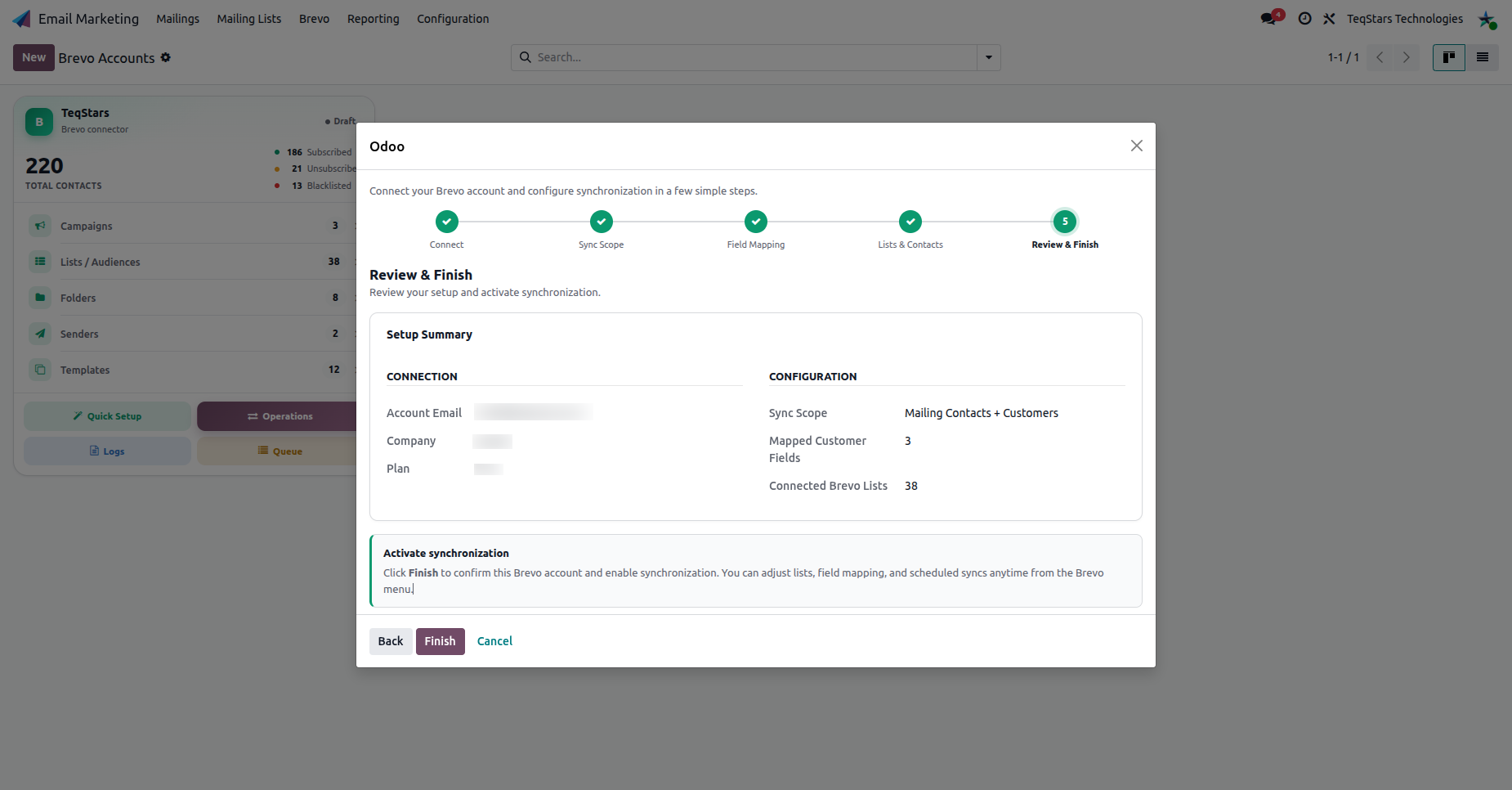
Step 5: Review & Finish
Review the Setup Summary (connection details, sync scope, mapped fields and connected lists), then click Finish to confirm the account and activate synchronization.
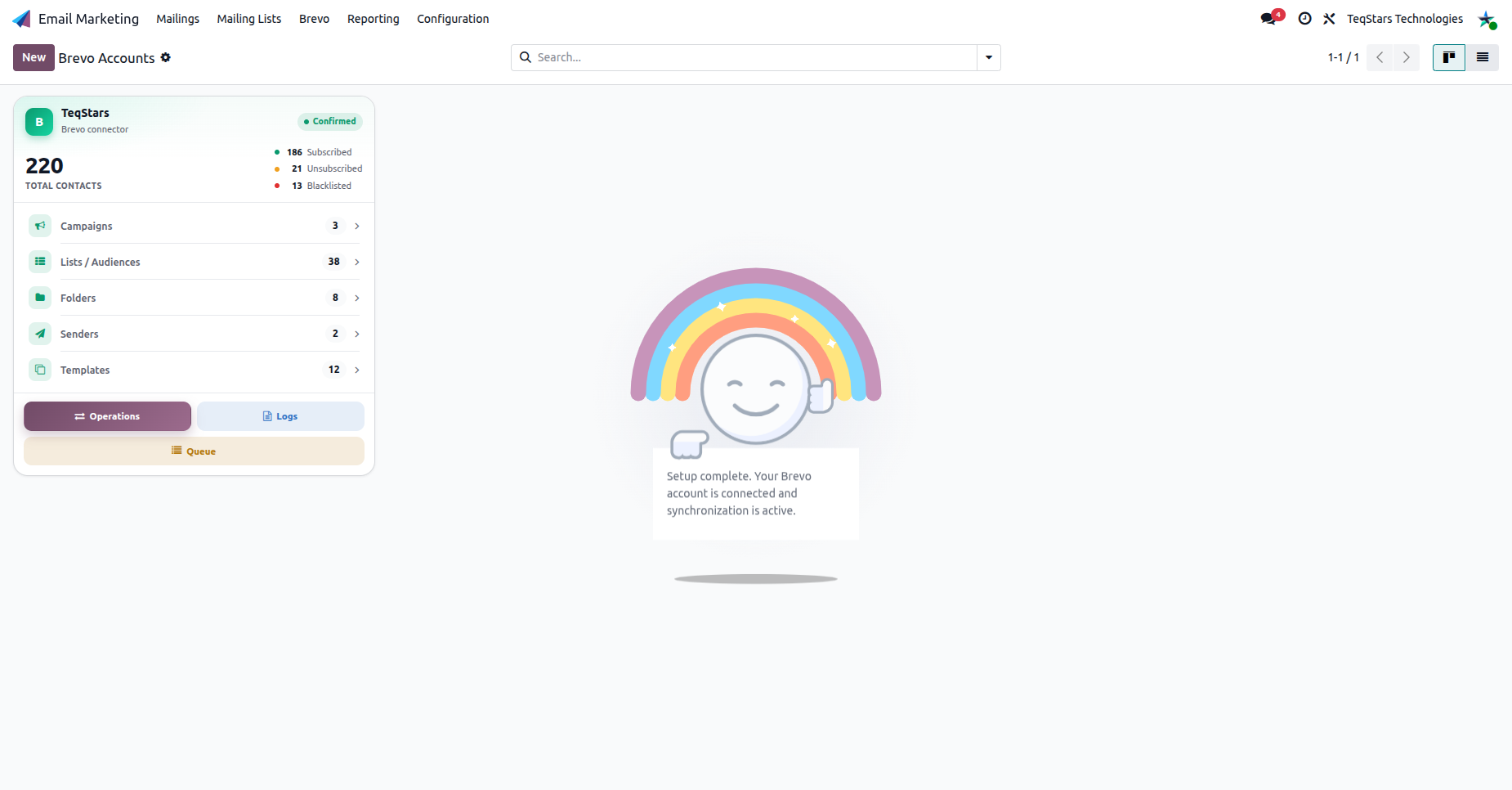
The account is now Confirmed and ready to use.
Tip
Everything chosen in the wizard (lists, field mapping, scheduled syncs) can be adjusted later from the Brevo menu. The wizard just gets you to a working state fast.