
Connect Your Brevo Account
To connect Odoo with Brevo you need an API key from your Brevo account. The key authorizes Odoo to read and write contacts, lists, folders, senders, templates, campaigns and when ecommerce is enabled products and orders on your behalf.
Create the API Key in Brevo
Log in to your Brevo account at brevo.com.
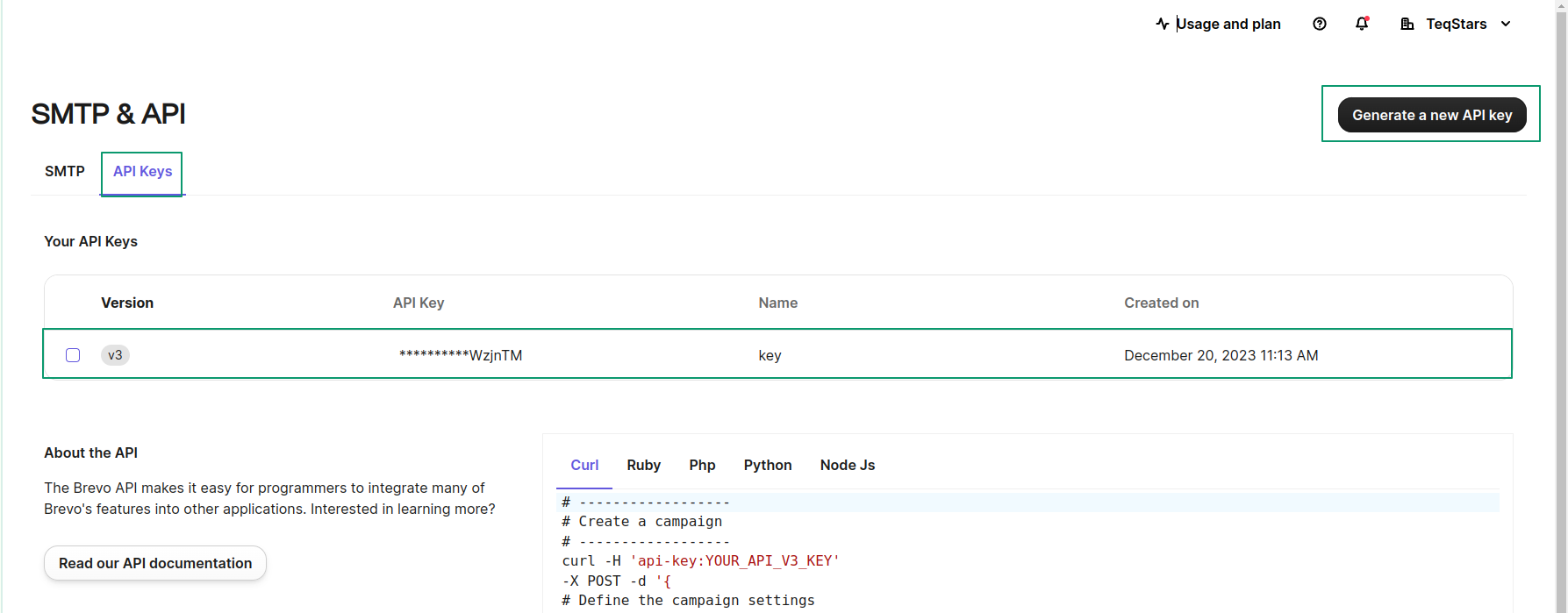
Click your profile name (top-right) and go to .
Click Generate API key, give it a label you recognize (for example
Odoo) and copy the generated key: Brevo shows the full key only once.
Warning
Treat the API key like a password. Anyone with the key can access your Brevo data. If a key is exposed, delete it in Brevo and generate a new one.
Add the Account in Odoo
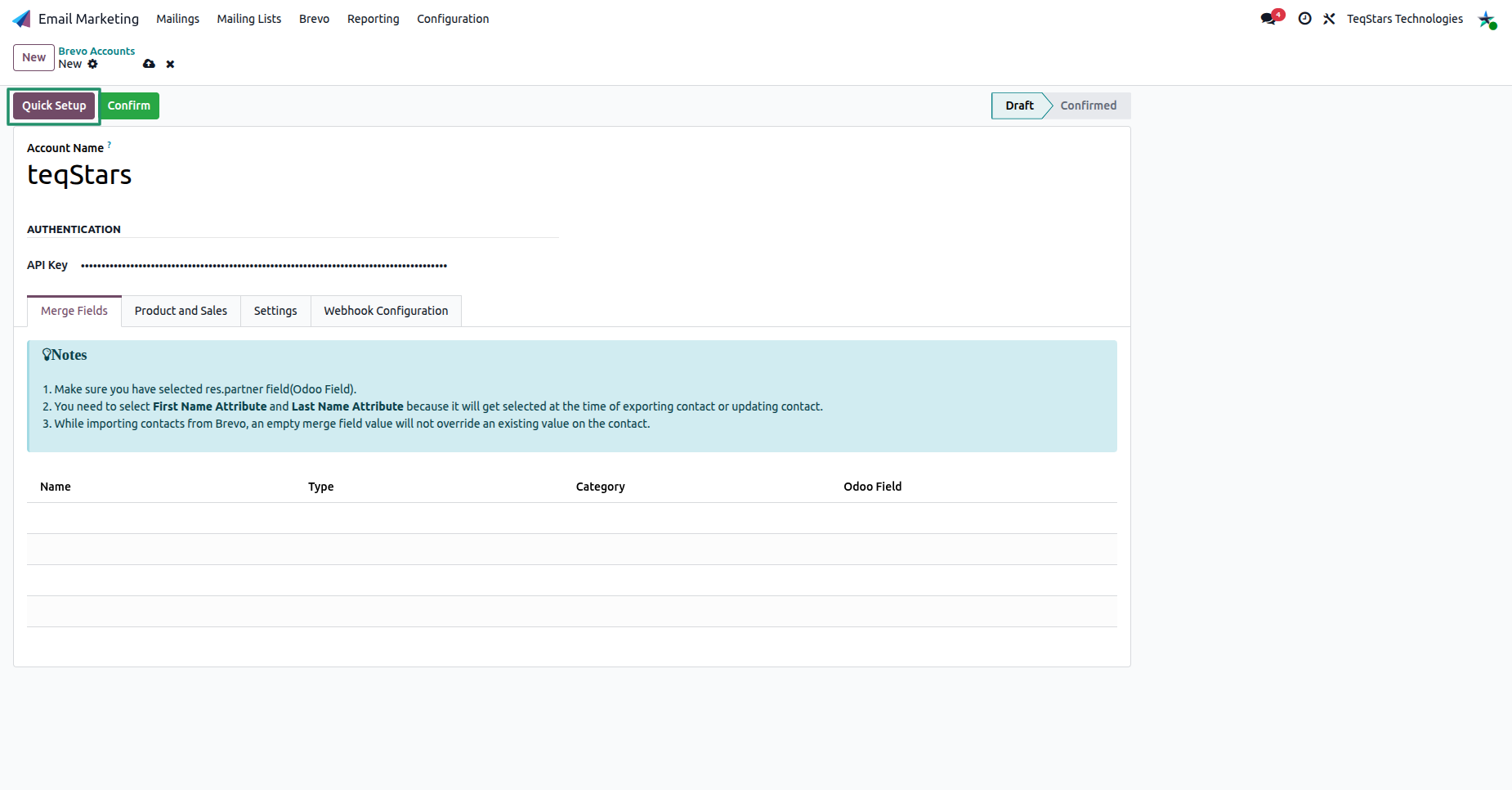
In Odoo, open the Email Marketing app and go to , then click New.
Enter an Account Name.
Paste the key into the API Key field.
Once the API Key is in place, you can finish the setup in one of two ways. Run the guided Quick Setup wizard, which connects the account, maps the fields, and links your lists in a few steps, or click Confirm to validate the key and activate the account manually.
Tip
Click Quick Setup to launch the guided wizard that connects the account, maps fields and links your lists in a few steps. See Quick Setup Wizard.
Tip
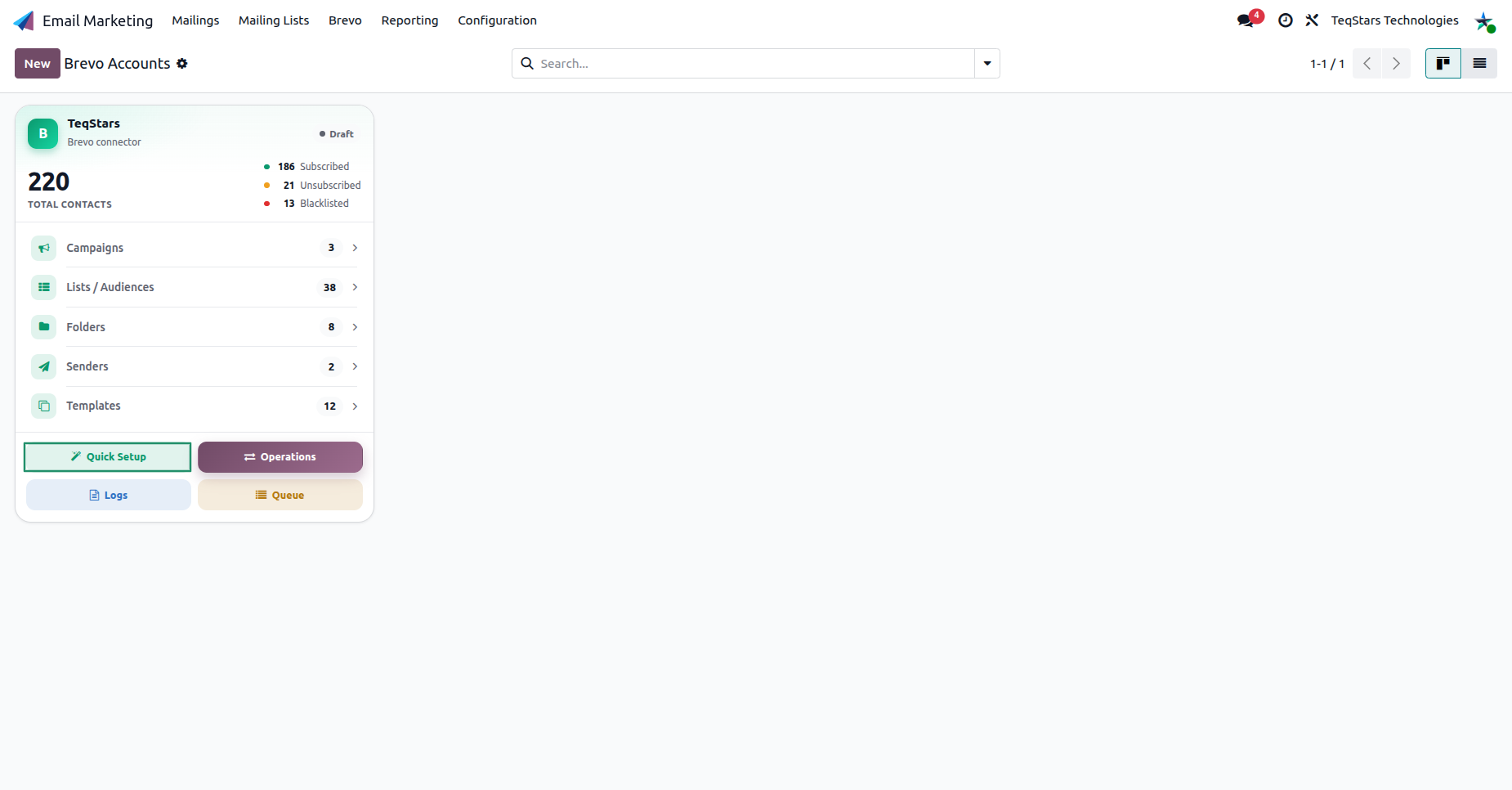
The account dashboard gives you one-click access to Quick Setup, Operations, Logs and the Job Queue, plus live counters for contacts, campaigns, lists, folders, senders and templates.
Confirm the Connection
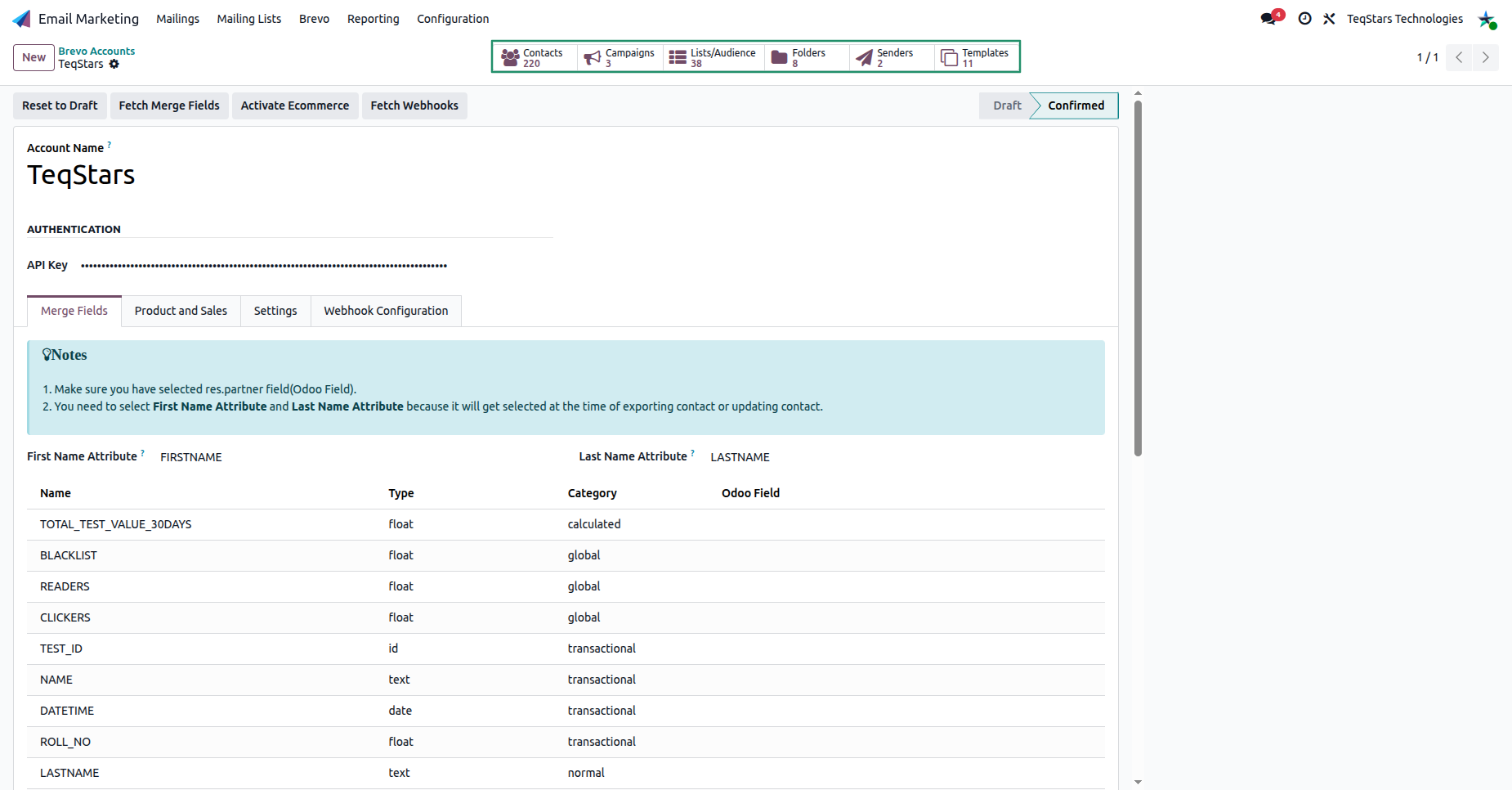
Click Confirm at the top of the form. Odoo validates the key against Brevo. On success, the account moves from Draft to Confirmed and the top of the form reveals the sync actions (Fetch Merge Fields, Activate Ecommerce, Fetch Webhooks).
Note
If confirmation fails, the API key may be invalid or revoked. Re-copy the full key from Brevo and try again. Use Reset to Draft to edit the key.
Next Steps
The fastest way to finish setup is the guided Quick Setup wizard, which connects, maps fields and links your lists in a few steps:
Run the guided setup: see Quick Setup Wizard.
Configure sync behavior: see Brevo Account Configuration.
Enable real-time campaign events: see Webhook Configuration (Live Sync).