
Webhook Configuration (Live Sync)
Webhooks let Brevo notify Odoo instantly when a campaign event happens, a recipient opens, clicks, bounces or unsubscribes. Instead of waiting for the scheduled sync, the campaign statistics and contact states in Odoo update in real time.
The connector makes this a one-click operation through Live Sync. Odoo creates the campaign-event webhook in both systems and wires up every relevant event for you.
Enable Live Sync
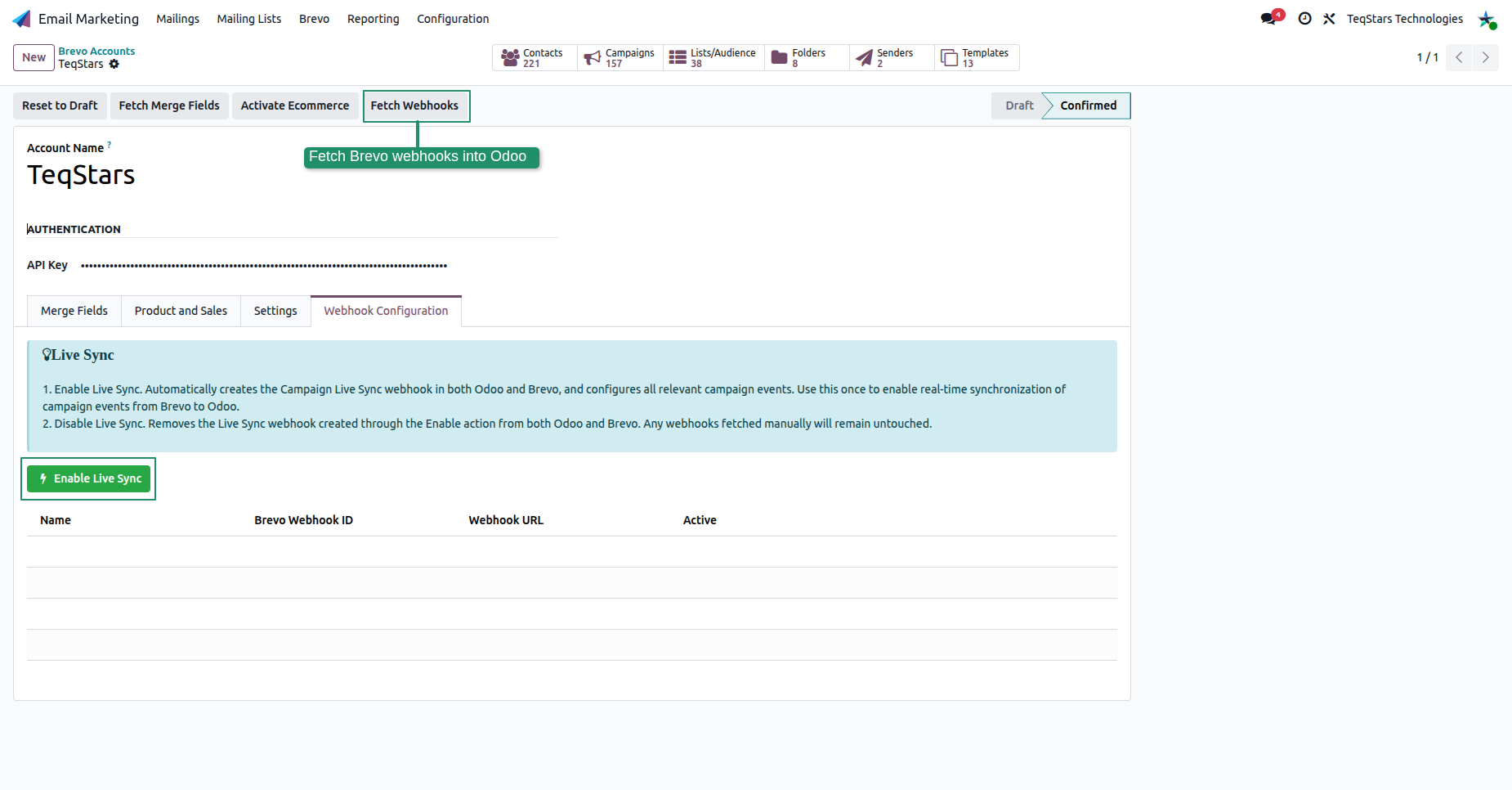
Open your account from and go to the Webhook Configuration tab.
Click Enable Live Sync.
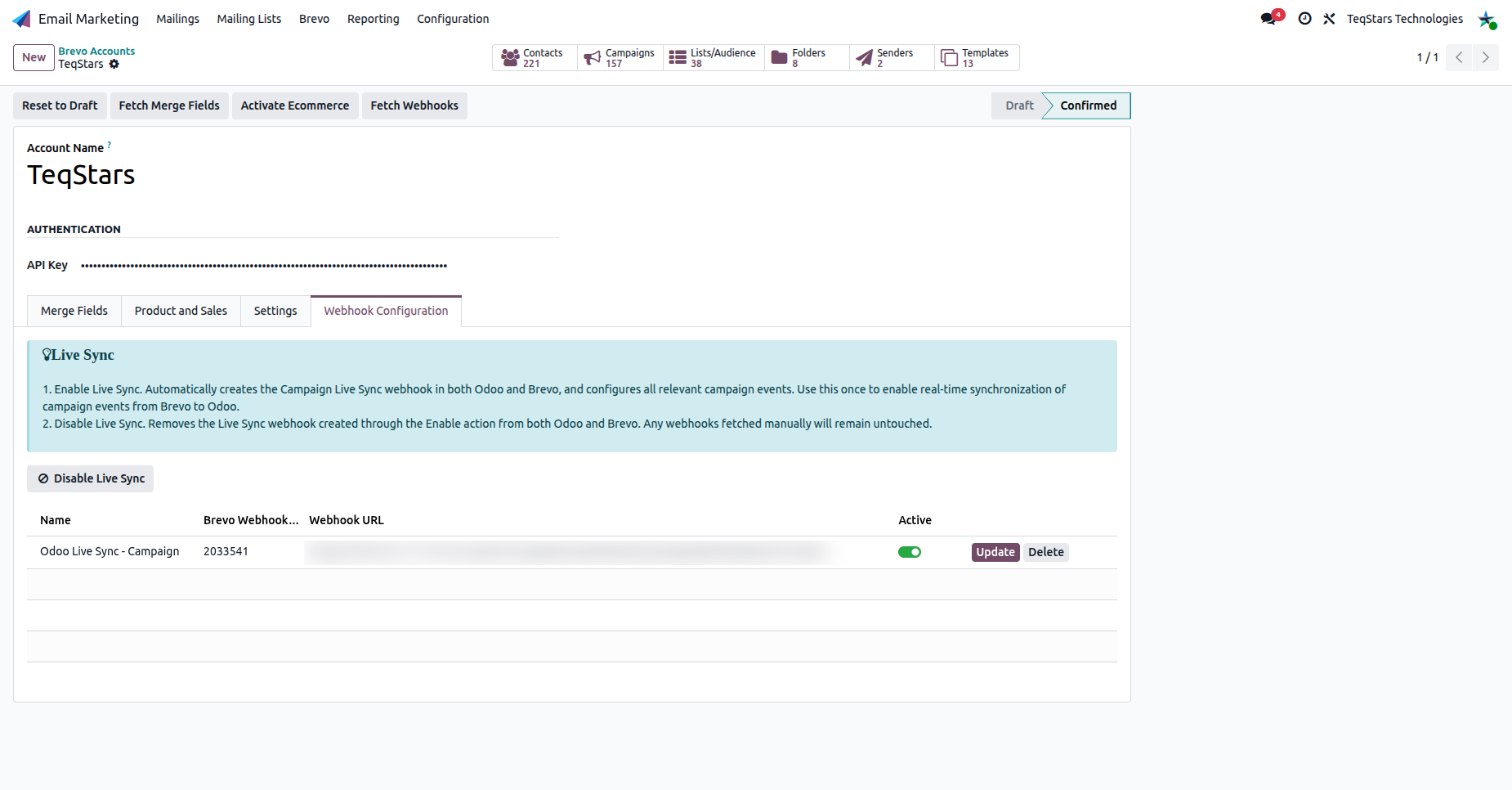
Odoo creates the Campaign Live Sync webhook in Brevo, sets up a secure URL address for Brevo to send events to, and lists it in the table with an Active toggle. Once the webhook is created, the Disable Live Sync button becomes visible so you can turn it off later.
Warning
Webhooks require a public HTTPS URL. Make sure your Odoo instance is reachable over HTTPS, otherwise Brevo cannot deliver events.
Managing Webhooks
Disable Live Sync: Removes the Live Sync webhook created by the Enable action from both Odoo and Brevo. Webhooks fetched manually are left untouched.
Fetch Webhooks: This button brings existing Brevo webhooks into Odoo so you can see what is already configured.
Update / Delete: Per-row actions to refresh or remove an individual webhook.
What Each Event Does in Odoo
The Live Sync webhook subscribes to the campaign events below and updates the matching mailing traces and contacts:
Brevo Event |
Effect in Odoo |
|---|---|
delivered |
Marks the message as received/delivered. |
opened |
Marks the recipient as having opened the email. |
click |
Records the click and the clicked link (link tracker). |
hardBounce / softBounce |
Marks the message as bounced. |
unsubscribed |
Opts the contact out of the mailing. |
Tip
Live Sync runs together with the scheduled sync. It keeps your campaign stats up to date between scheduled runs. The scheduled actions act as a safety net if an event is ever missed (see Brevo Account Configuration).