
Campaigns Management
The connector centralizes your Brevo campaigns inside Odoo’s Email Marketing app. You can import existing campaigns, build new ones with a Brevo template and sender, send or schedule them through Brevo, and pull delivery reports back into Odoo, without leaving Odoo.
Import Campaigns from Brevo
Go to .
Select your Account(s), set Operation Type to Email Marketing, choose Campaigns, set a Date Range, and click Process.
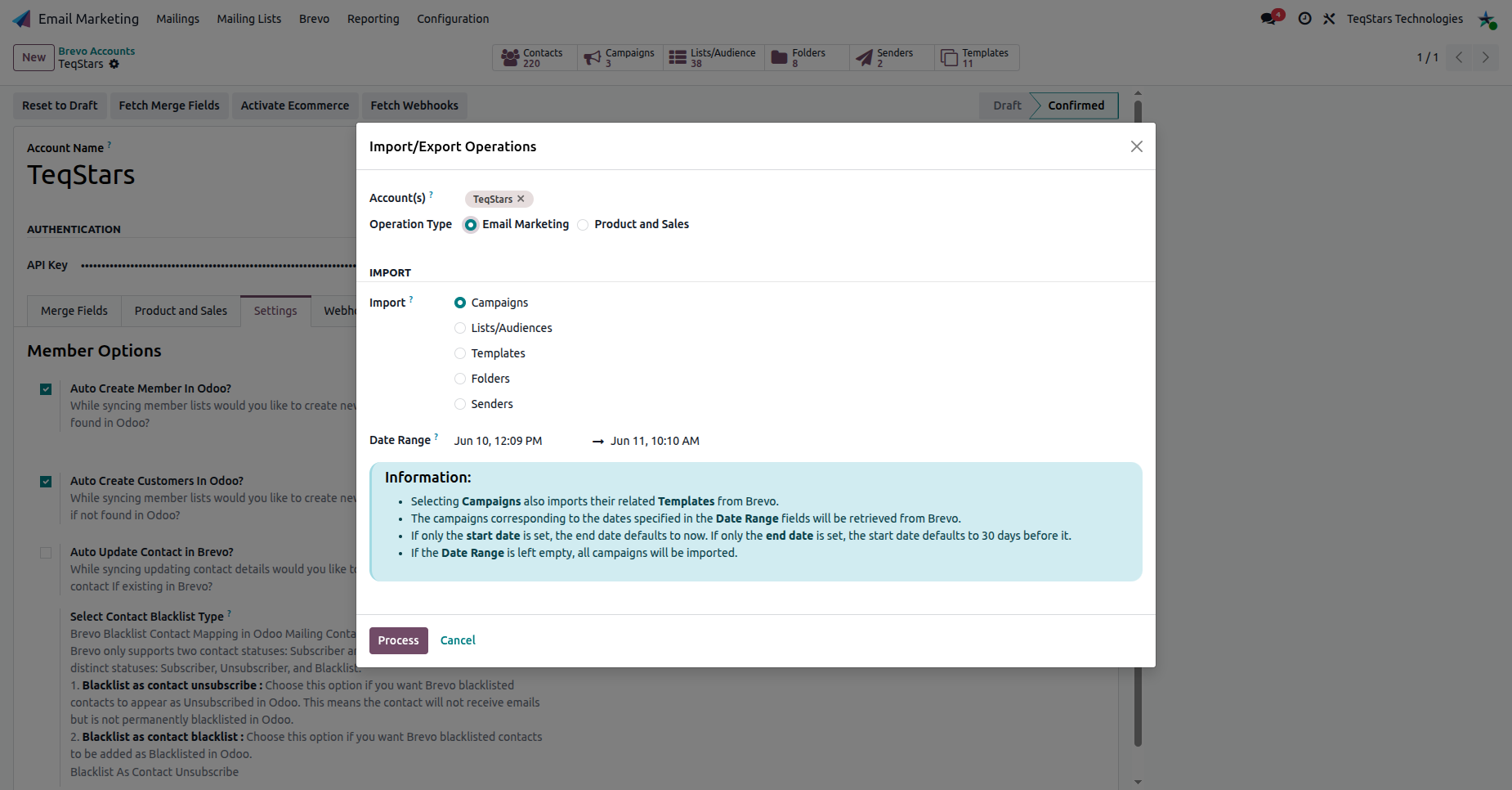
Note
Choosing Campaigns also imports Templates, since every campaign references the template it was designed with. Leave the Date Range empty to import all campaigns.
Imported campaigns appear as mailings (tagged Brevo) in . Each mailing shows its Brevo statistics: Opened, Replied, Clicked, Received, Bounced and Link Trackers.
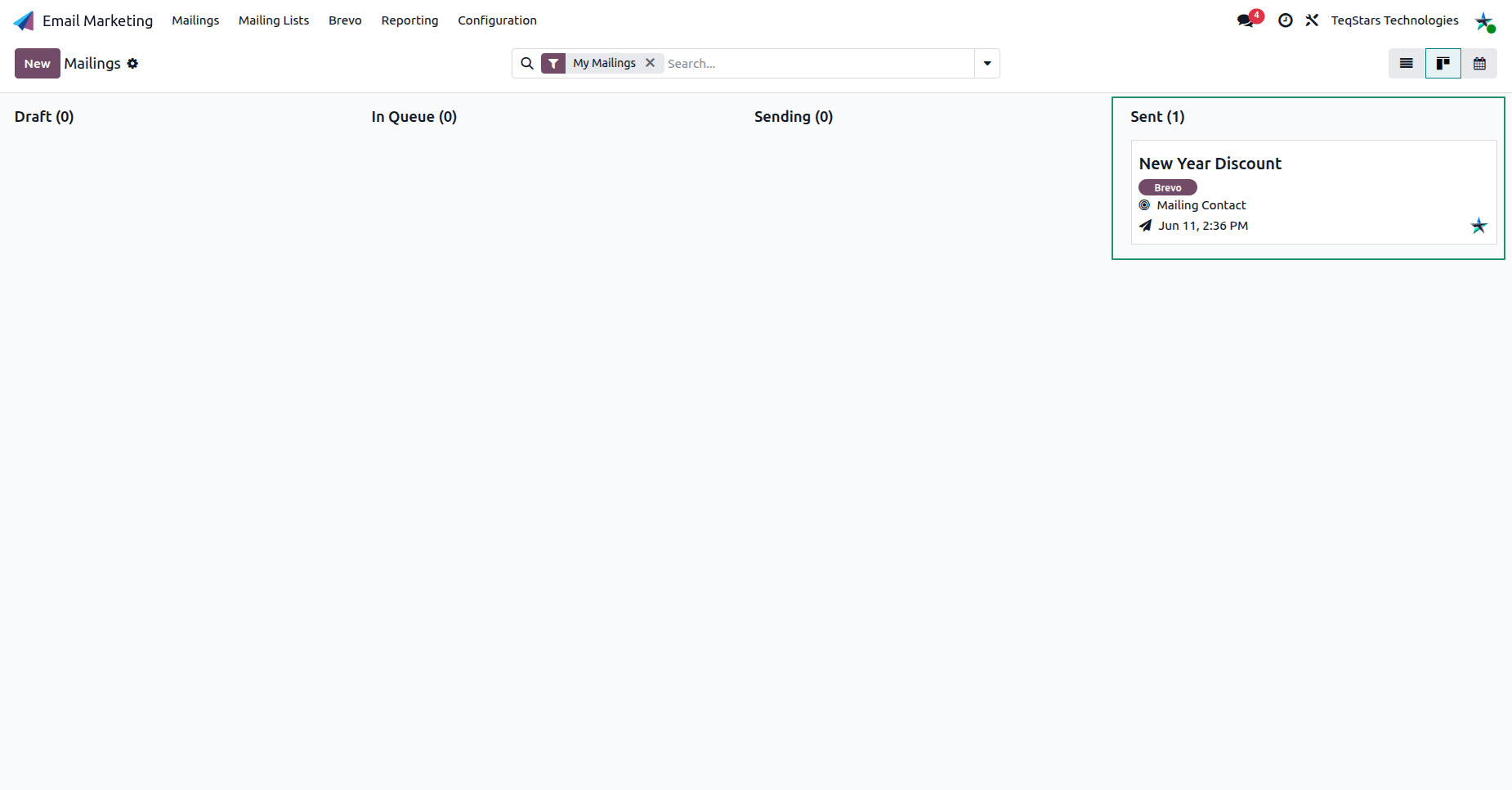
Tip
Use the Brevo Campaign filter in the Mailings search bar to list only campaigns linked to Brevo.
Build & Send a Campaign through Brevo
Create a new mailing in and turn it into a Brevo send:
Set the Subject.
Choose a Brevo Template: this routes the campaign through Brevo and loads the template design.
Choose the Recipients mailing list (a Brevo list).
Choose the Senders: the verified Brevo sender the email goes out as (see Senders Management).
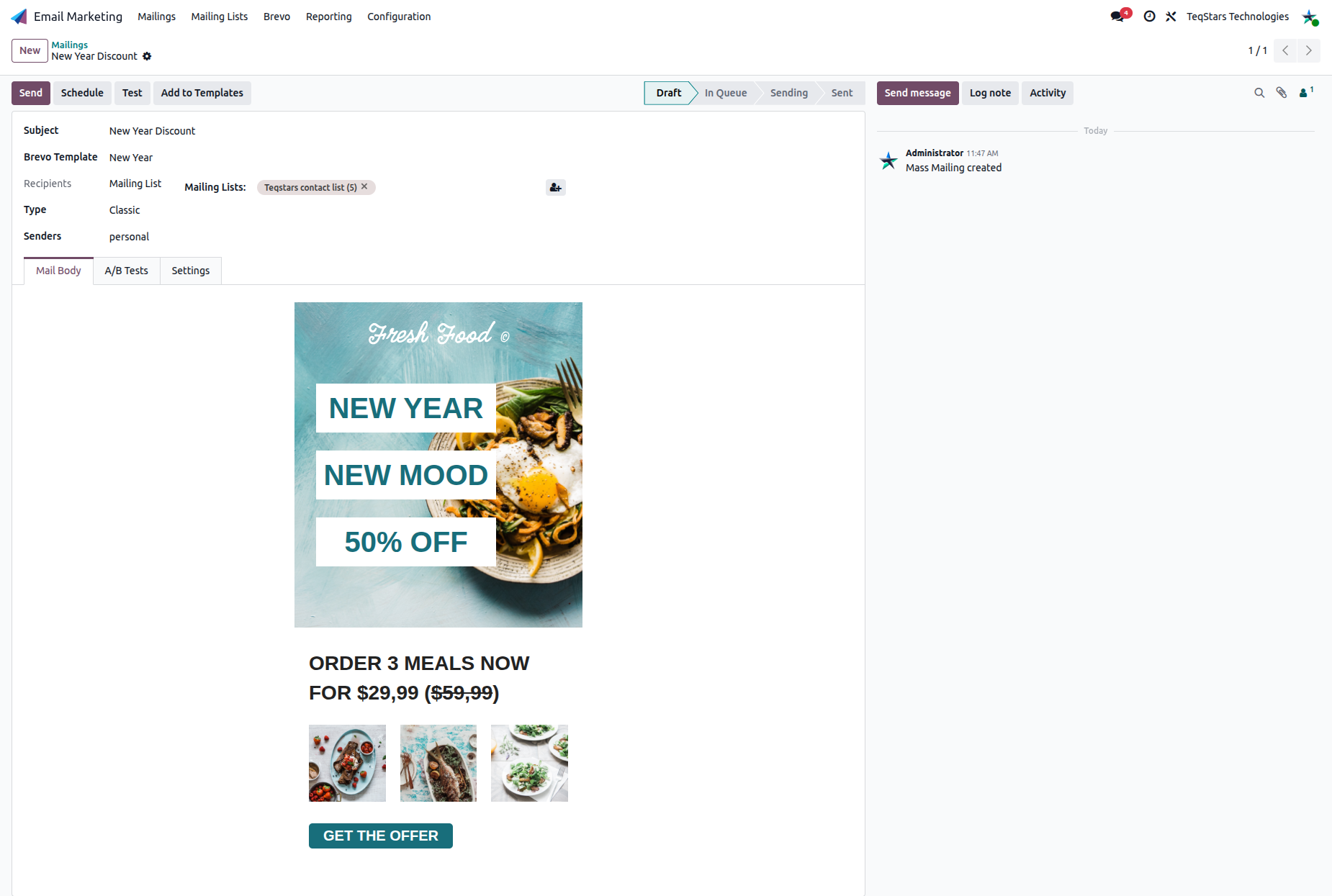
Then use the buttons at the top of the form:
Send: Export the campaign to Brevo and send it immediately.
Schedule: Choose a date and time and confirm, and Brevo sends the campaign automatically at that moment.
Test: Enter one or more recipient addresses to send a test copy, so you can review the subject, layout and formatting before the real send.
Campaign Reports & KPIs
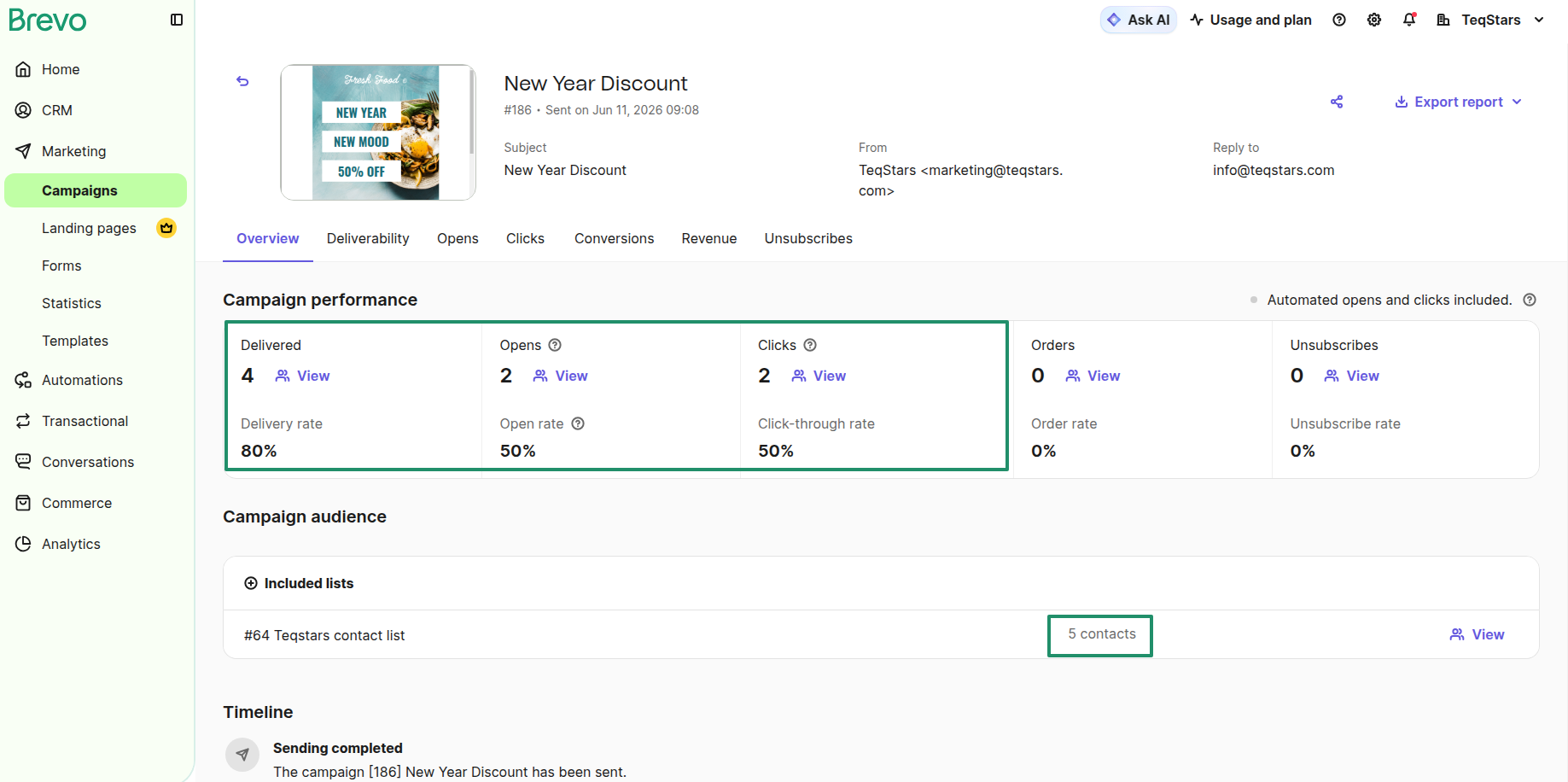
After a campaign is sent, the connector imports its activity from Brevo and shows the key performance indicators at the top of the mailing. Click Fetch Report from Brevo to refresh these numbers with the latest data whenever you need.
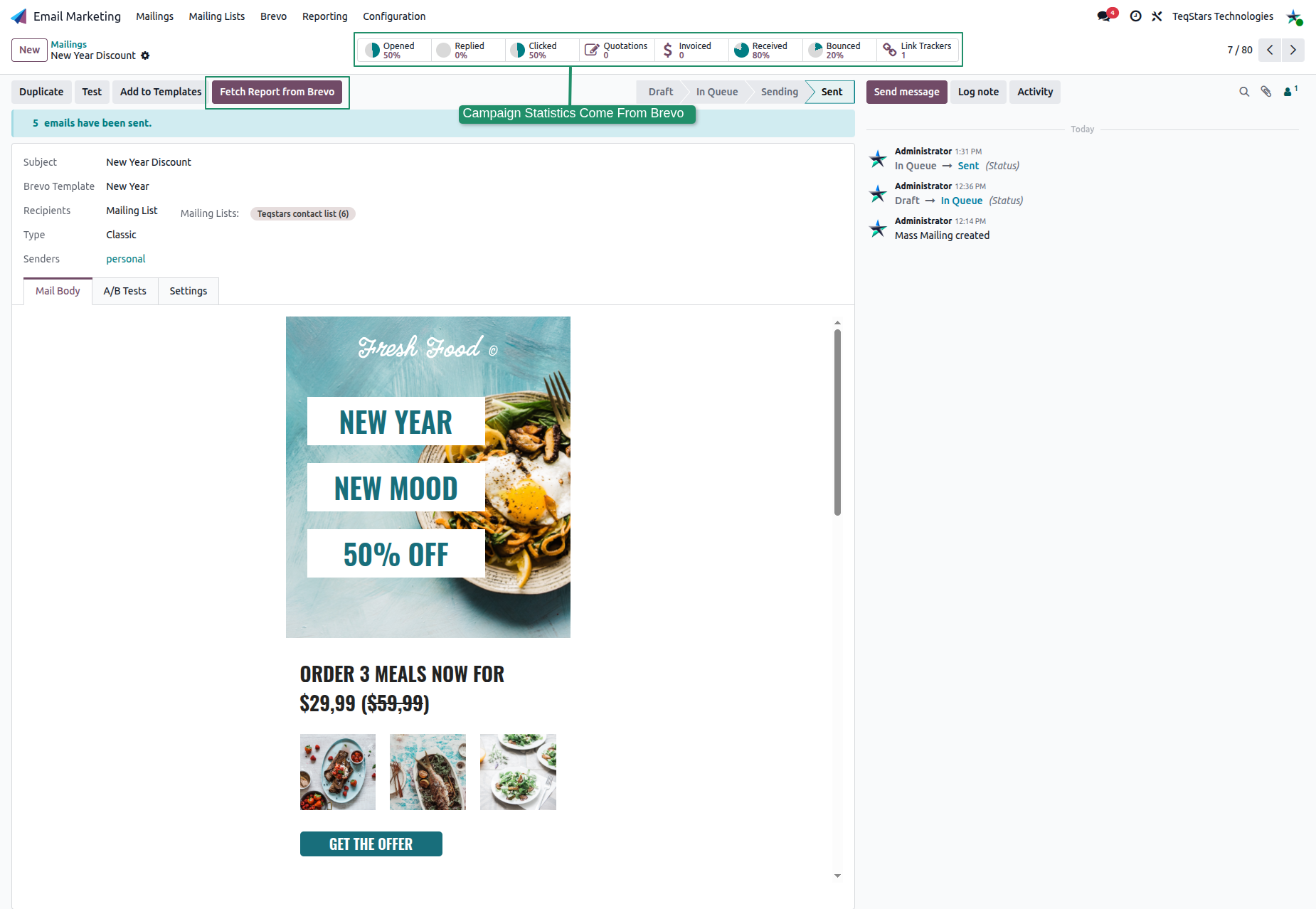
The main metrics are:
Received / Delivered: emails that successfully reached inboxes.
Opened: recipients who opened the email.
Clicked: recipients who clicked any link.
Bounced: emails that could not be delivered.
Link Trackers: each tracked link and its click count.
These figures mirror the campaign report on the Brevo side:
Campaign Report Duration
The Campaign Report setting on the account controls how long Odoo keeps fetching reports (opens, clicks, bounces) after a campaign is sent, 5 days by default, and extendable up to a maximum of 90 days for long-running sends. During this period, the scheduled actions keep importing the reports automatically. See Brevo Account Configuration.