
Senders Management
A sender is a verified From identity (name + email) that Brevo uses to send your campaigns. The connector imports your Brevo senders into Odoo so you can select the right one when building a campaign.
Open your senders from .
Import Senders from Brevo
Go to .
Select your Account(s), set Operation Type to Email Marketing, choose Senders, and click Process.
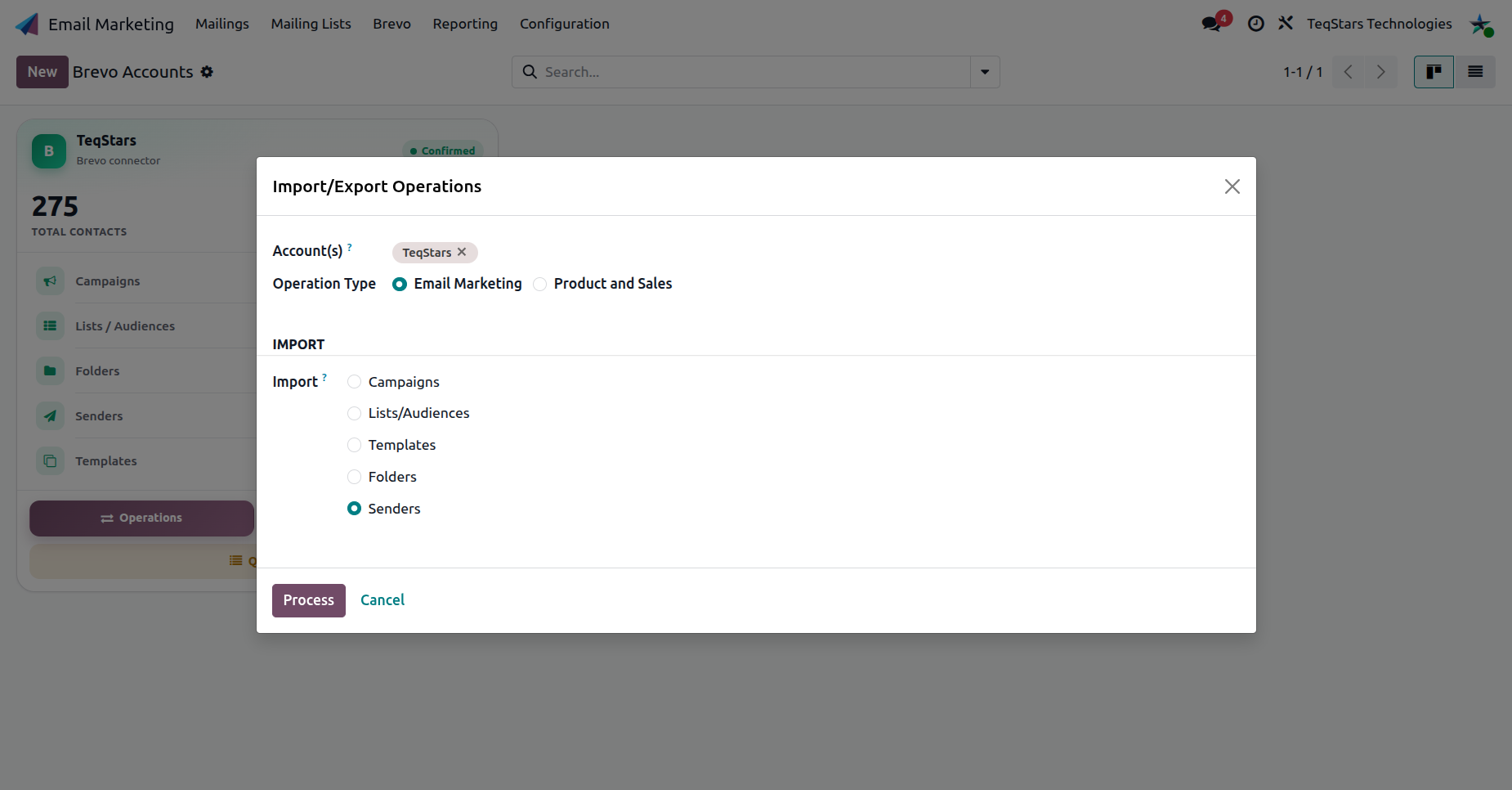
The Sender Form
Open a sender to view its details.

Senders Name: the display name shown to recipients.
Email: the verified sender address.
Account: the Brevo account the sender belongs to.
Active: whether the sender is available for selection on campaigns.
Note
Senders must be verified in Brevo before they can be used. Verify a domain or email in Brevo, then re-import senders to make it available in Odoo.
Export a Sender to Brevo
You can also create a sender in Odoo and push it to Brevo.
Create a sender record with its Senders Name, Email and Account.
Open the cog (⚙) menu and choose Export and Update(Brevo).
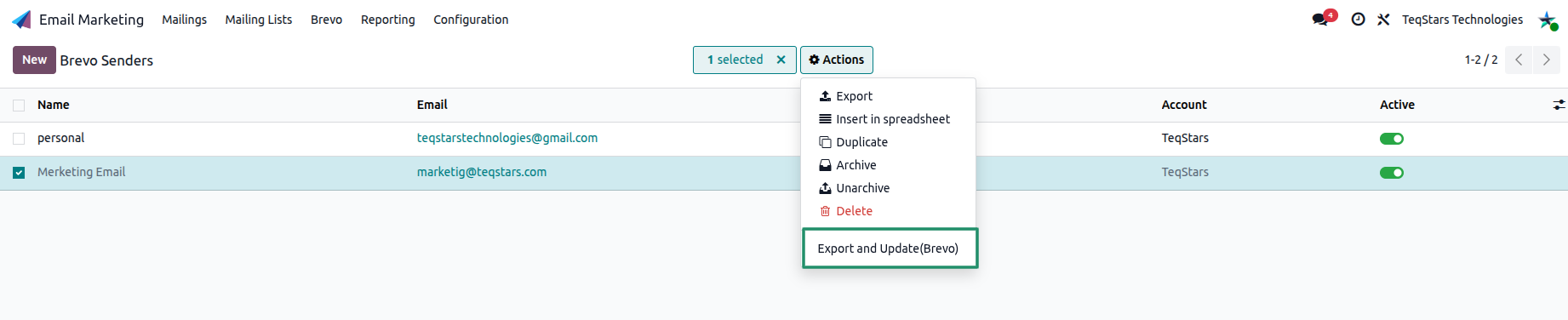
This creates the sender in Brevo, or updates it there if it already exists.
Note
Brevo still has to verify the sender’s email or domain before it can send campaigns. Exporting only creates the sender record.
Tip
On a campaign, the Senders field lets you choose which verified sender the email goes out as. See Campaigns Management.