
Folders Management
Brevo organizes lists into folders. The connector imports those folders into Odoo so your lists/audiences keep the same structure, and it tracks per-folder contact statistics.
Open your folders from .
Import Folders from Brevo
Go to .
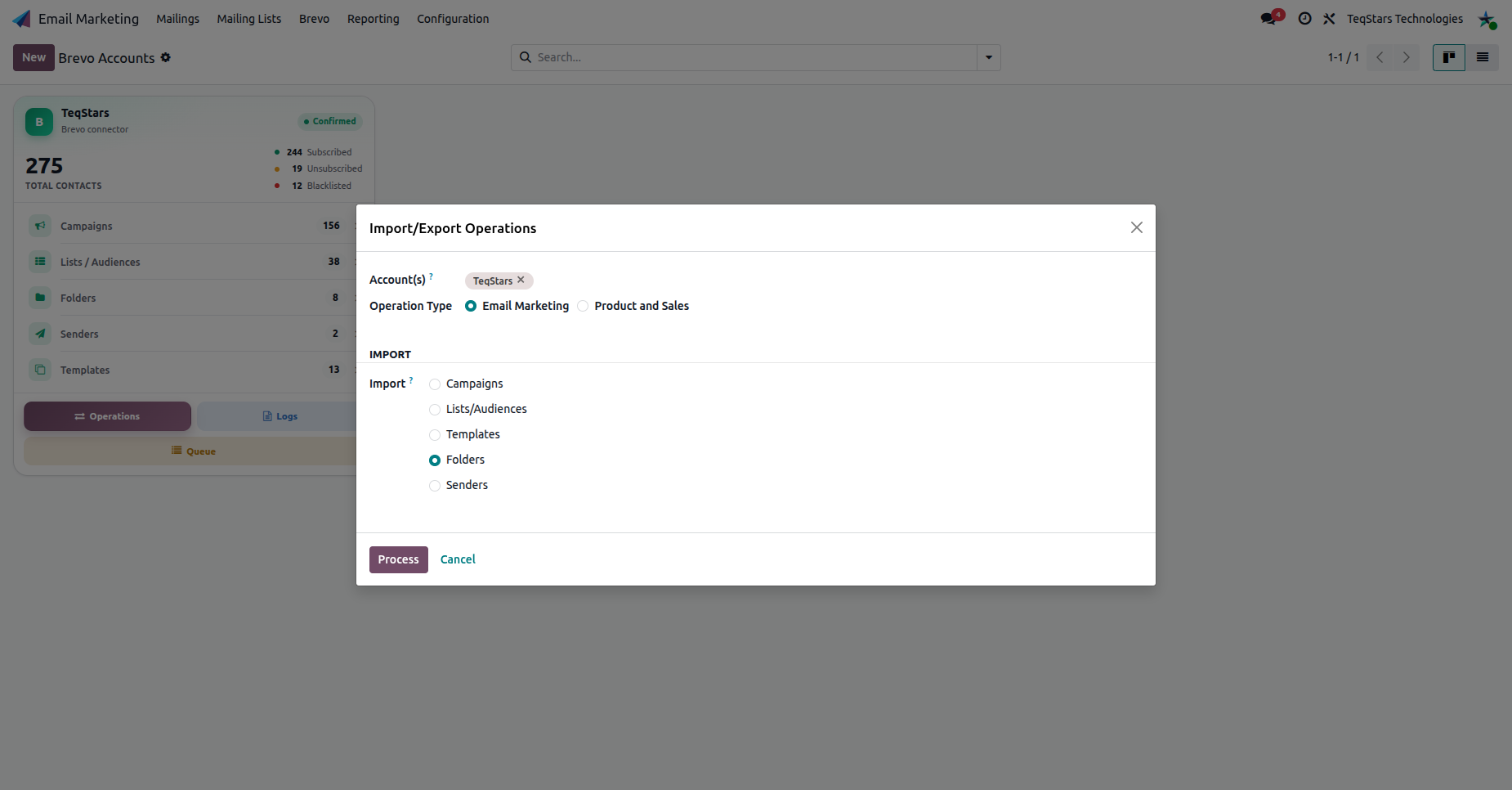
Select your Account(s), set Operation Type to Email Marketing, choose Folders, and click Process.
The Folder Form
Open a folder to see the account it belongs to, its unique-subscriber count and its aggregated statistics.
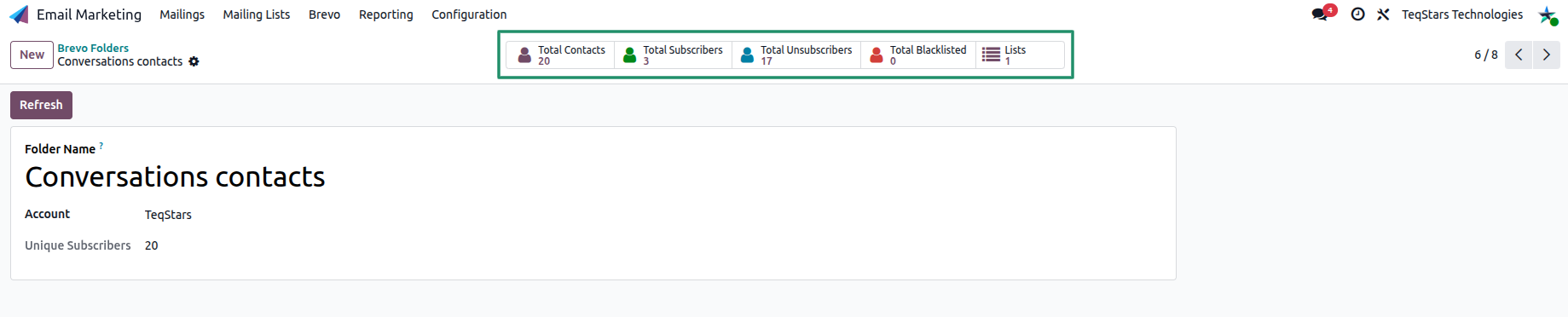
Folder Name and Account: identify the folder and its Brevo account.
Unique Subscribers: distinct subscribers across the lists in this folder.
The smart buttons show the folder totals: Total Contacts, Total Subscribers, Total Unsubscribers and Total Blacklisted. The Lists button opens the lists under this folder.
Refresh: Updates the folder details and statistics with the latest data from Brevo.
Note
When you export an Odoo mailing list to Brevo, you choose the destination folder, so the list lands in the right place. See Auto Export and the Quick Setup wizard (Quick Setup Wizard).