
Import Collection In Odoo
Import Collections brings all collections of your Shopify store into Odoo, with their sources, conditions, products and sales channels.
Method - 1: From The Operation Popup
Go to the menu in Odoo.
Click on the
Operationsbutton from the instance record.Select Import Operation and then select Import Collections option.
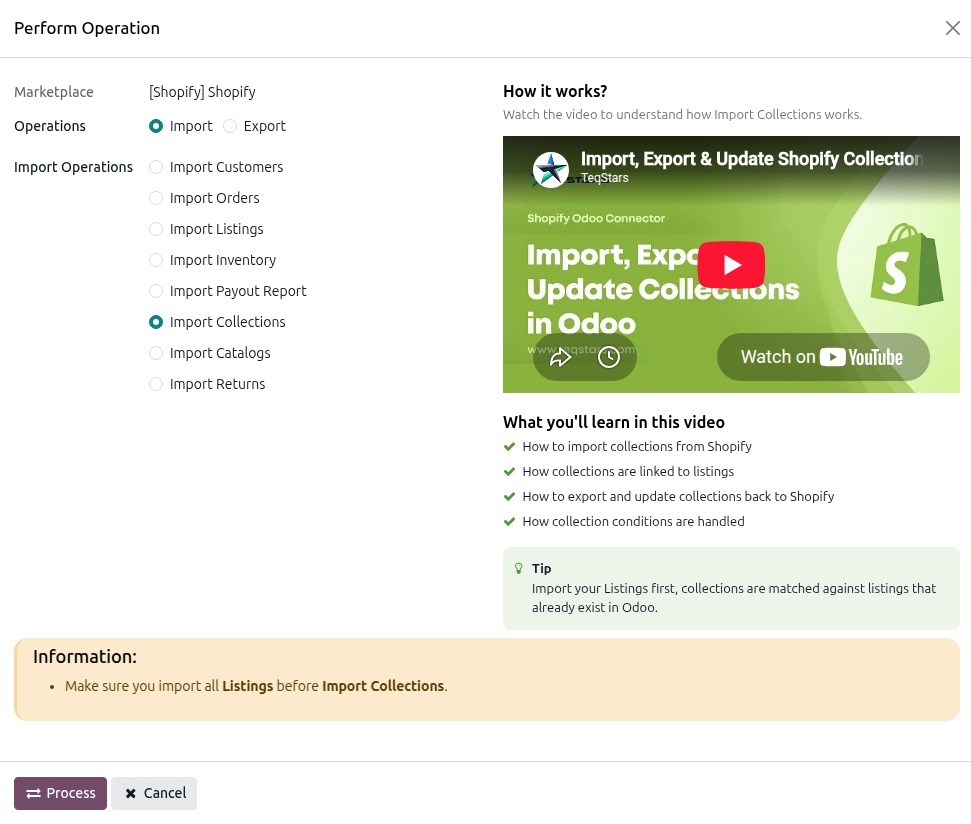
Press
PROCESSbutton.
Shopify collections can be managed in Odoo as shown in the image below.
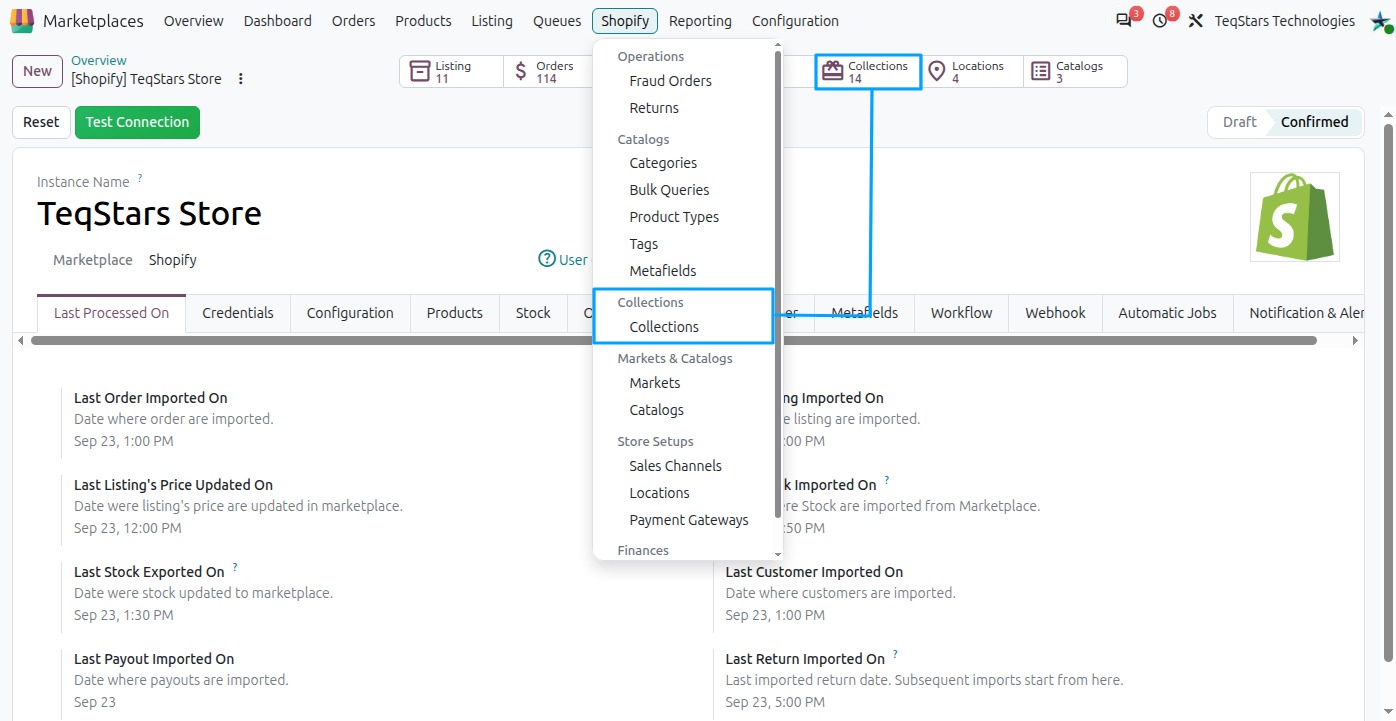
Method - 2: From The Collection Form (Sync a Single Collection)
Use this method to update one specific Shopify Collection in Odoo.
Go to the menu in odoo and open the Collections you want to sync.
Click the
Sync to Odoobutton on the Collection form view.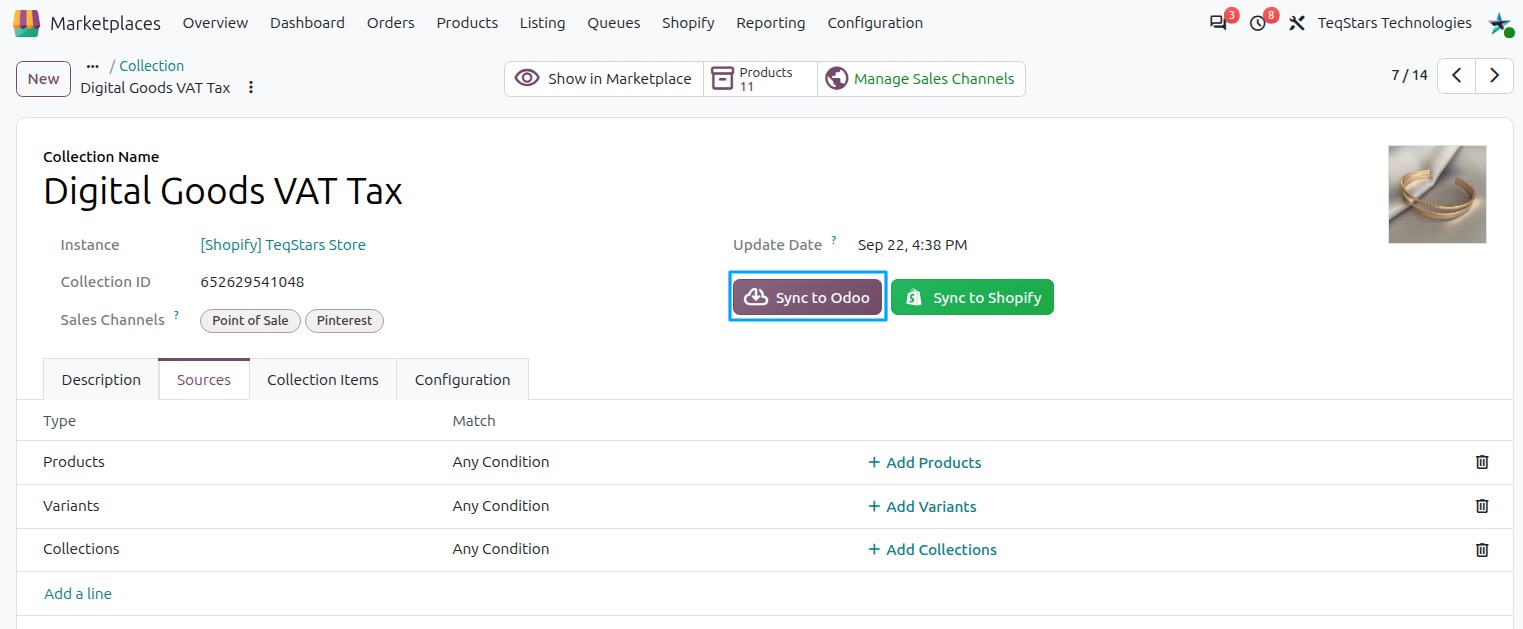
The connector fetches the latest data for this collection from Shopify and updates the Odoo record. An Update Completed notification appears when finished.
Note
The
Sync to Odoobutton is not available when the Collection is not yet exported on Shopify.
Important
Make sure all Listings are imported before importing Collections.