
Refund Orders From Odoo To WooCommerce
Process refunds on a WooCommerce order directly from Odoo, with optional restock and a payment-gateway refund.
How To Refund
Open the imported sale order and click Refund In WooCommerce.
Adjust the per-line quantity to refund and the shipping and tax amounts.
Choose Restock In WooCommerce and Refund via Payment Gateway? as needed, then confirm.
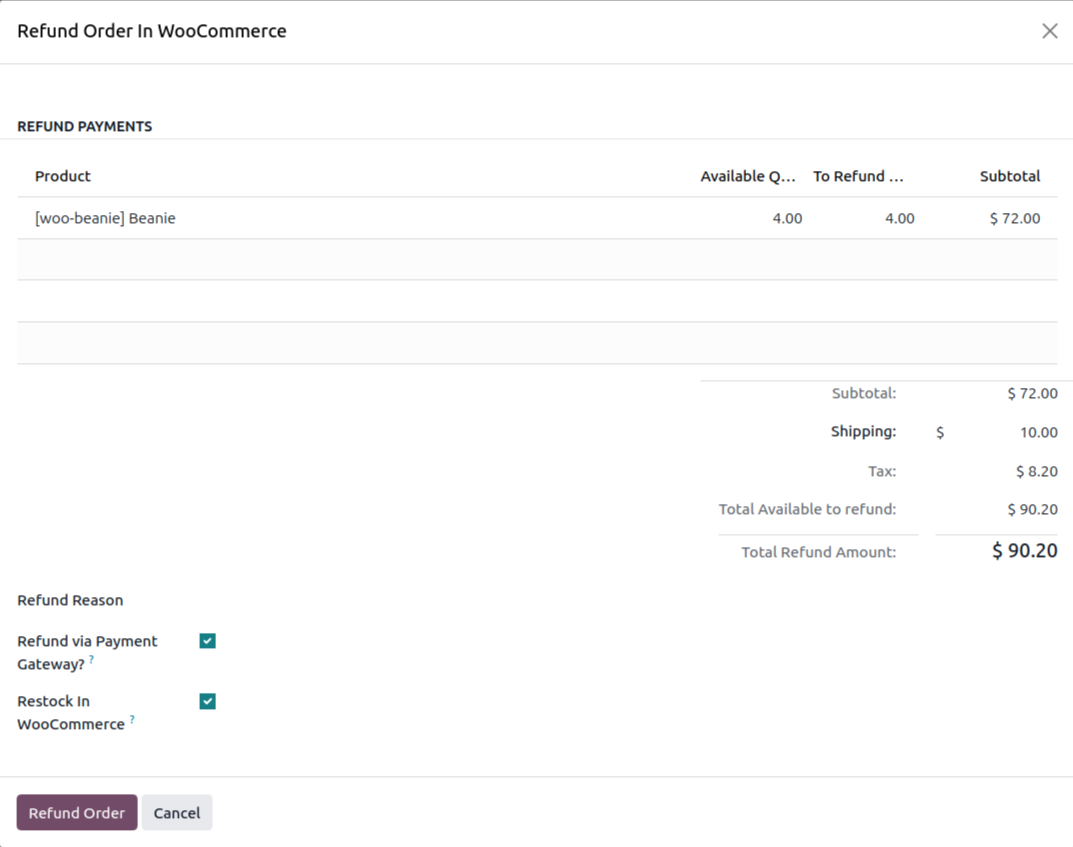
Restock In WooCommerce — return the refunded items to WooCommerce stock.
Refund via Payment Gateway? — trigger the gateway API refund instead of recording it manually.
Mark As Refunded
You can also mark an order as refunded in Odoo without sending anything to WooCommerce, to keep records aligned when the refund was handled on the store.