
Export Walmart Order Status And Tracking
This feature allows you to export order fulfillment status with shipment information from Odoo to Walmart. This can be done manually or automatically using the scheduler.
When you ship a seller-fulfilled Walmart order from Odoo, the connector sends a ship confirmation from the validated delivery order, so Walmart knows the order shipped and which tracking number to show the customer.
Note
This applies to seller-fulfilled orders only. WFS orders are shipped by Walmart, which already has the tracking information, so nothing is exported for them.
Before You Start
The delivery order must have both of the following before the export can be sent:
A tracking reference: The tracking number provided by your carrier.
A shipping carrier: The Odoo delivery method mapped to a Walmart carrier code.
Map Your Carriers
Walmart needs to know which carrier you used, named the way Walmart names it. Your Odoo delivery methods are usually named for your own convenience (“UPS Ground (contract)”), which Walmart will not recognize. Map each delivery method once, under , using two fields on the method:
Walmart Carrier Code: The carrier code used by Walmart, such as
UPS,USPS,FedEx, orDHL. Mexico uses its own carrier codes, such asMX-FEDX,MX-DHL, andEstafeta. Enter the value exactly as it appears in Walmart Seller Center. If you leave it empty, the connector sends the delivery-method name instead. This works only if the name matches a carrier recognized by Walmart.Walmart Shipping Method: The service level, such as
Standard,Express,OneDay,Freight,WhiteGlove, orValue. This is sent for the United States and Canada only. Mexico and Chile ignore this field. You can usually leave it empty. The connector then uses the shipping method from the Walmart order, orStandardif none is available.
A delivery with no carrier at all cannot be exported. A carrier Walmart does not recognize is still sent as an “other” carrier with the tracking number, but Walmart may not turn it into a tracking link.
Tip
When an order arrives carrying carrier information Odoo does not have, the connector creates the delivery method for you and fills in its Walmart Carrier Code. Review those after your first imports and add the Walmart Shipping Method and any pricing rules you need.
Method - 1: Manual Export
For Multiple Orders
Go to the menu in Odoo.
Click on the
Operationsbutton from the instance record.Select Export Operation and then select Export Tracking Details option.
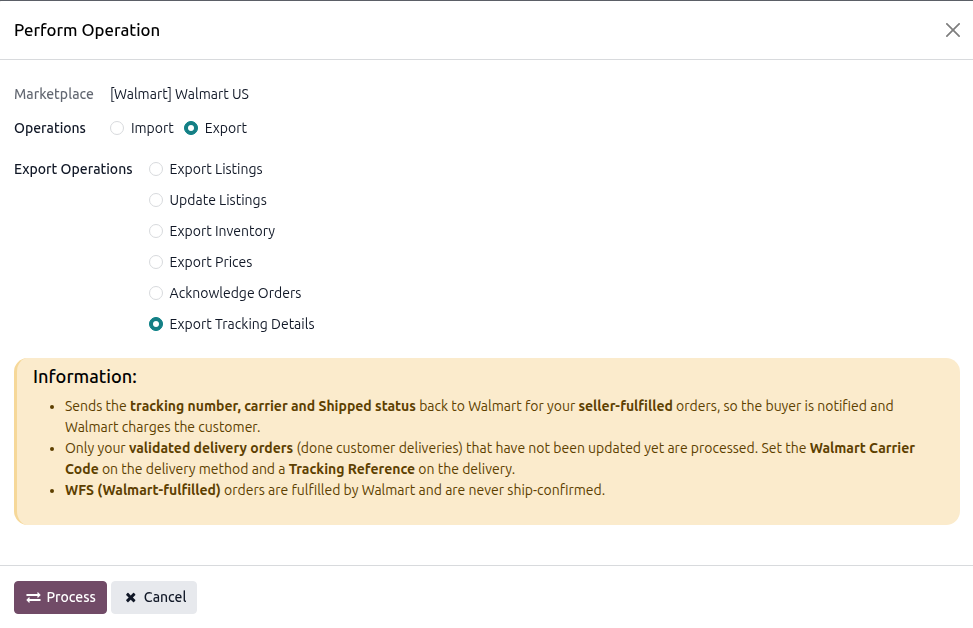
Press
PROCESSbutton.
Every validated Walmart delivery that has not yet been exported is sent to Walmart.
For Single Orders
Open the delivery order for the Walmart order and validate it.
Set the Tracking Reference and the Carrier.
Click the Update in Marketplace button.
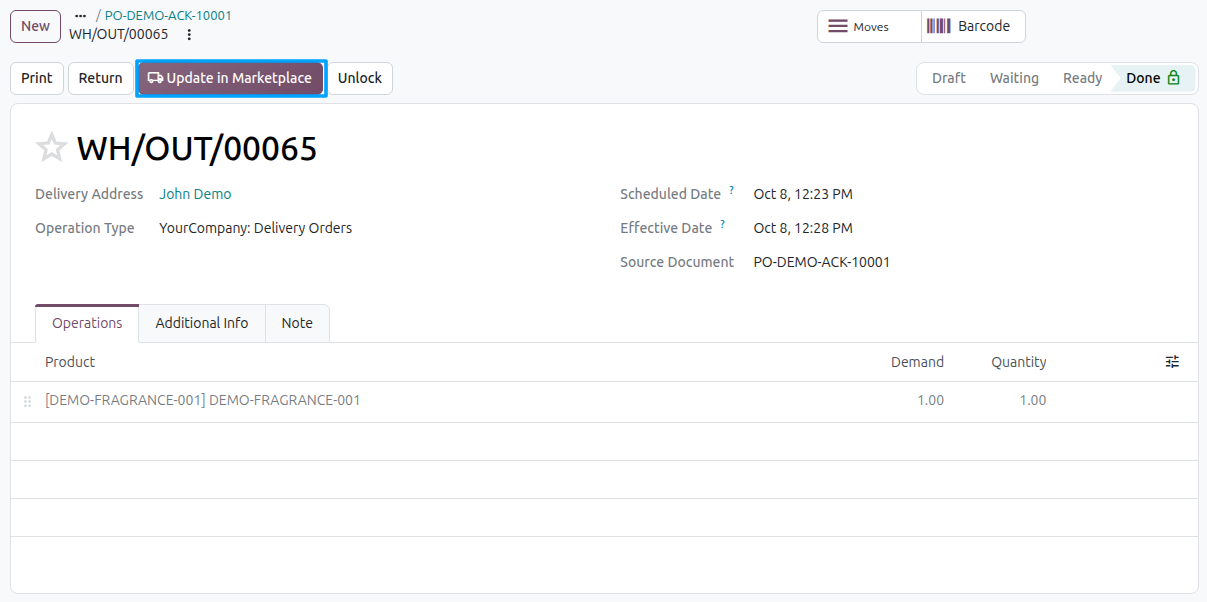
Confirm the dialog “This will update order in Marketplace. Do you want to proceed?”.
Method - 2: Automatic Export
Exporting order status and tracking can be automated with a scheduled action.
Go to your Walmart instance setting by navigating to .
On the Automatic Jobs tab, configure the Export Order Status/Tracking Information job by setting Interval Number, Interval Unit, and then Active.
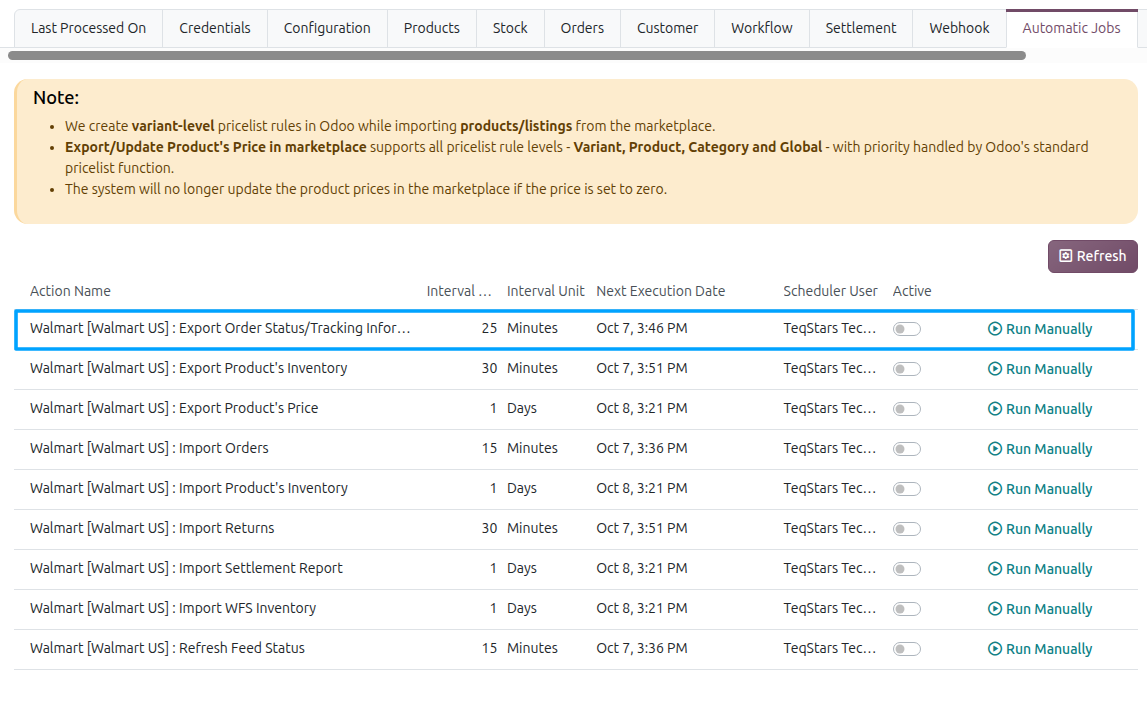
See Automatic Jobs.