
Import TikTok Shop Categories And Brands In Odoo
Every product on TikTok Shop sits in a category, and the category decides what the listing must carry: its attributes, its brands and its listing rules. The brands are the makers your shop is allowed to sell.
Both are imported when the instance is confirmed, and can be imported again at any time from the Operations of the instance.
There is no scheduled action for either. TikTok Shop changes its tree rarely, so run the operation when you start selling in a new category or when a brand you need is missing.
Import Categories
Go to the menu in Odoo.
Click on the
Operationsbutton from the instance record.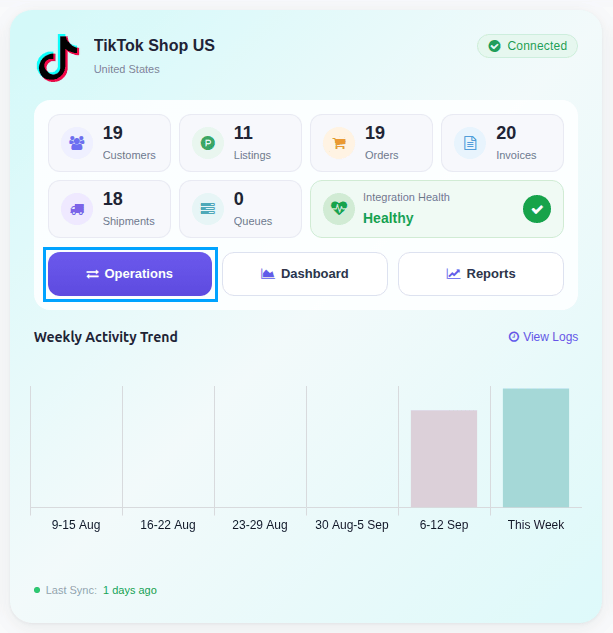
Select Import Operation and then select Import Categories option.
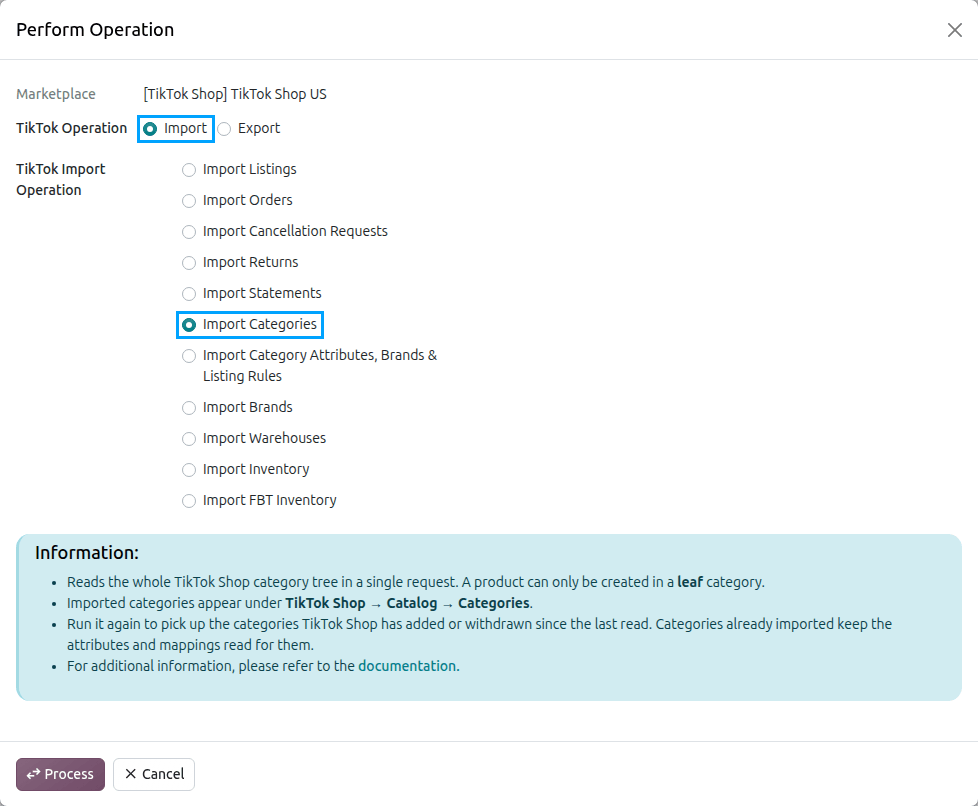
Press
PROCESSbutton.
The whole tree is read into Odoo, each category keeping its parent, so a category is shown by its full path. A category TikTok Shop has since withdrawn stays in Odoo. The imported categories are listed under .
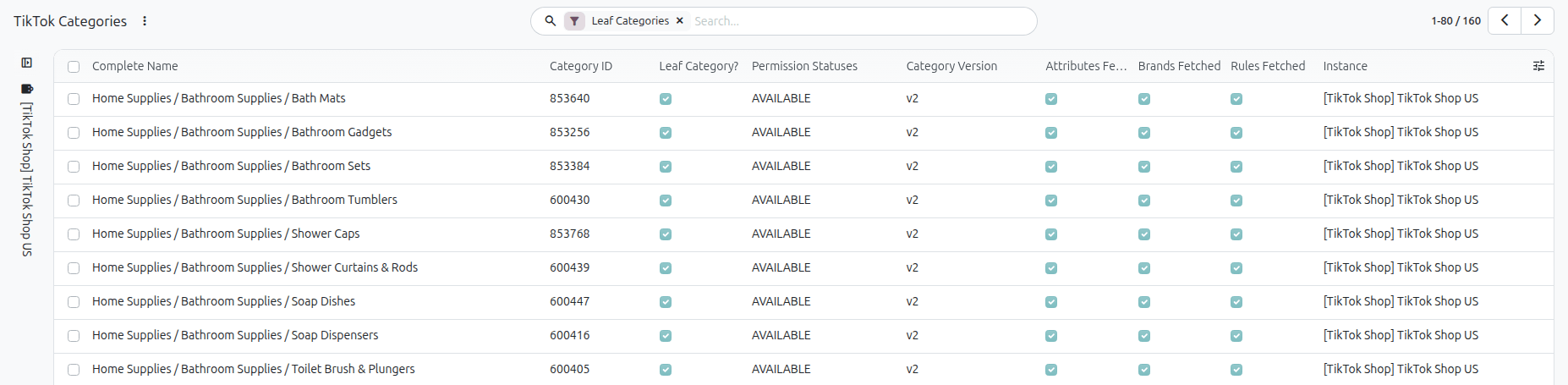
Leaf Category?: a product can only be listed in a leaf category, one with no children. The Leaf Categories filter narrows the list to the ones you can actually sell in.
Permission Statuses: whether your shop is allowed to list products in this category.
Category Version: the version of TikTok Shop’s tree the category was read from.
Tip
The category list is long. Use the search panel to pick an instance, the Leaf Categories filter to drop the branches, and the Parent Category group-by to walk the tree.
Import Brands
Go to the menu in Odoo.
Click on the
Operationsbutton from the instance record.Select Import Operation and then select Import Brands option.
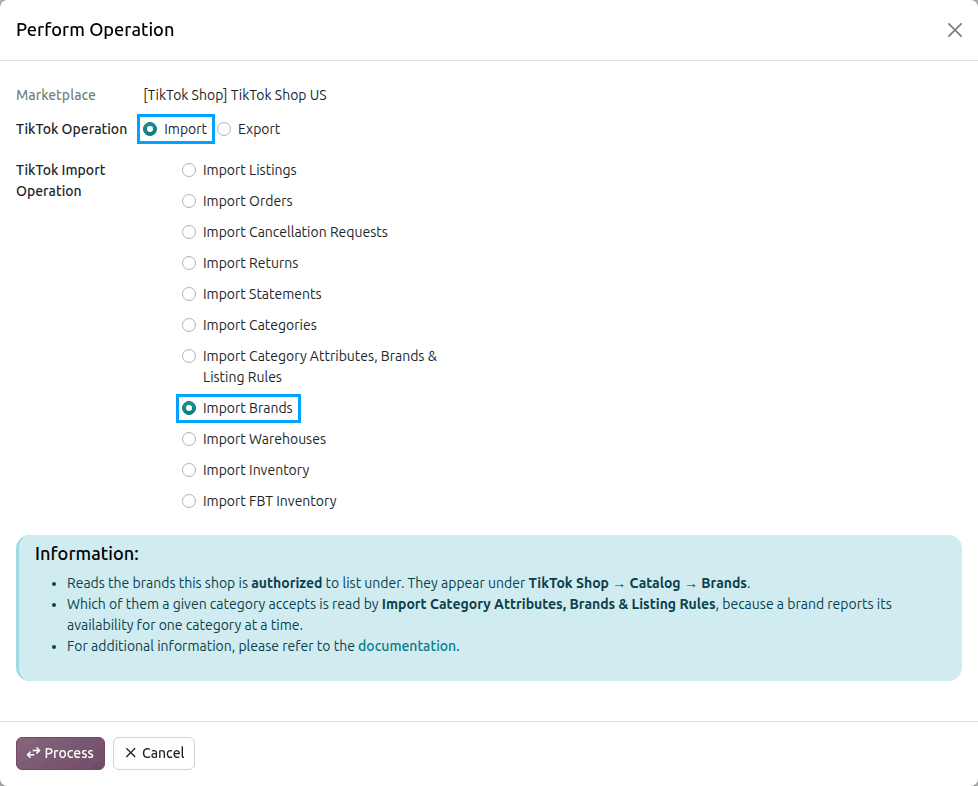
Press
PROCESSbutton.
The brands TikTok Shop returns for your shop are imported and listed under .
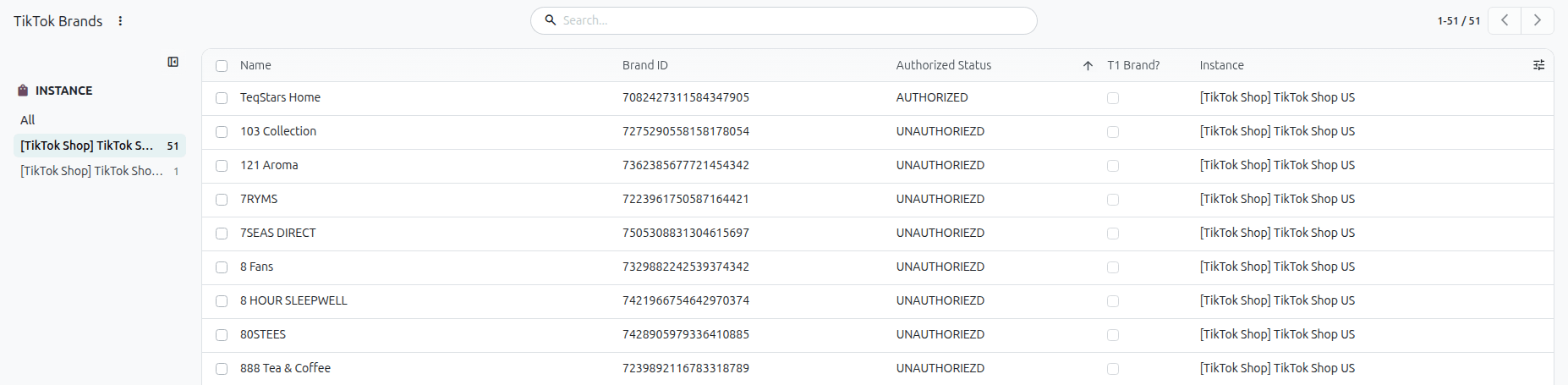
Authorized Status: whether the seller is authorized to sell goods bearing this brand, as TikTok Shop reports it.
T1 Brand?: an internationally renowned brand, which an unauthorized seller may still be allowed to use.
Note
The brands available in a category are read per category instead. See Import Category Attributes, Brands & Rules.