
Indexed Sources & Chunks
Once the Knowledge Layer is enabled, the indexing cron
turns every eligible ir.attachment into an Indexed
Source plus a stream of Chunks. This page is how you
monitor and troubleshoot that pipeline.
The Indexed Sources list
.
Each row corresponds to one attachment that the indexer has seen.
Columns:
Attachment: the underlying file name.
Mimetype: content type detected by Odoo.
Attached Model: what model the attachment is linked to (
res.partner,hr.employee…).State: pending, indexing, indexed, failed, skipped.
Extraction Method: pdf, text, html / markdown, …
Chunks: number of chunks produced from this source.
Tokens: total token count across chunks.
Last indexed at: timestamp of the most recent successful index.
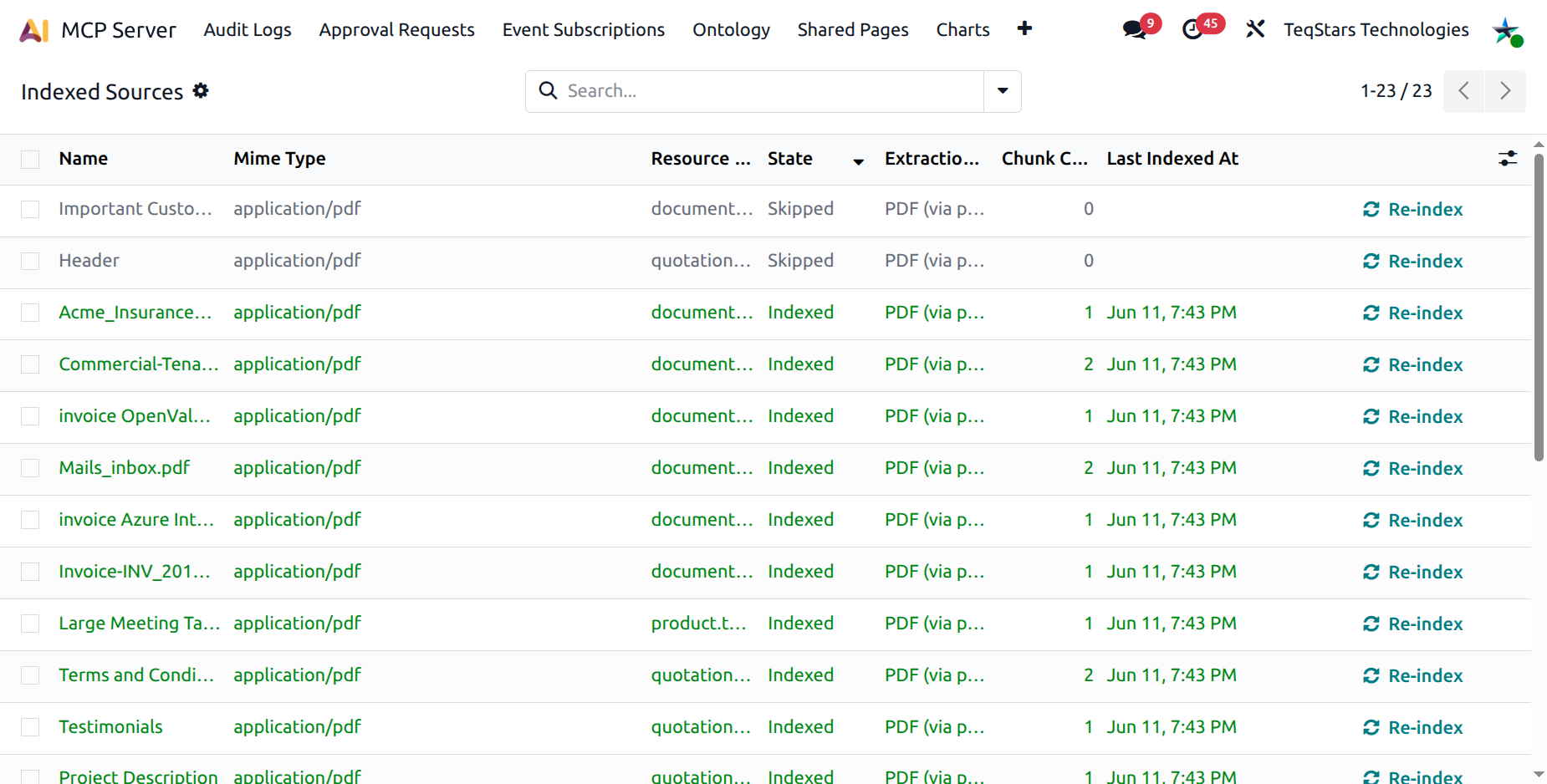
The colour coding makes it easy to spot failures at a glance:
Green: indexed (success).
Red: failed (with error details on the form).
Grey: skipped (excluded by mimetype, model, or size).
Blue / Info: pending / indexing (in progress).
State machine
Pending: the cron has noticed the attachment but hasn’t processed it yet.
Indexing: the worker is extracting text and producing chunks.
Indexed: chunks are stored and queryable.
Failed: extraction crashed; the form’s Error section explains why. The cron keeps retrying up to the configured limit, then stops.
Skipped: excluded by mimetype, model, or size policy.
The Source form
Open a row to see:
Smart buttons
Chunks: drills into the embedded chunk browser.
Attachment: opens the underlying
ir.attachment.Retry Count (failed only): X / Y indicator showing remaining retry budget.
Statusbar: pending → indexing → indexed.
Header :guilabel:`Re-index`: visible in any state except pending / indexing. Click to retry / rebuild this source.
Error group: populated when
state = failed.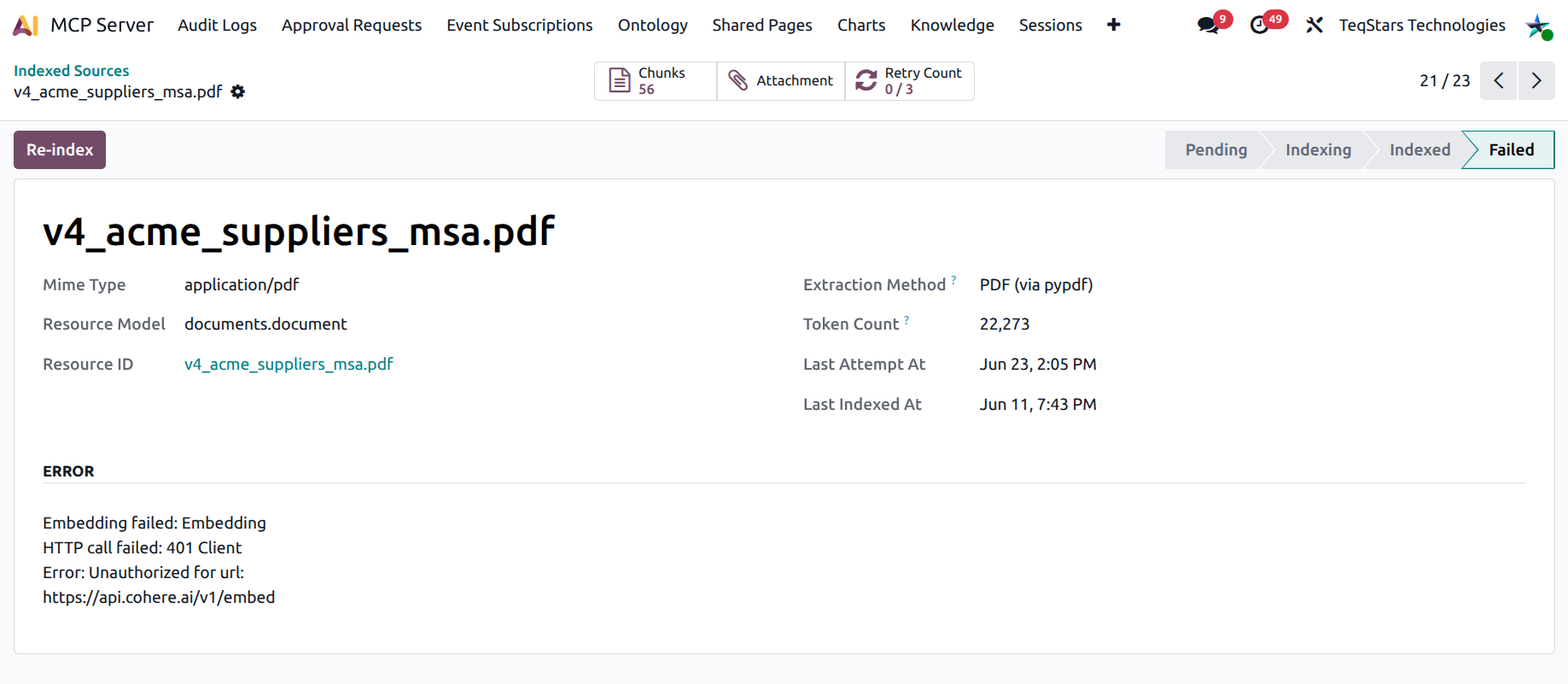
Manually re-indexing
Sometimes you need to force a re-index:
A new document was uploaded but you don’t want to wait for the 15-minute cron.
A previously-failed extraction now works after a server update.
You changed the chunking parameters and want a fresh rebuild.
Two options:
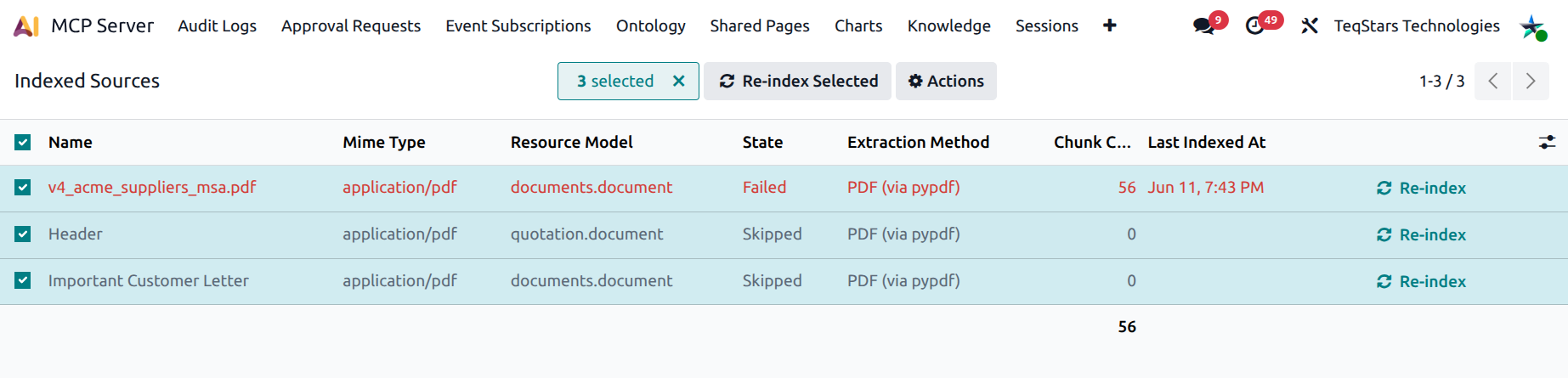
Per row: open the source form and click Re-index. The action runs inline: you wait while the worker rebuilds chunks for this source.
Bulk: in the list view, tick several rows and click the header Re-index Selected button. The confirmation dialog warns about the wait for large selections.
The Chunks browser
.
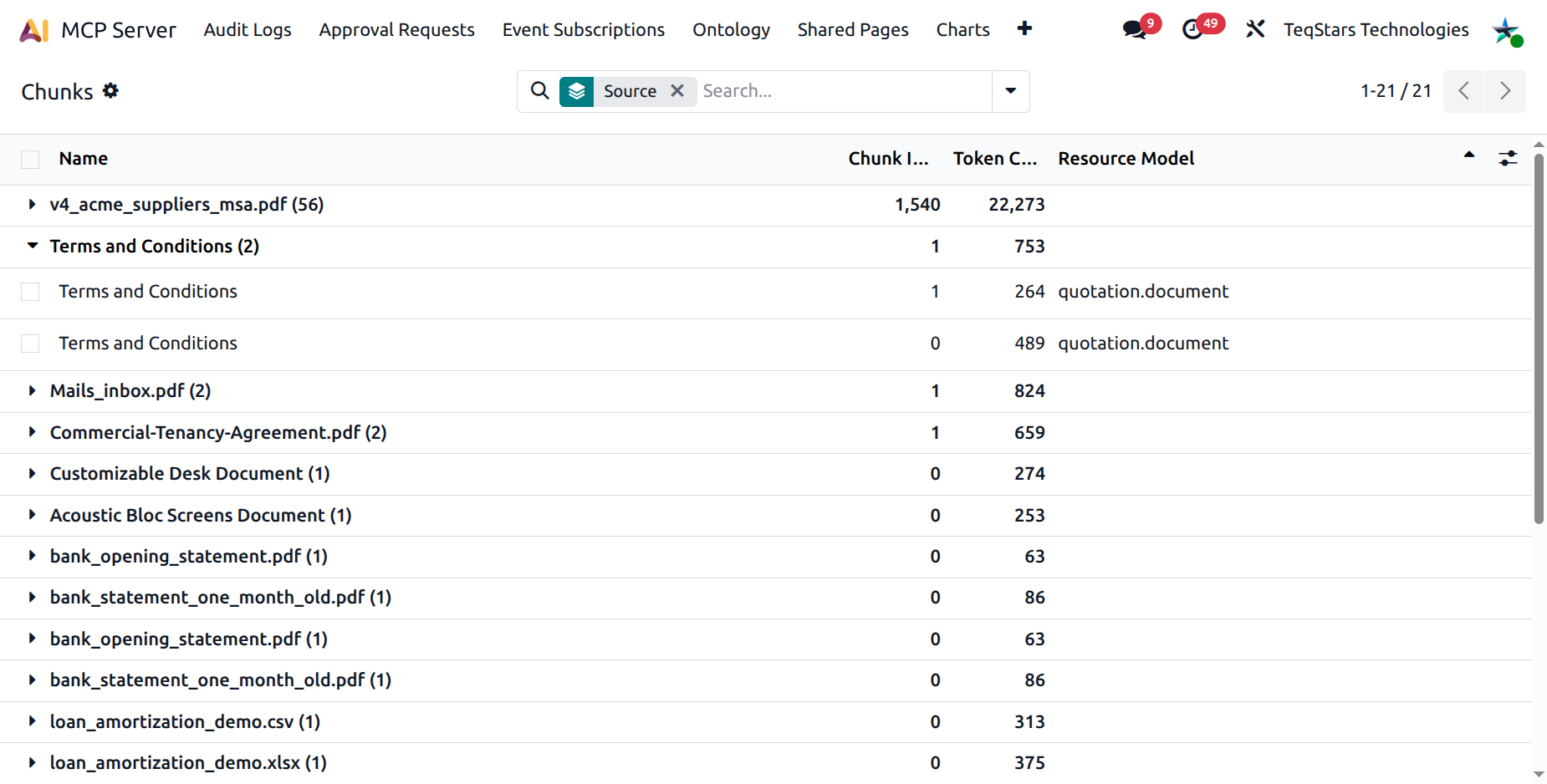
A read-only browser of every chunk the indexer has produced.
Columns:
Attachment: the source file name.
Chunk index: 0-based position inside the source.
Tokens: token count.
Attached model: same as the source row.
Content: full chunk text (optional column).
Search filters
The search bar is geared toward debugging:
Has embedding / No embedding: diagnose hybrid-mode gaps (chunks with no vector mean the embedding call failed).
Tiny chunks (<50 tokens): usually boilerplate headers / footers; harmless but noisy.
Huge chunks (>500 tokens): the chunker couldn’t find a sentence break; consider lowering the chunk size in Configuration.
Group-bys: Source, Attachment, Attached model.
Tip
The Chunks view is the canonical debugger for “the AI said it doesn’t know this document, and why” questions. Filter by Attachment and look at the chunk contents: the extractor may have only captured the cover page.