
Filter Field Values
Sometimes the field itself does not need to be restricted, but the values available in its dropdown do. Filter Field Values lets you control which values users can select, such as allowing a salesperson to select only their own customers or a warehouse operator to select only their assigned warehouse.
Configure it from the role under .
Configuration
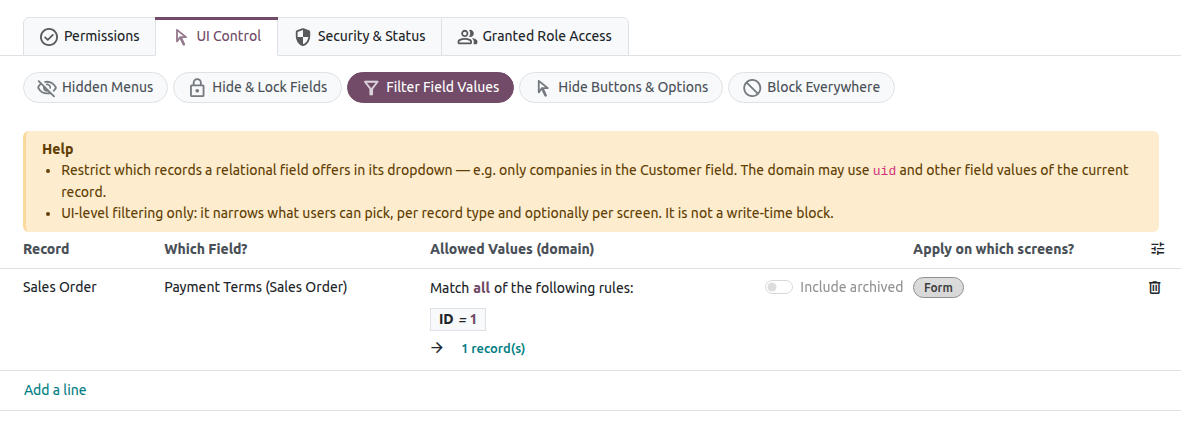
Record: Select the record type that contains the field you want to control.
- Which Field?: Select the relational field whose available values you want to limit. Only relational fields
can be selected.
Allowed Values (domain): Define which records should be available for selection in the dropdown.
Apply on which screens?: Select where the restriction should apply, such as Form, List, or Kanban. Leave it empty to apply the restriction on all available screens.
How It Works
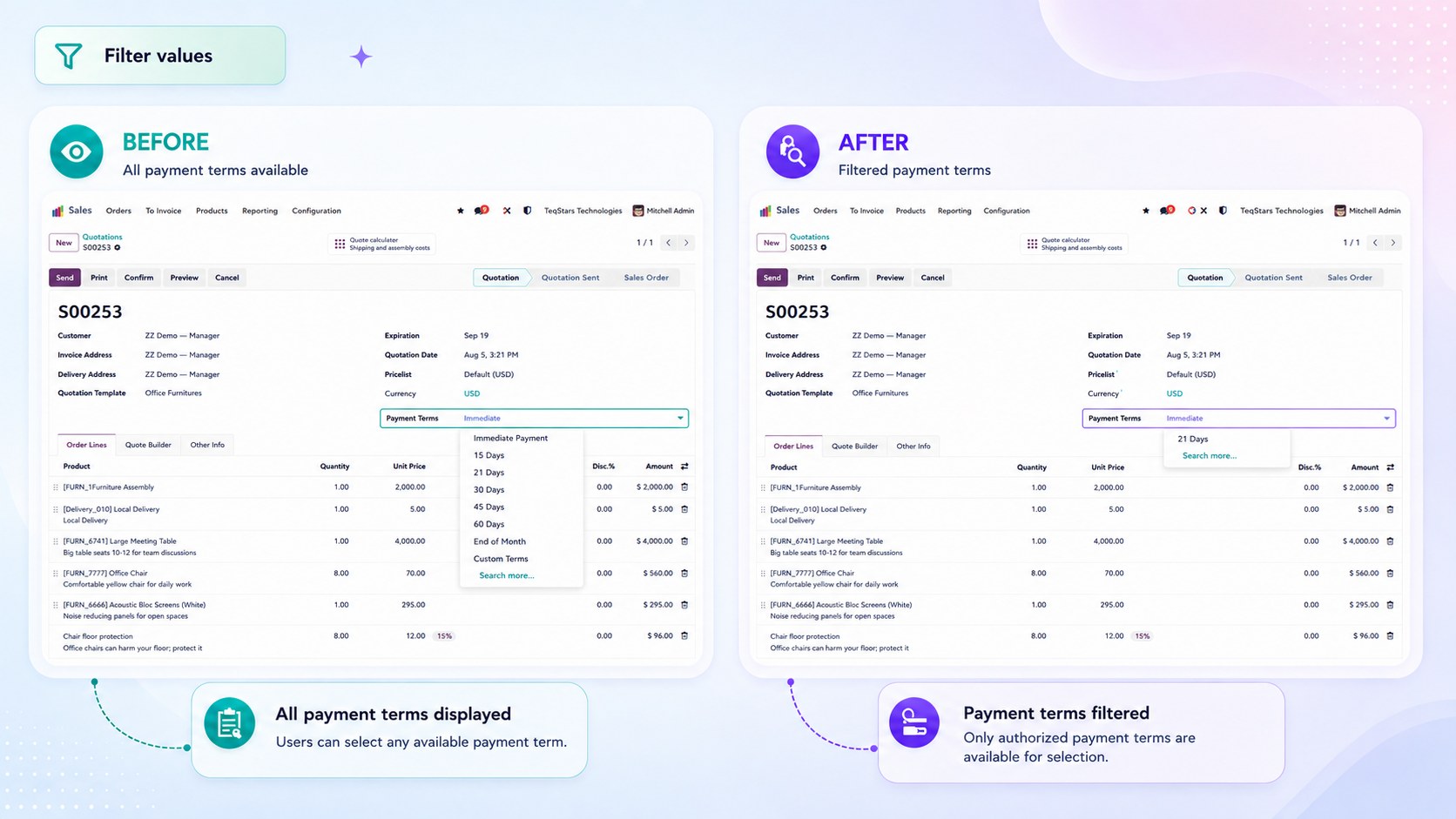
The condition is applied to the field’s search, so the dropdown shows only the records that match the defined criteria. Users can still search within the dropdown, but records outside the allowed set will not appear.
Difference from Domain Access
Filter Field Values |
Controls which values are available in a dropdown field. The records themselves remain accessible if the user reaches them through another way. |
Domain Access |
Controls which records a user can access. Restricts access to the records throughout Odoo. |
Use Filter Field Values to guide users toward the correct values when entering data. Use Domain Access to when you need to control which records a user can access.
Note
Value filtering applies only to relational fields, such as Many2one, Many2many, and One2many fields. Other field types are not available for value filtering.