
Export Collection From Odoo
The Export Collection feature allows you to send collections from Odoo to Shopify.
Along with the collection, related details such as Products, Template Suffix, Sales Channels, Sort Order, Sources and Image are also exported.
Once you have exported the details in the collections, you can proceed to export collection from Odoo to Shopify in two different ways:
Method - 1: From The Operation Popup
Go to the menu in Odoo.
Click on the
Operationsbutton from the instance record.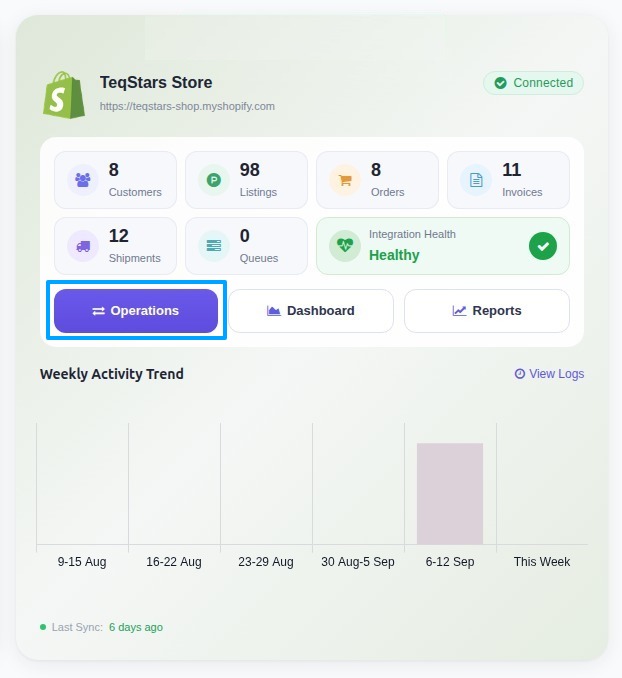
Select Export Operation and then select Export Collections option.
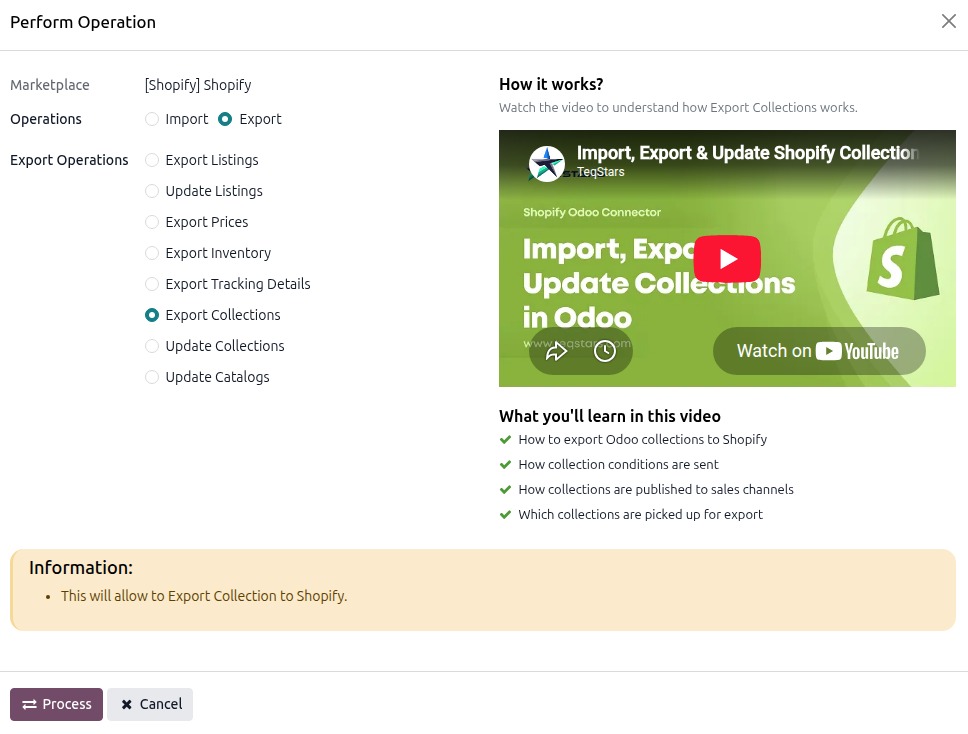
Press
PROCESSbutton to export all collection to Shopify.
Method - 2: Export Collection From Odoo Collection View
Collection Details
Sources Types:
There are 3 source types you can choose from: Product, Variants, and Collections.
Product:
Choose Products as the source type.
Add Conditions to pick which products to include (or exclude).
If you add more than one rule, choose All Condition (match every rule) or Any Condition (match at least one rule).
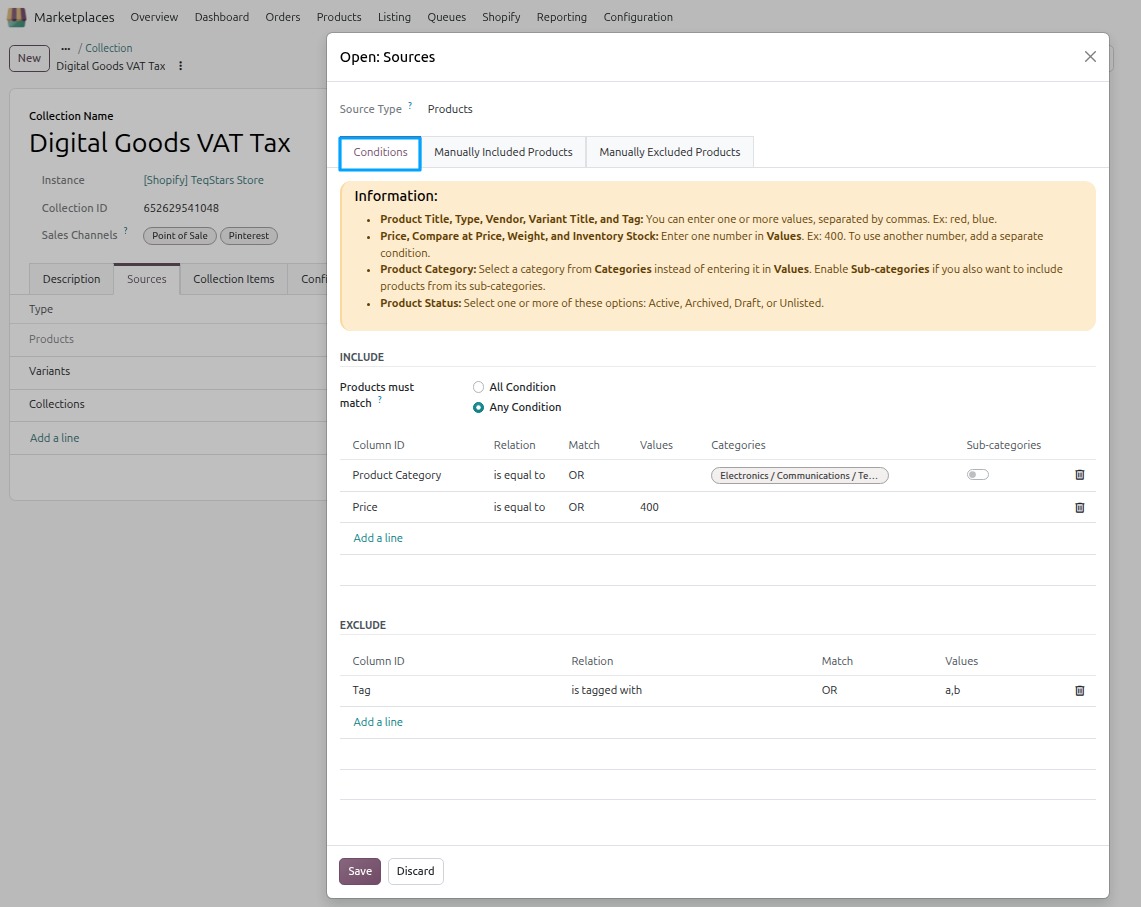
Manually Included Products:
These products are always added to the collection.
Even if they don’t match any of your rules (conditions), they still get added. Use this when you want to manually force add a specific product.
Manually Excluded Products:
These products are always kept out of the collection.
Even if they match your Include rules, they will NOT be added. Use this when you want to block one specific product, without changing your rules.
Variants:
Choose Variants as the source type.
Adds only the variant you choose, not the whole product.
Add rules the same way as Products (Include only — no Exclude here).
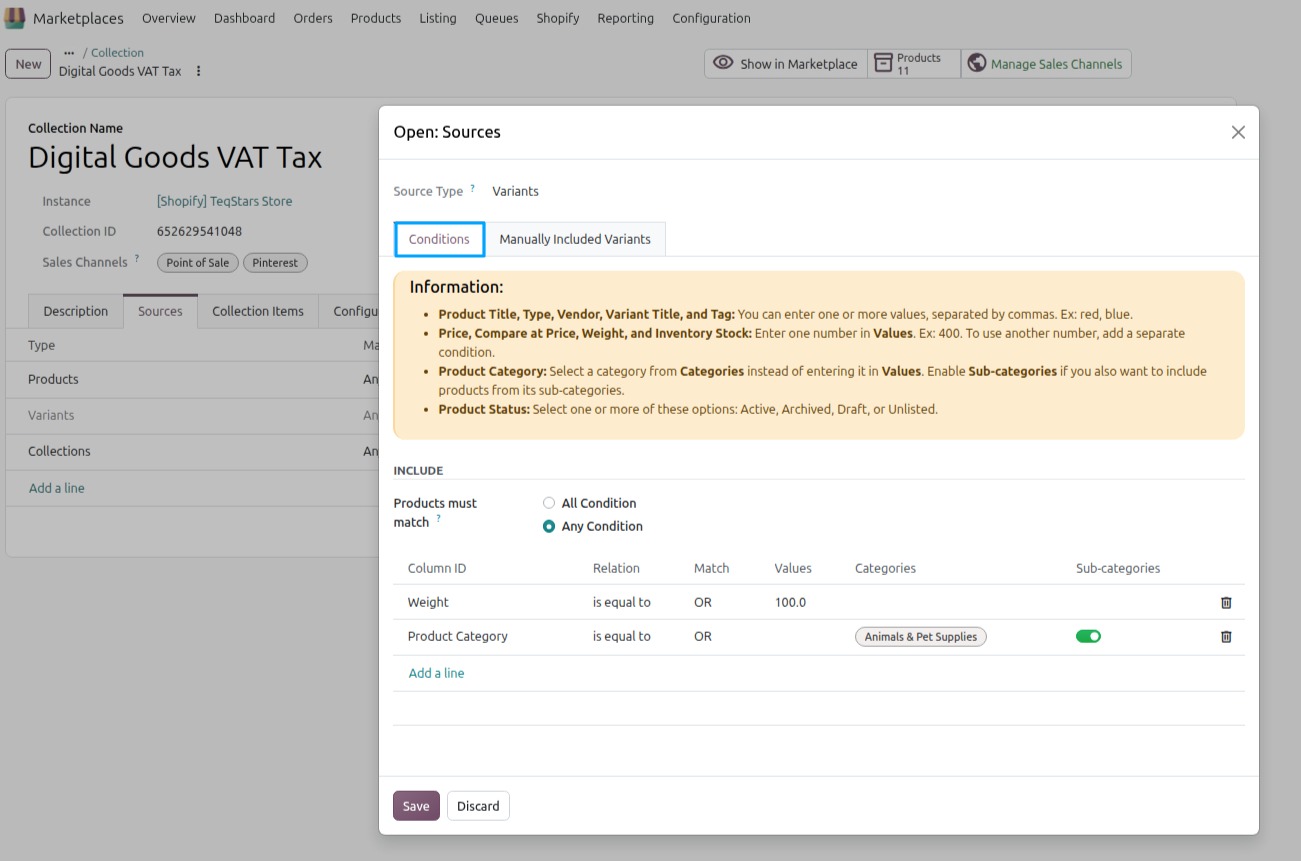
Manually Included Variants: Select a product, then choose which of its variants to add manually.
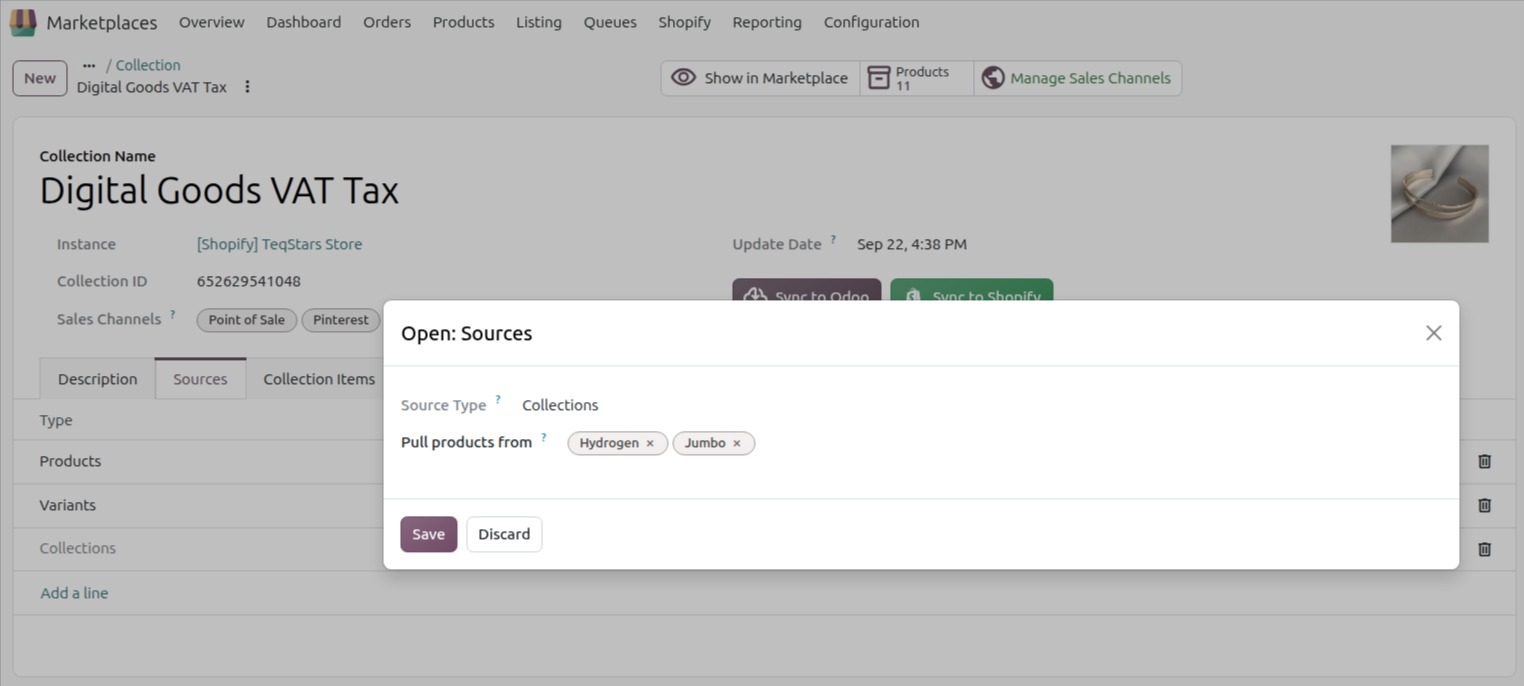
Collections:
Choose Collections as the source type.
This pulls in products from other collections you already have. All products from those selected collections will be pulled into this one.
Important
Product Title, Product Type, Product Vendor, Variant Title and Tag: Enter one or more values separated by commas. Example:
red, blue. Contains / does not contain need at least 3 characters.Price, Compare at Price, Weight and Inventory Stock: Enter only one number. Example:
400. Add another condition for another number.Product Category: Select the category in Categories. Enable Sub-categories to include its child categories too.
Product Status: Select one or more of Active, Archived, Draft or Unlisted.
Create a collection in Odoo, click the Server Action, and select
Export/Update Collection in Marketplacebutton.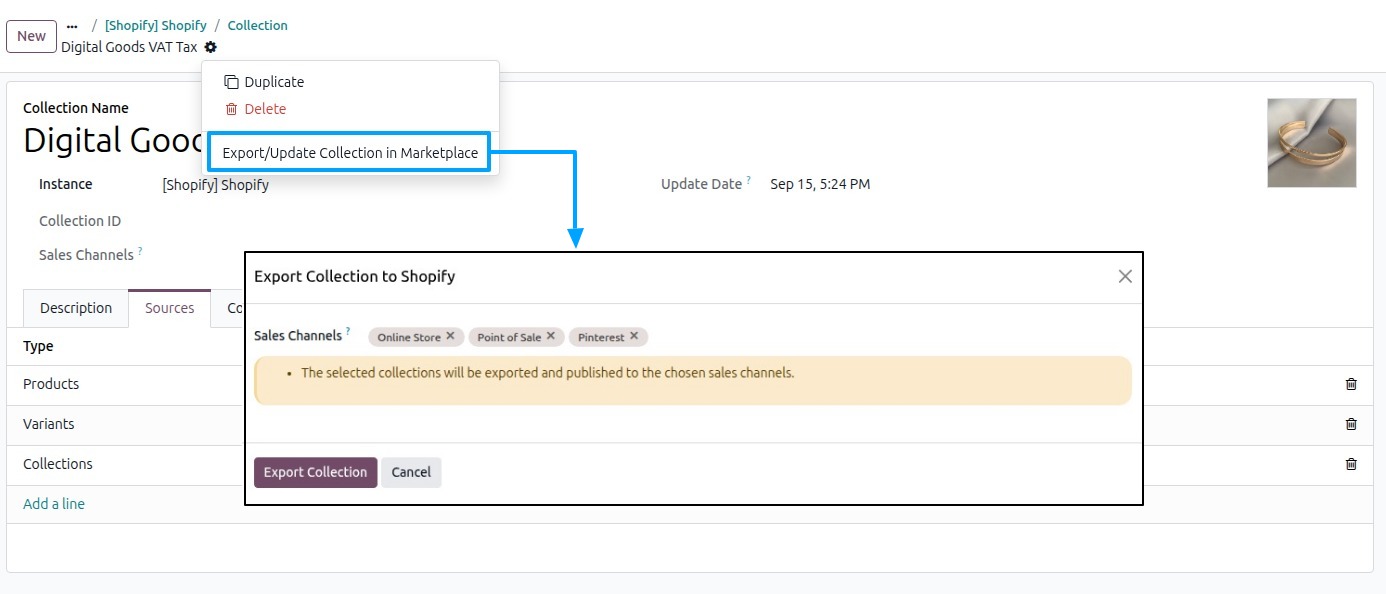
- Sales Channels (Optional):
Select the sales channels where you want your collection to be published/unpublished (for example, Online Store or Point of Sale).
Click
Export Collectionbutton.
Important
Do not select exported and not exported collections together. Export and update are separate actions.
A collection must have something to send: at least one condition, product or collection in a source. Otherwise the export stops with an error.
Products must already be listed on Shopify. Products that no longer exist on Shopify are skipped automatically.
Note
Shopify also offers an App source type, but this is not supported in Odoo. Only Products, Variants, and Collections can be used as source types.