
Choose Who Sees the Dashboard
On your draft, open ⋯ and choose Dashboard settings.
Open the Sharing tab.
Fill in Shared with groups, Shared with people, or both. They add up: everyone in a chosen group sees the published dashboard.
Save.
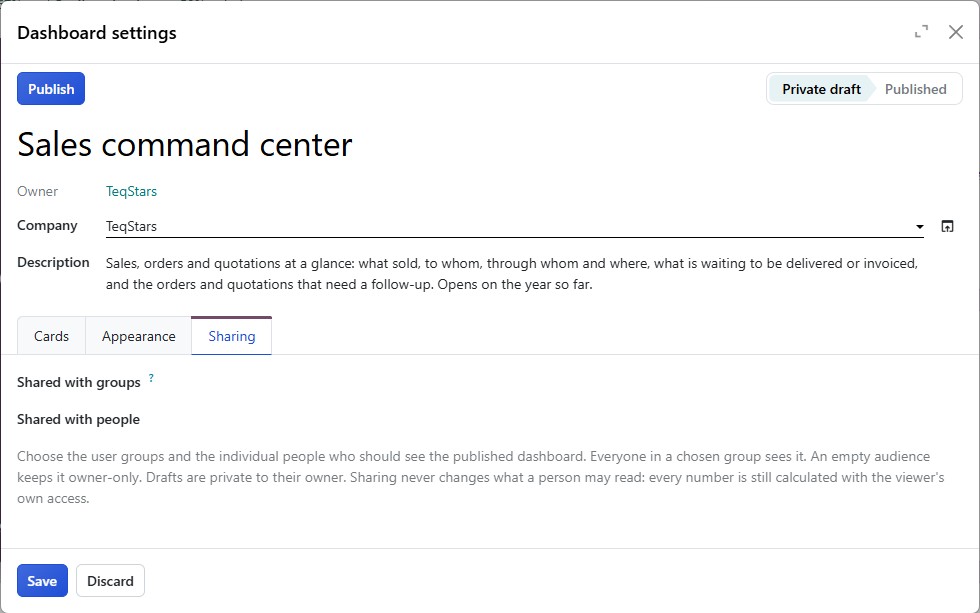
Only internal users and groups of internal users can be chosen.
An empty audience keeps the published dashboard to its owner only.
Sharing is set on the draft. A published dashboard is read-only.
Publish the Dashboard
An Administrator opens the draft’s Dashboard settings.
They click Publish.
The dashboard then shows Published under its name, and the people you named find it in . A dashboard needs at least one card before it can be published.
Note
Only an Administrator may publish. A Designer prepares the draft and its sharing, then asks an Administrator to publish it. See Install and Grant Roles.
Change a Published Dashboard
A published dashboard stays as it is. To change it, an Administrator clicks Edit a copy: Odoo creates a draft copy owned by them, named after the dashboard with (Draft), with an empty audience. Change the copy, set its sharing and publish it.
Cards for Some People Only
A card can have its own audience: Who sees this card on the card’s Advanced tab. Only the people and groups you choose receive that card on the published dashboard. See Card Settings.
A shared saved view covers the cards its author sees, so someone who sees fewer cards cannot use it; they can save their own. See Saved Views and Layouts.