
My Home and Today
My Home is the first screen of Dashboard Imperium. You set nothing up: open and it says what needs your attention.
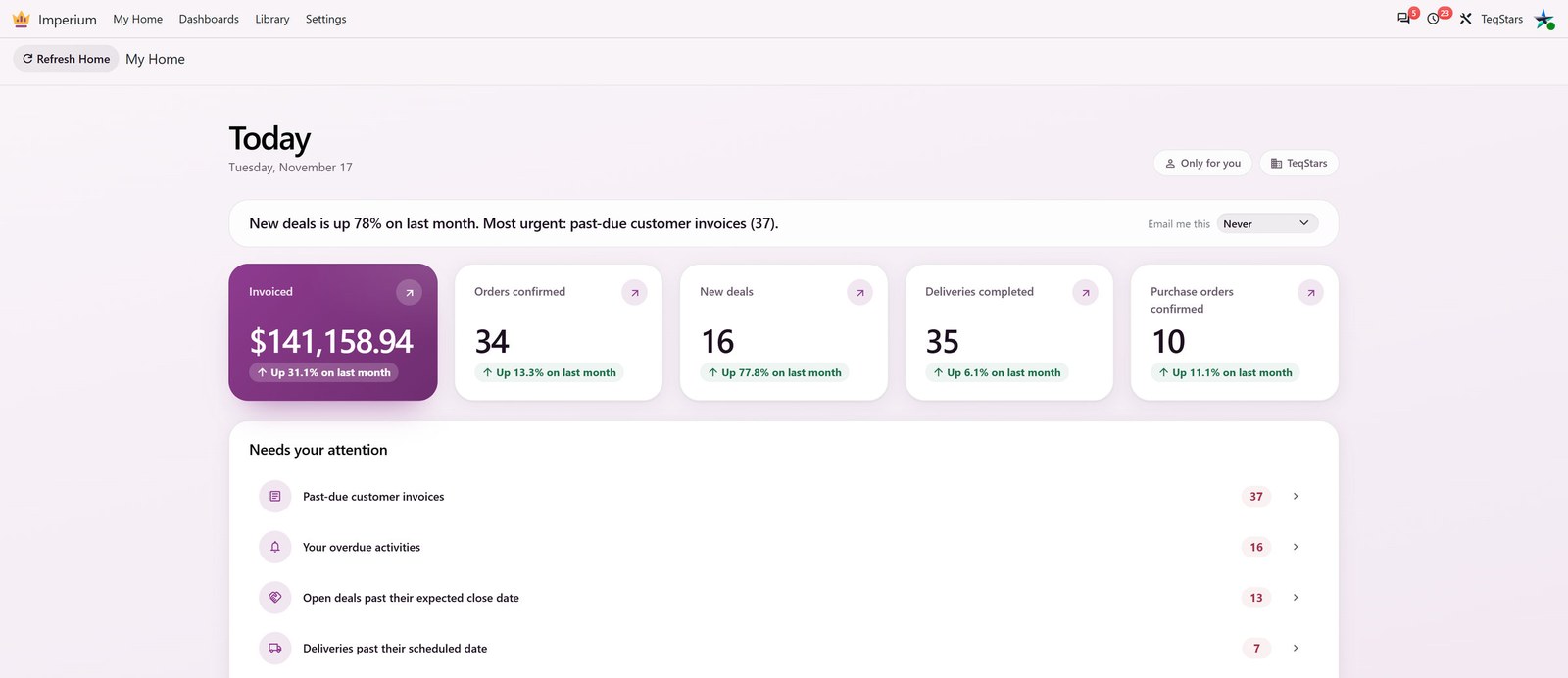
Today
Today gives one sentence and a few figures for this month so far, each against the same days of last month.
A green change means better than last month, a red one worse. Gray means no judgment, for example for quotations.
In the first days of a month a zero is normal, so a figure says Nothing yet and what the whole of last month made, instead of “down 100%”.
A figure about an app you cannot read does not appear.
Needs Your Attention
A ranked list of what is waiting: overdue activities, past-due customer invoices, deals past their closing date, late deliveries, quotations waiting more than a week and vendor bills due this week. It shows only the apps you have installed and the records you may read.
Click a row to open the exact records behind its count in Odoo’s own list, with its search, filters, group by and export. The breadcrumb takes you back to My Home.
To get Today and this list by email, click Email me this. See Email Summaries.
Your Dashboards on My Home
Bookmarks: The dashboards you keep at hand. Bookmark a dashboard from Recent dashboards or from the dashboard’s own menu. See The Dashboard Screen.
Recent dashboards: The dashboards you opened last.
Find your dashboards: Search every dashboard you can open.
Your start dashboard: When you choose Use as my start dashboard, My Home opens that dashboard first. Reset to personal Home brings Today back.
Bookmarks and your start dashboard apply only to you, in the company you work in.
Find a Dashboard
lists the dashboards shared with you.
shows every dashboard you can open in its own color, with its first cards.
From anywhere in Odoo, press Ctrl+K and type a few letters of a dashboard’s name.
On a dashboard, click its name at the top left to search every dashboard you can open. See The Dashboard Screen.