
Mark As Paid Orders From Odoo To Etsy
You can use this feature to mark an Etsy order as Paid from Odoo when all of its invoices are fully paid in Odoo. If you prefer to manage the payment status only on Etsy, you can disable this option so that Odoo does not push the payment status back to Etsy.
Enable the Mark Order as Paid? option in the Order Configuration to use this feature.
Manual Mark As Paid In Etsy
Note
The Mark Order as Paid button is shown on the confirmed Sale Order when all of the following are true:
The Sale Order is fully invoiced (Invoice Status = Invoiced).
Every customer invoice on the order has payment status Paid or In Payment.
The order is imported from Etsy (it has an Etsy receipt ID).
The Etsy receipt is linked to the order and is not already in Paid, Completed, or Canceled state on Etsy.
The Mark Order as Paid? option is enabled on the Etsy instance.
Go to and open the required Etsy order.
Make sure the order is fully paid in Odoo.
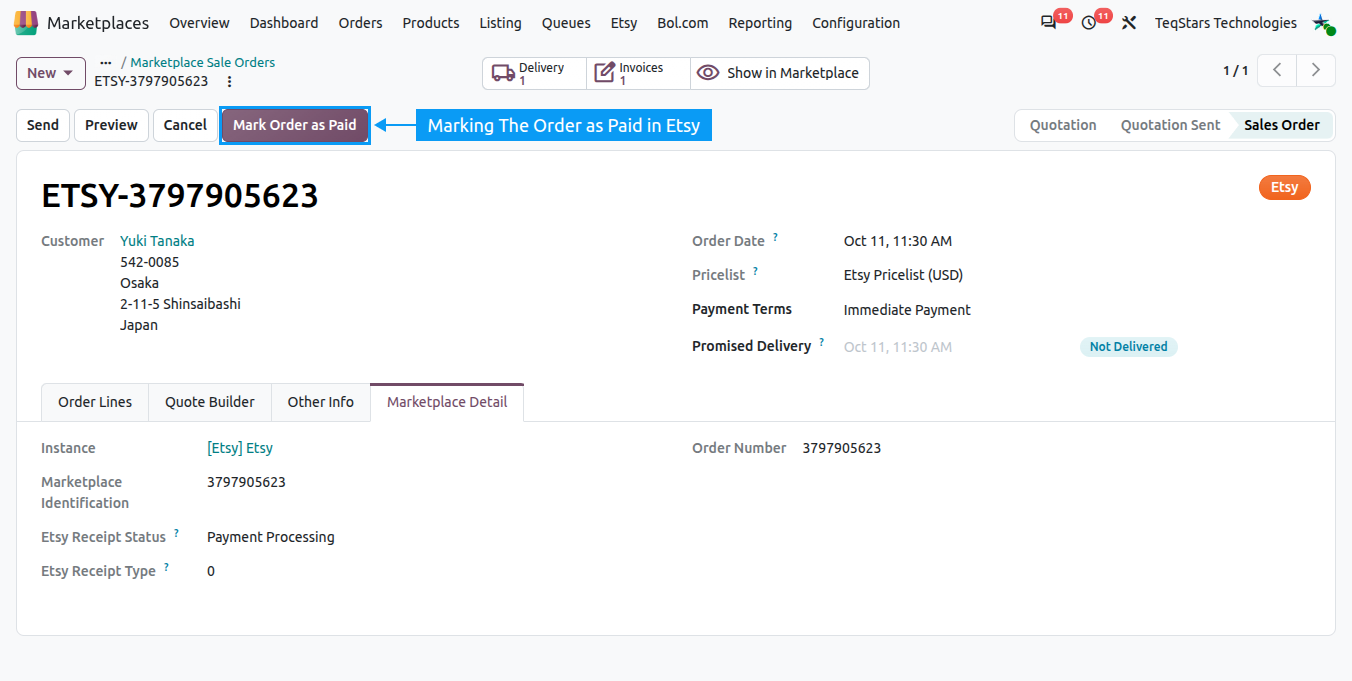
Click the Mark Order as Paid button.
This pushes the payment status to Etsy.
The connector sends
was_paid = trueto the EtsyupdateShopReceiptendpoint (requires thetransactions_wpermission).Once successful, the Etsy receipt status shown on the order is updated from Etsy’s response and a confirmation message is posted on the order.
Note
If the push to Etsy fails, the error message returned by Etsy is logged on the order chatter so you can retry once the issue is resolved.