
Acknowledge Walmart Orders
Acknowledging an order tells Walmart that you have received it and intend to fulfill it. Walmart expects seller-fulfilled orders to be acknowledged shortly after they are placed, and unacknowledged orders count against your seller performance.
The connector can acknowledge orders automatically, and offers two ways to acknowledge them manually.
Note
WFS orders are never acknowledged. Walmart fulfills them itself, so there is nothing for you to confirm. WFS orders are marked as acknowledged in Odoo on import, and the acknowledge options are hidden on a pure WFS instance. See Fulfillment Types.
Method - 1: Manual Acknowledgement
Use this when automatic acknowledgement is turned off, or to catch up on orders whose acknowledgement did not go through.
For Multiple Orders
Go to the menu in Odoo.
Click on the
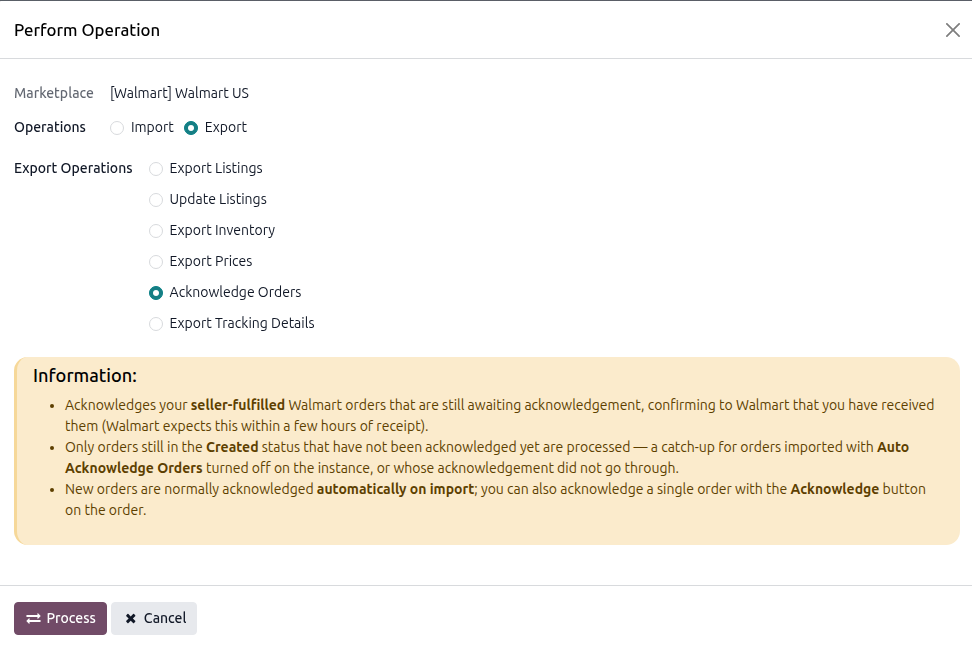
Operationsbutton from the instance record.Select Export Operation and then select Acknowledge Orders option.
Press
PROCESSbutton.
Every seller-fulfilled order still in the Created status is acknowledged on Walmart.
For Single Orders
Open the Walmart order under .
Click the Acknowledge button in the header.
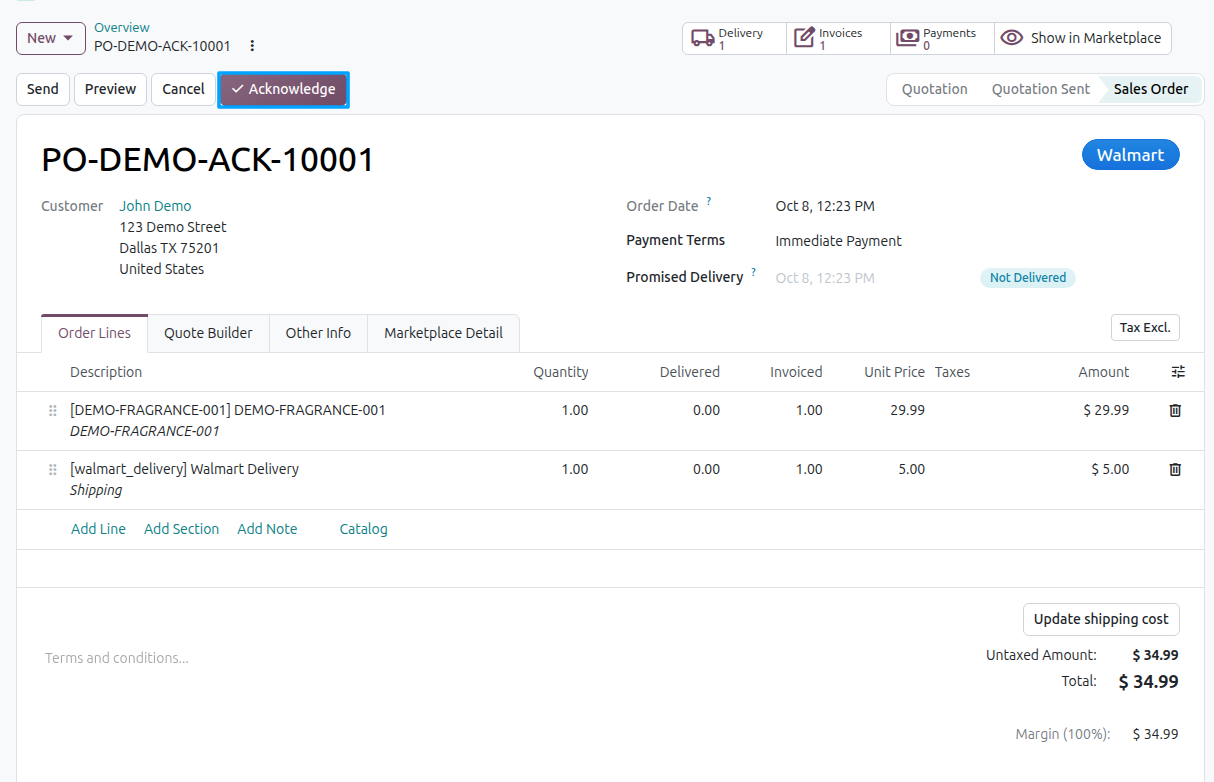
The button only appears on a seller-fulfilled order that has a Walmart purchase order number and has not been acknowledged yet, so it disappears once the order is acknowledged.
Method - 2: Automatic Acknowledgement
This is the recommended setup, and it is enabled by default.
Go to your Walmart instance under .
On the Orders tab, enable Auto Acknowledge Orders.
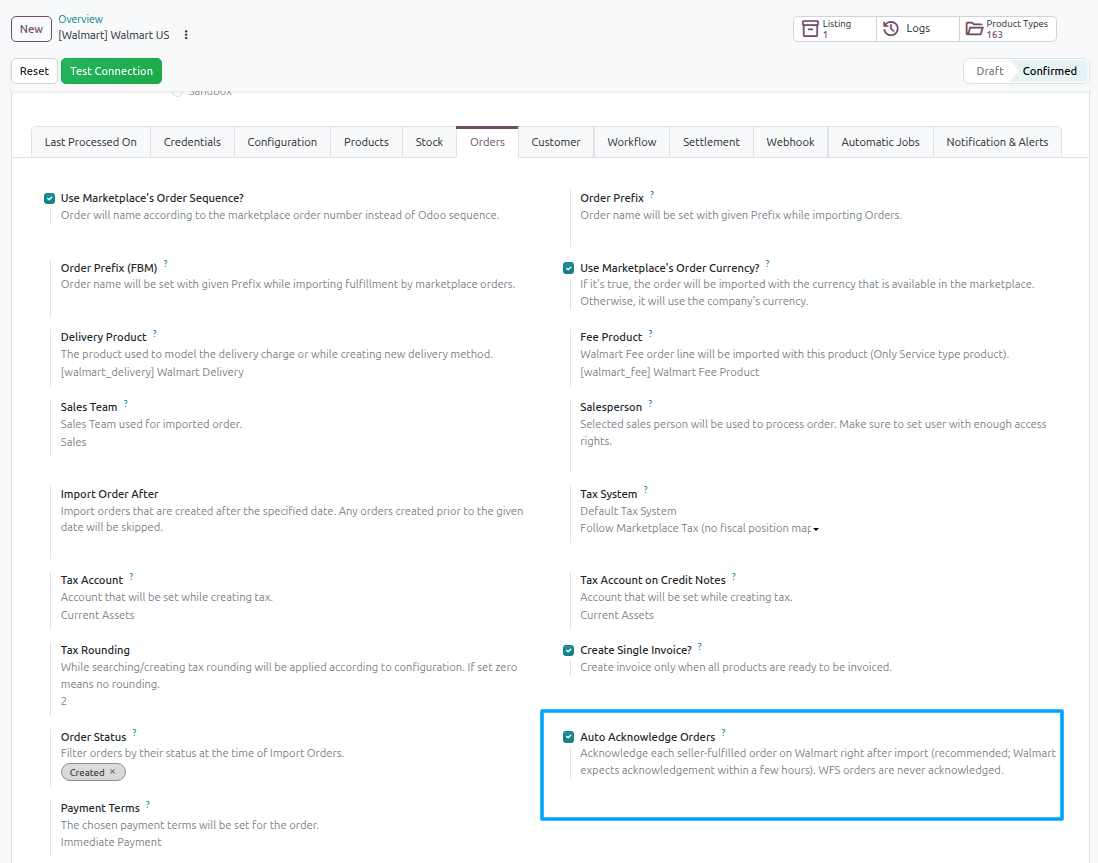
Every seller-fulfilled order is then acknowledged on Walmart immediately after it is imported, with no further action from you.
What Changes After Acknowledgement
On the Marketplace Detail tab of the order:
Acknowledged on Walmart is ticked.
Acknowledged On records the date and time.
Walmart Order Status moves to Acknowledged.
Note
Only orders with the Created status are eligible. Orders that have already moved past Created on Walmart, such as orders that have shipped, been cancelled, or been acknowledged elsewhere, are not included in the bulk operation.
Tip
If you import orders on a schedule, leave Auto Acknowledge Orders enabled. It is the only approach that reliably acknowledges within Walmart’s expected window, because it happens the moment the order arrives rather than waiting for someone to notice.