
Generate Shopify API Access Token (Custom App – New Flow)
This guide explains how to generate a Shopify Admin API Access Token using the new Shopify Custom App flow and connect it to your instance.
Step 1: Create a Custom App
Open the Shopify Developer Dashboard
Click on Create App.
Enter the App Name.
Click Create.
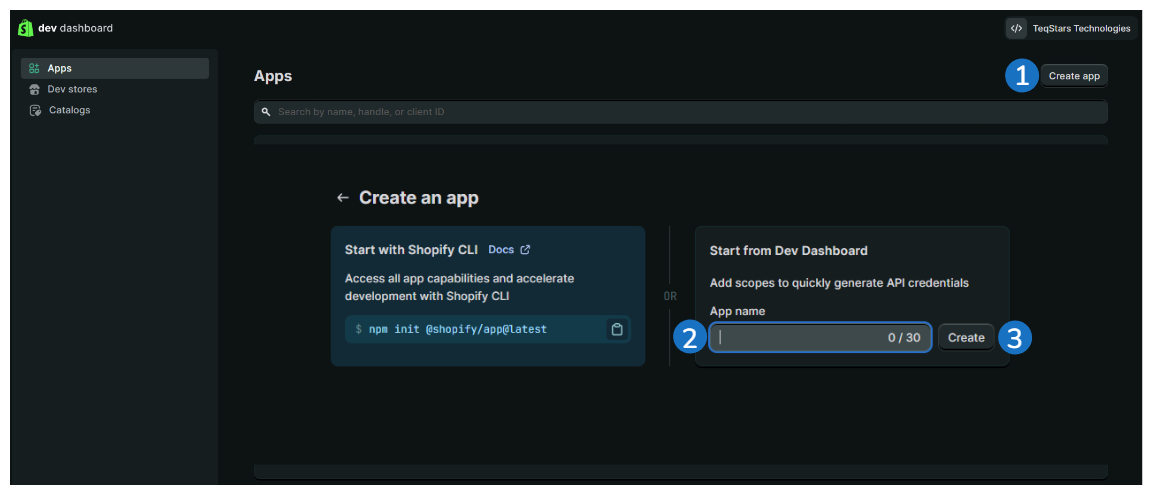
The custom app will now be created.
Step 2: Configure Admin API Access Scopes
After the app is created:
Open the app.
Navigate to Versions side menu.
Copy the required access scopes and paste under Scopes field.
read_assigned_fulfillment_orders,write_assigned_fulfillment_orders,read_custom_fulfillment_services,write_custom_fulfillment_services,read_customers,write_customers,read_price_rules,write_price_rules,read_discounts,write_discounts,read_fulfillments,write_fulfillments,read_gift_cards,write_gift_cards,write_inventory,read_inventory,write_locations,read_locations,read_merchant_managed_fulfillment_orders,write_merchant_managed_fulfillment_orders,read_metaobject_definitions,write_metaobject_definitions,read_orders,write_orders,read_product_listings,write_product_listings,read_products,write_products,read_publications,write_publications,read_returns,write_returns,read_shipping,write_shipping,read_shopify_payments_accounts,read_shopify_payments_payouts,read_third_party_fulfillment_orders,write_third_party_fulfillment_orders
Warning
You must enable all required scopes to avoid permission errors during synchronization.
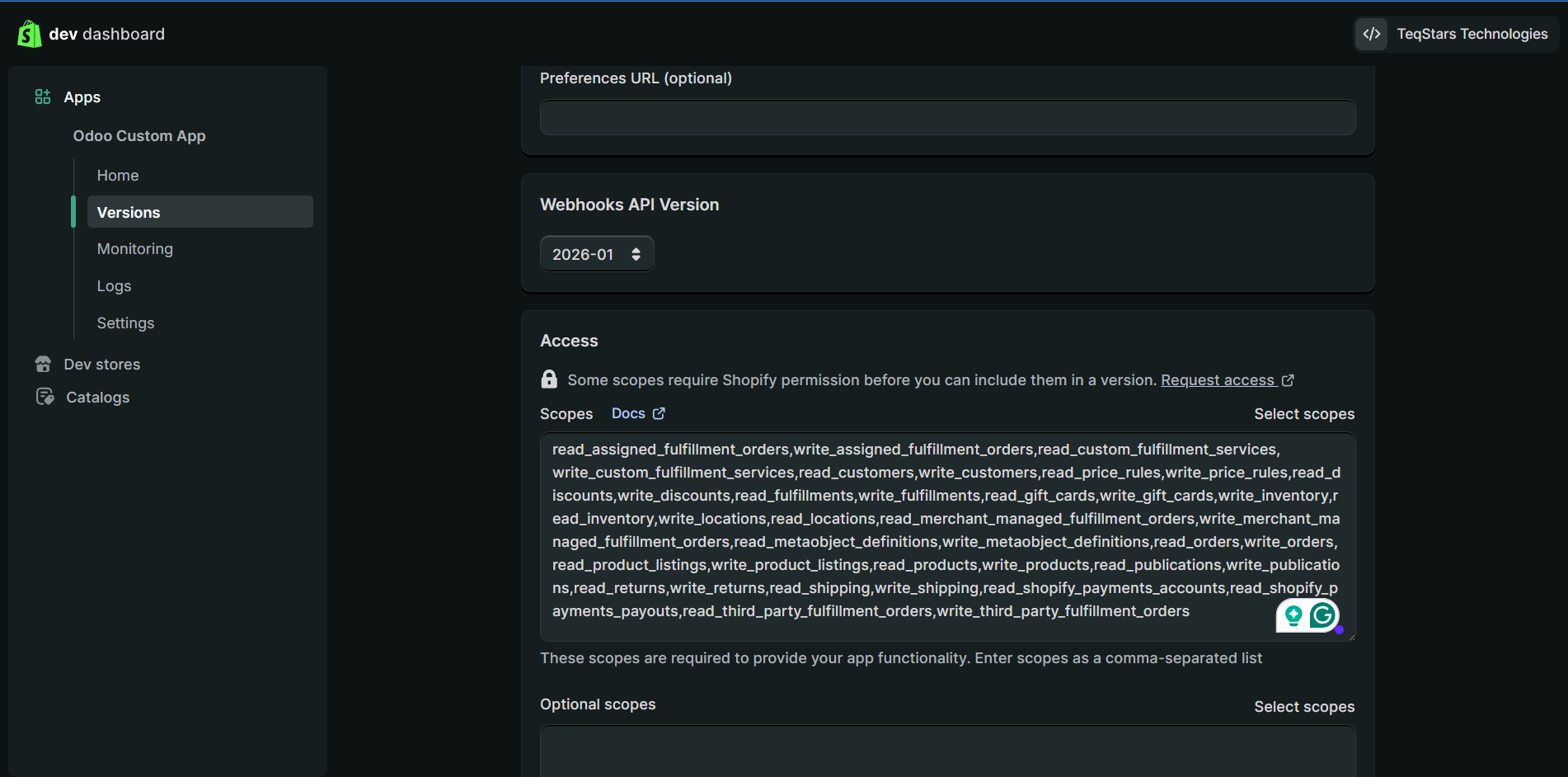
Click Done once all scopes are selected.
Step 3: Configure Redirect URL & Release the App
Copy the Shopify Redirect URL from your instance settings.
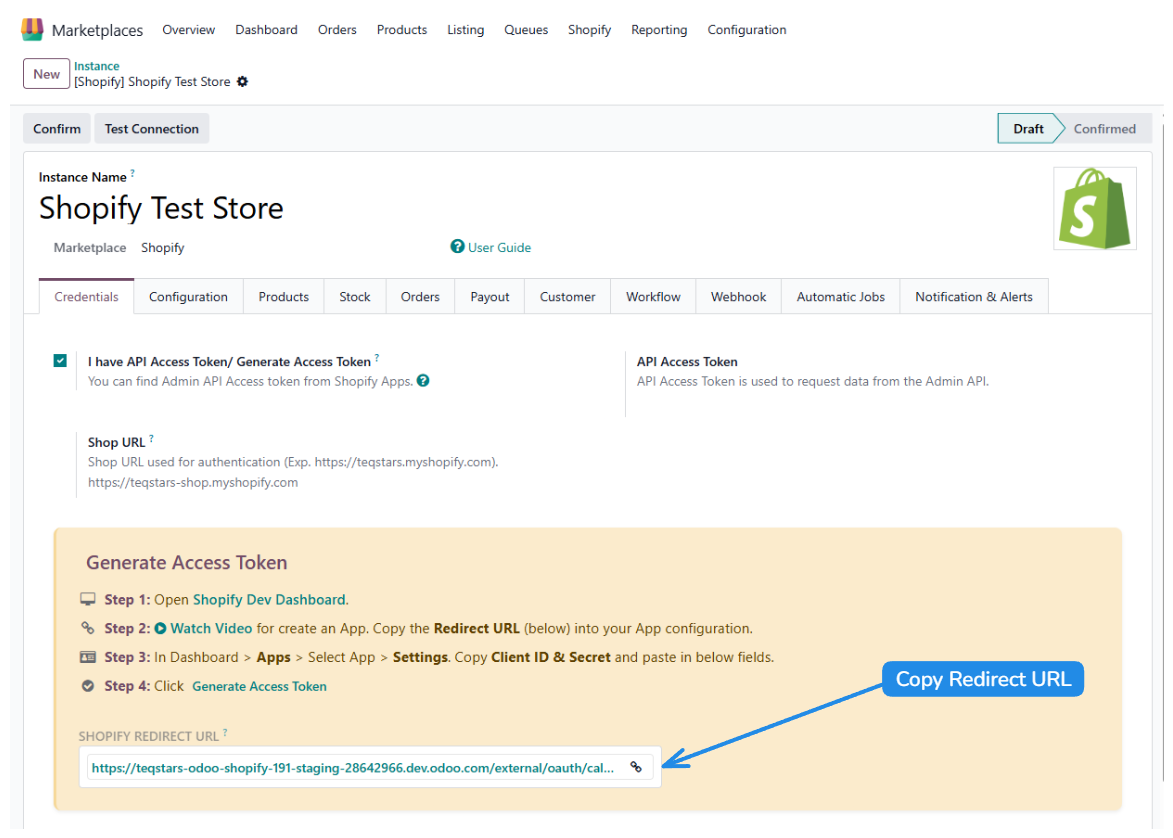
Paste it into the Shopify app under Redirect URLs field.
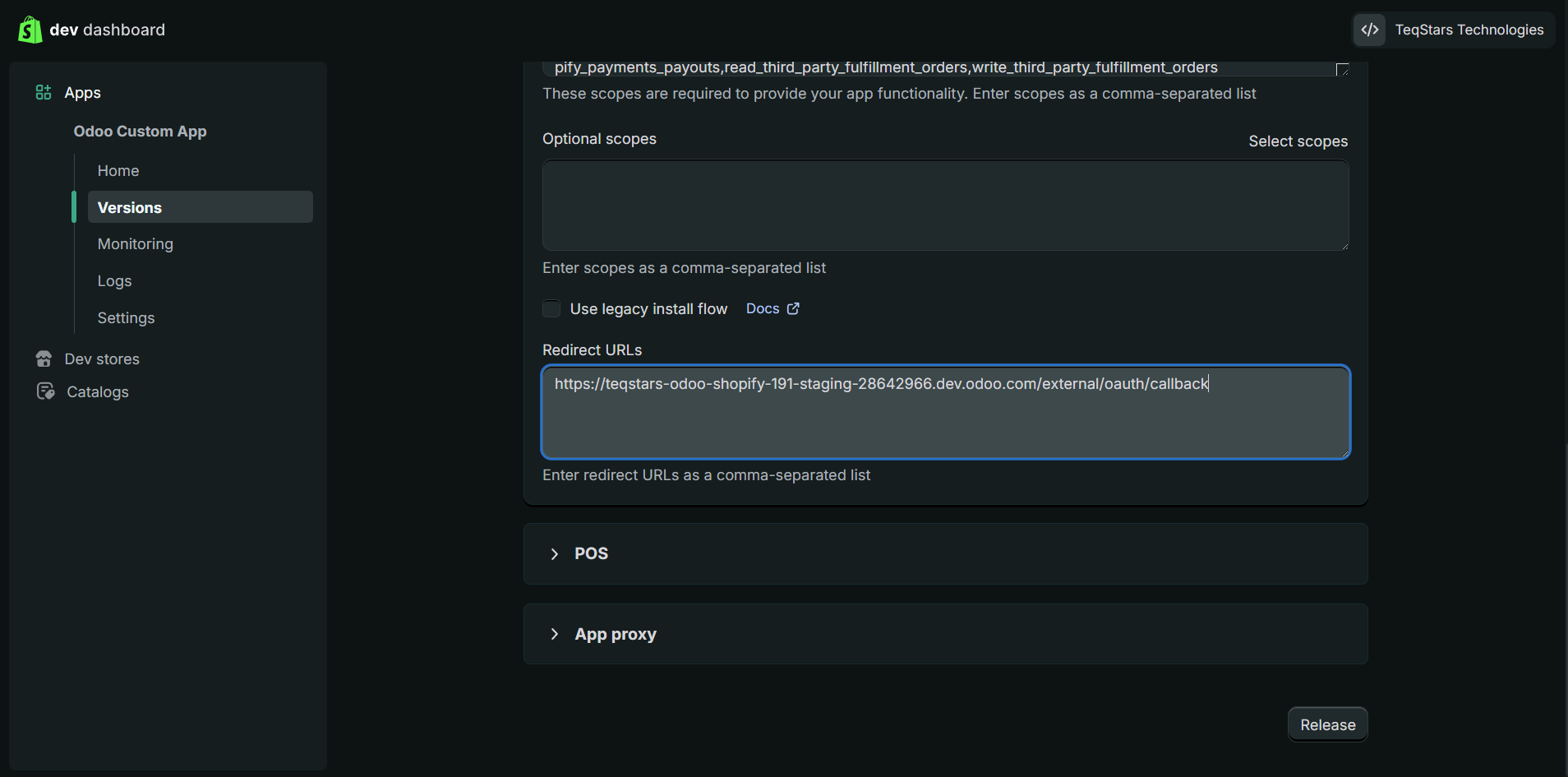
Click Release.
The app is now ready for use.
Step 4: Copy Client ID & Client Secret
Go to Settings in the Shopify Developer Dashboard.
Copy:
Client IDSecret
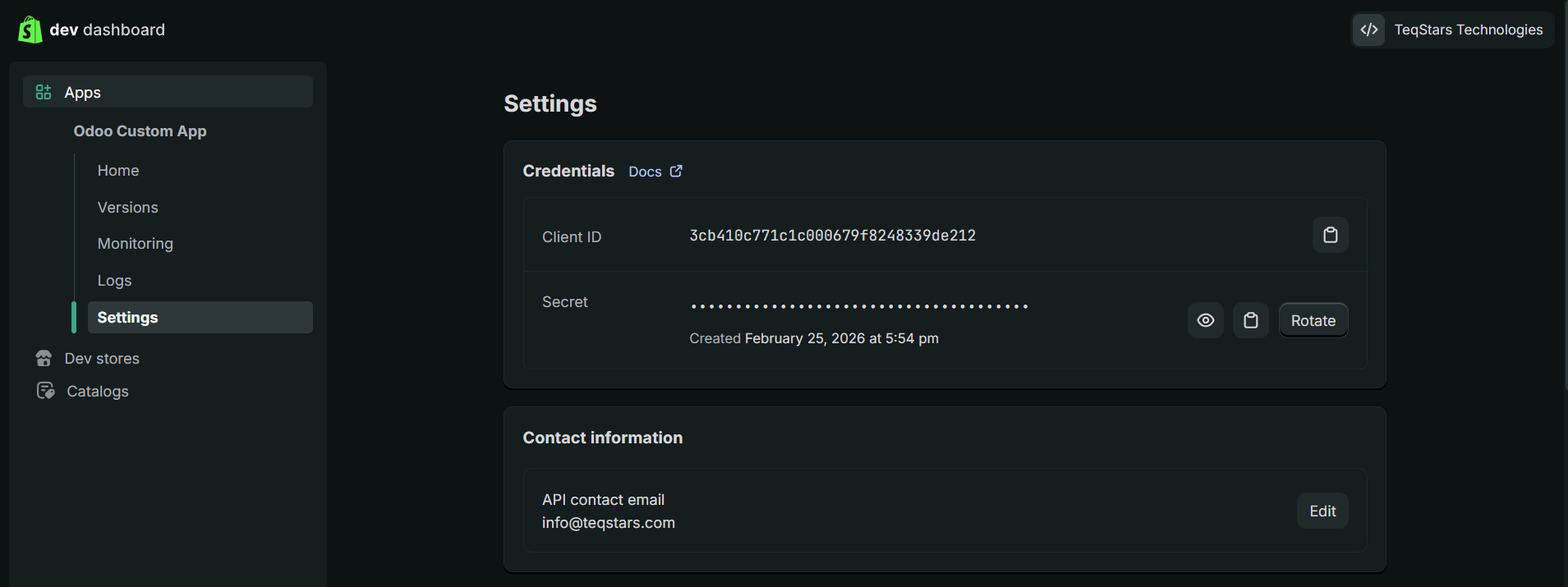
Open your Instance Settings and Paste the values accordingly.
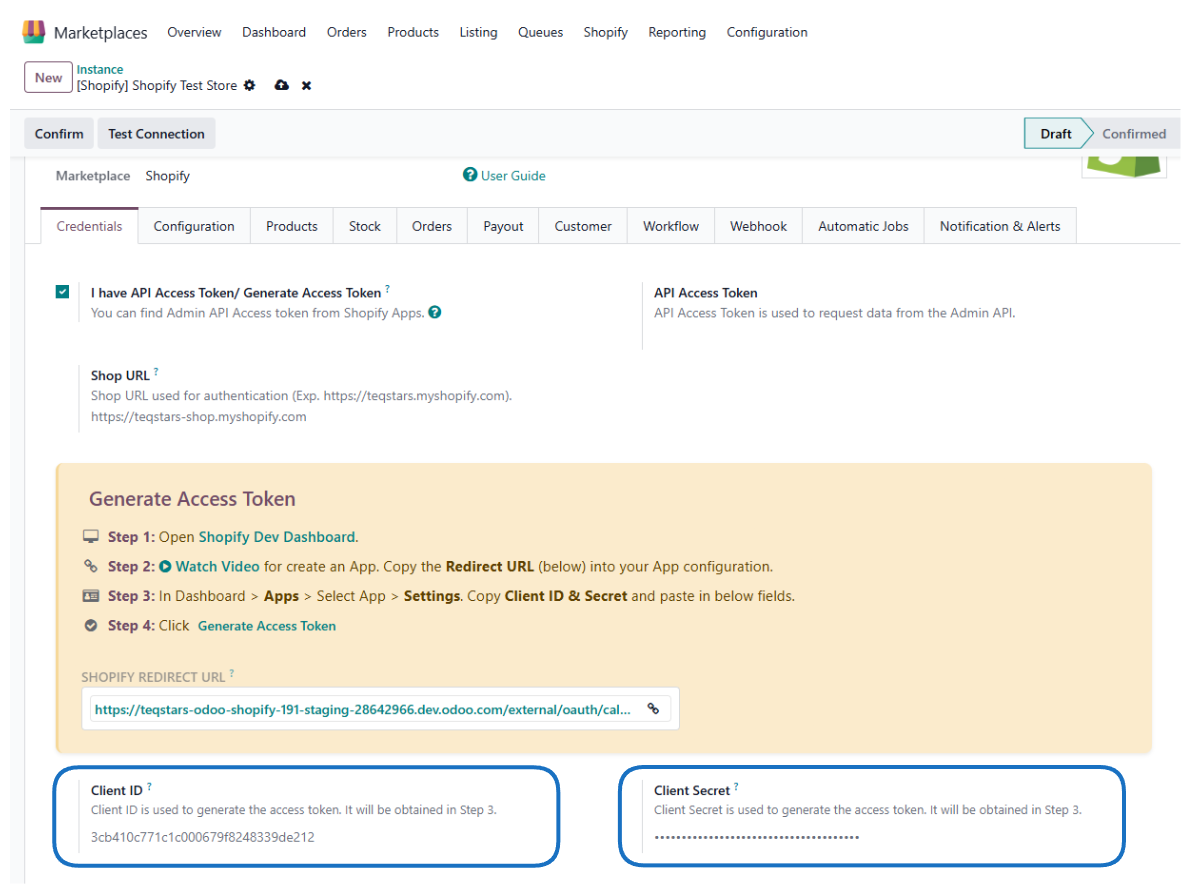
Save the configuration.
Step 5: Generate the Access Token
In your instance, click Generate Access Token.
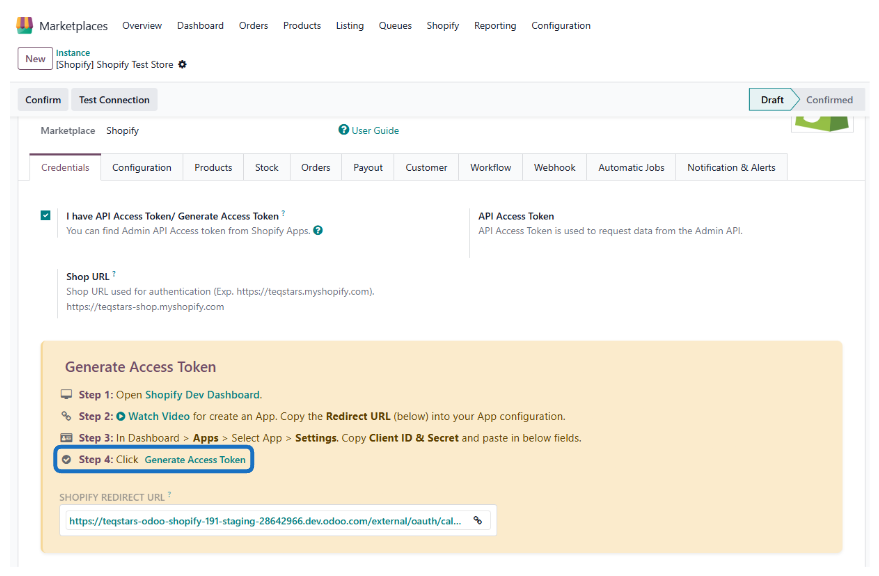
It will redirect you to your Shopify store, where you will be prompted to install the app.
Click Install.
After installation:
You will be redirected back to your Odoo instance.
The API Access Token will be automatically generated.
The token will be securely stored in your instance.
Step 6: Test the Connection
Click Test Connection in your Odoo instance.
If configuration is correct, the connection will succeed.
You can now continue with further configuration.
See also